






Your cart is empty
Looks like the spiders padded through here. Pick a plugin and it will show up here. Continue shoppingOn this page, you will find everything you need to know about the mass opening.
The Mass Opening feature is available in the Pro+ plan of Phoenix Crates.
When the player right-clicks to open the crate, they will see a menu displaying all available mass opening options. The red glass below an option indicates that the player either doesn't have permission to use that opening or doesn't have enough keys.
Menu: default_crate_mass_opening
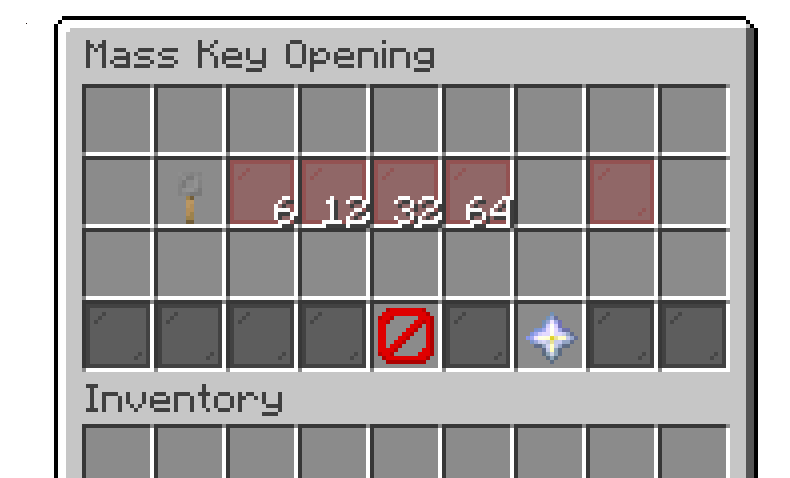
Crate Interaction
The available keys item will display the total number of keys you have for that crate, along with a list showing the amount of each individual key.
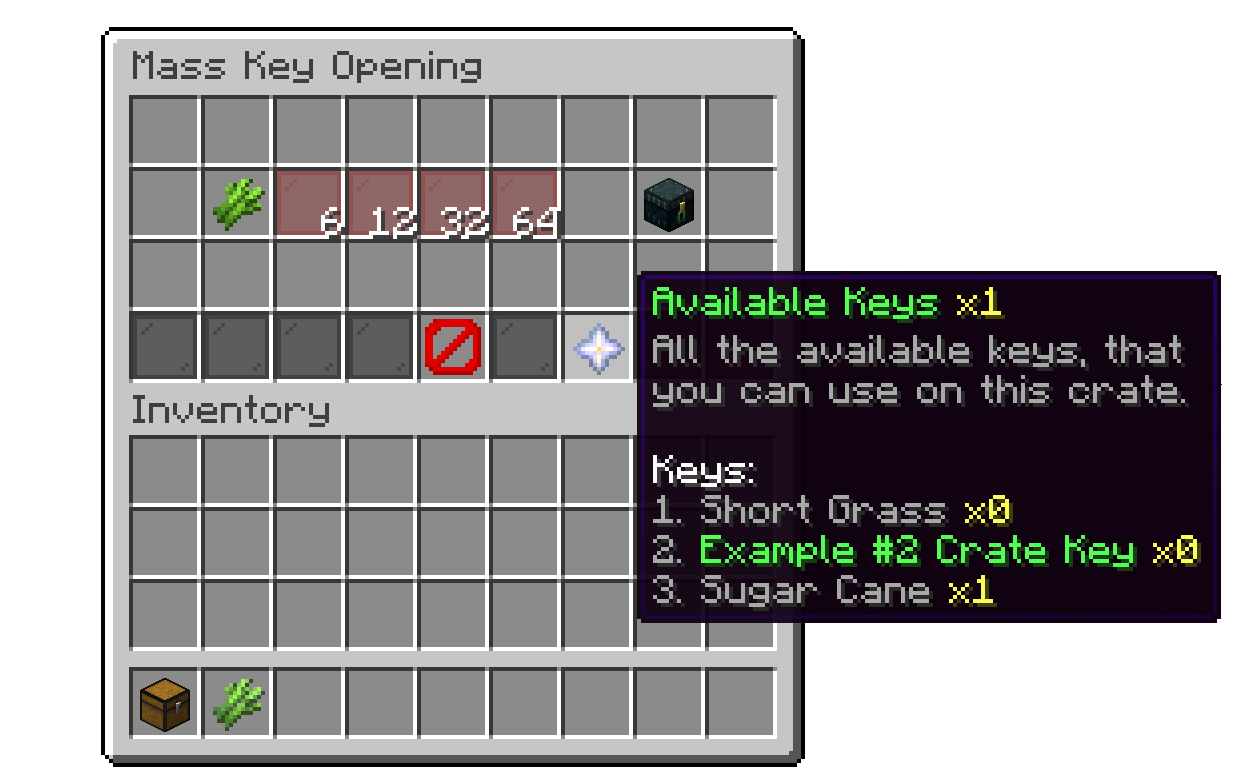
Crate Interaction
Mass Opening also works with crates using the Selective (non RNG) rewards mode. If the player has more than one key, they'll see a menu listing every reward they can afford, where they can left-click to select multiple rewards (and how many of each) up to their total available keys, and right-click to remove a selection. If the Rarity add-on's reward grouping is used, rewards are grouped into category icons that open a filtered sub-menu instead of showing every reward at once. Once ready, confirming the selection consumes the matching number of keys and opens every selected reward at once.
If the reroll feature is enabled along with mass opening, a different behavior occurs when using any opening option other than the single-key opening. Instead of receiving rewards individually, the player will see a menu displaying all the rewards they’ve won. They can click on any item to reroll it. Additionally, there's a Claim All Rewards option to collect everything at once.
Menu: default_crate_mass_reroll
.png)
Crate Interaction
Your cart is empty
Looks like the spiders padded through here. Pick a plugin and it will show up here. Continue shopping