






Your cart is empty
Looks like the spiders padded through here. Pick a plugin and it will show up here. Continue shoppingOn this page, you will find all the information about linking keys to your crate.
This option allows you to link the key to the crates you want it to be able to open.
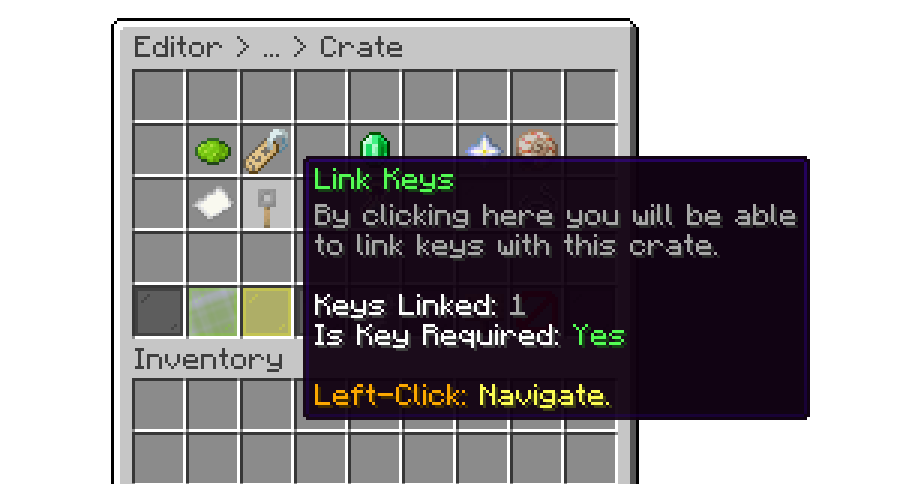
Editor > Crates > Crate
Linking a key is a simple process. When you click on the Link Key glass, a menu will appear showing all available keys on your server, allowing you to select the one you want to link to the crate.
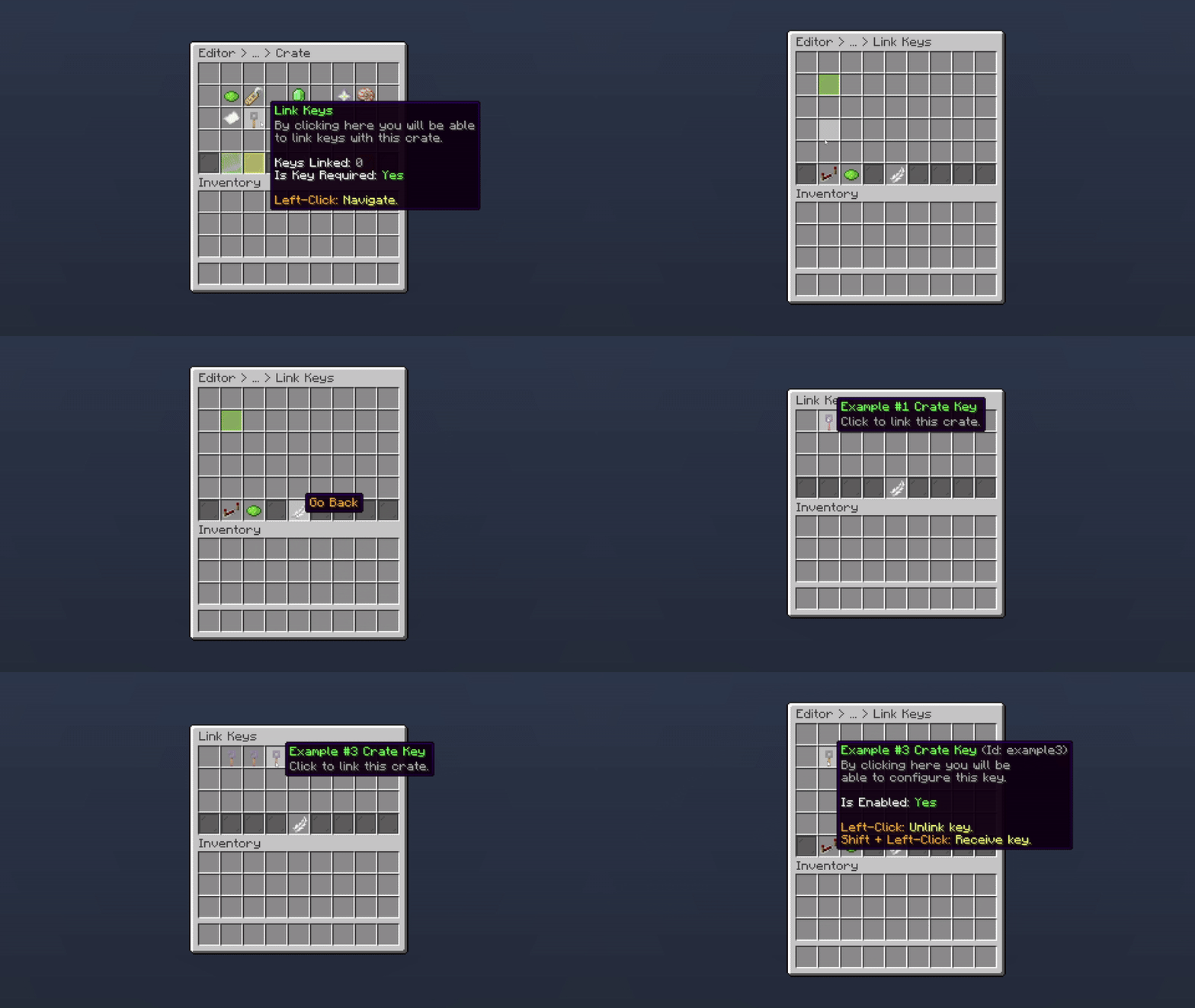
Editor > Crates > Crate > Link Key
By default, Key Required is enabled, which means the player must have at least one key to open the crate. If you don't want a key to be required, you can disable this option.
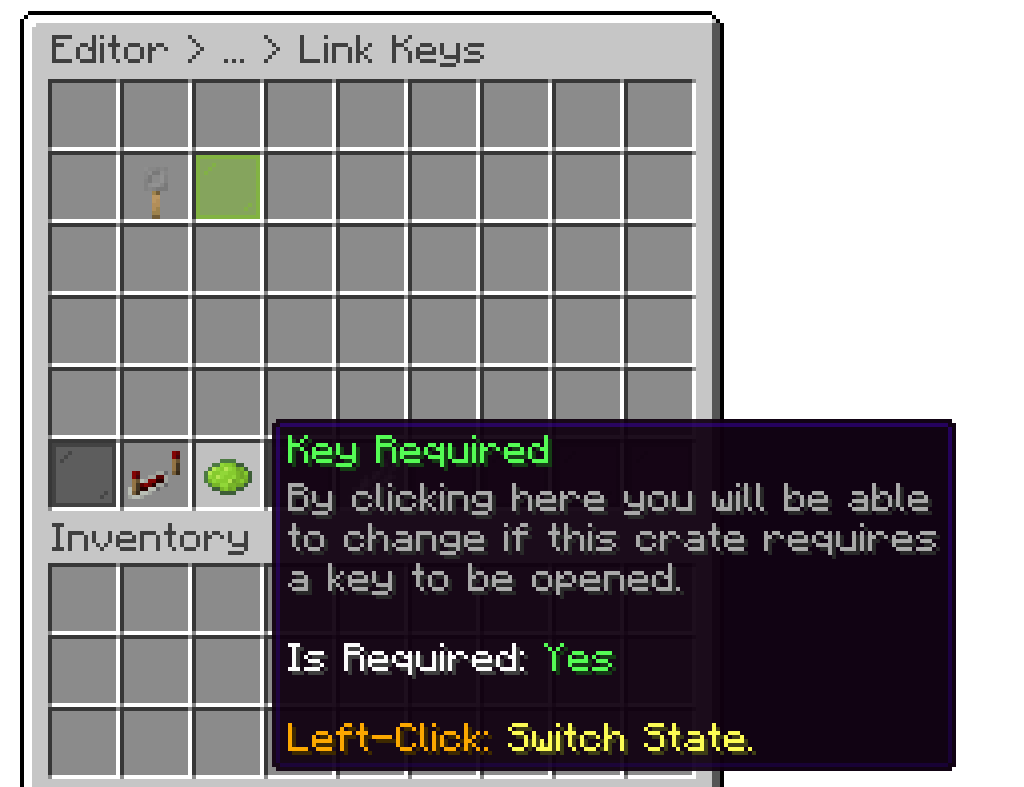
Editor > Crates > Crate > Link Key
When you have two or more keys linked to your crate, you can use the priority setting to determine which keys should be consumed first.
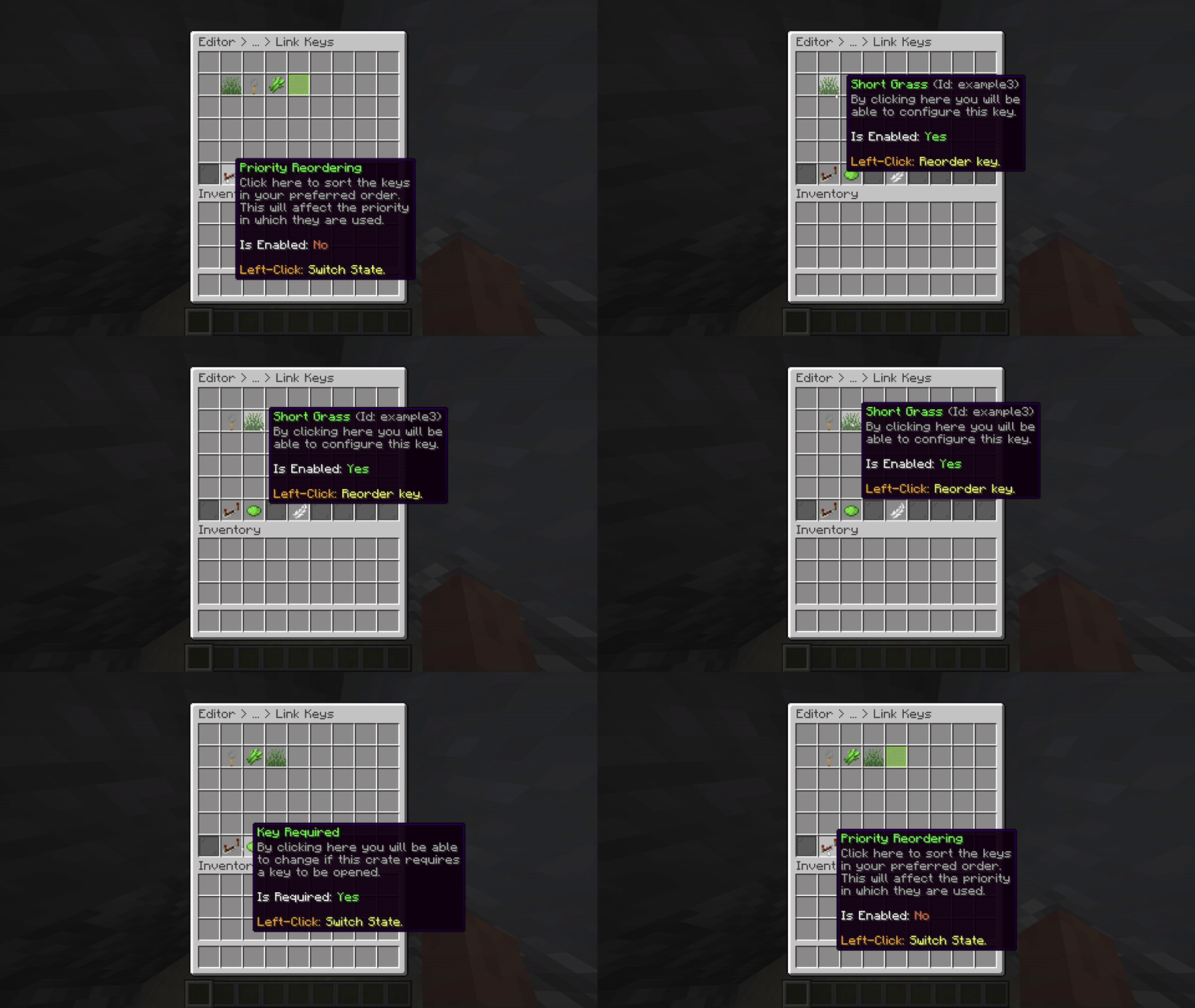
Editor > Crates > Link Key
Your cart is empty
Looks like the spiders padded through here. Pick a plugin and it will show up here. Continue shopping