






Your cart is empty
Looks like the spiders padded through here. Pick a plugin and it will show up here. Continue shoppingOn this page, you will find all the information about the arena regeneration.
Requirements: Only if you use the WorldEdit regeneration engine, this requires FastAsyncWorldEdit to be installed. The Internal engine needs no external dependency.
If you enable Arena Regeneration, the arena will return to its initial state after each match. Any changes players made, such as placing or breaking blocks, explosions, and more, will be undone. For the regeneration to function correctly, it's essential to properly define both the Universal Region and the Battle Region. Failing to do so may cause the regeneration to not work as expected.
Each map lets you pick the Regeneration Engine used to restore it:
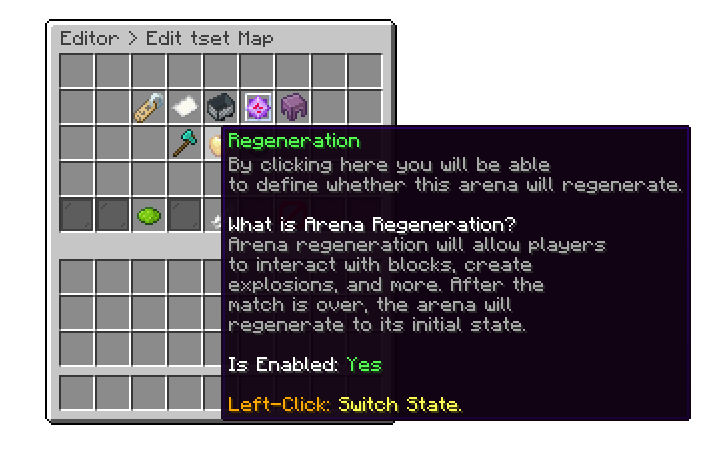
Editor > Maps > Arena
Each map can have a maximum number of physical arena instances placed in the world. When every existing instance of a map is occupied and a new match needs one, Auto Generation pastes an additional arena for that map into a world you choose. As of the latest update, that new arena is pasted in permanently rather than as a temporary copy cleaned up after the match — so once one is generated, it stays and becomes a regular instance of that map going forward.
If the regeneration feature is causing performance issues on your server, be sure to check the following post for solutions:
why-regeneration-causes-lag-to-my-server.md
Your cart is empty
Looks like the spiders padded through here. Pick a plugin and it will show up here. Continue shopping