






Your cart is empty
Looks like the spiders padded through here. Pick a plugin and it will show up here. Continue shoppingOn this page, you will find all the information about the idle animations and their effects
With idle animations, you can use particles to create custom animations. There are 120+ effect combinations available, allowing you to make your crate as unique as you like.
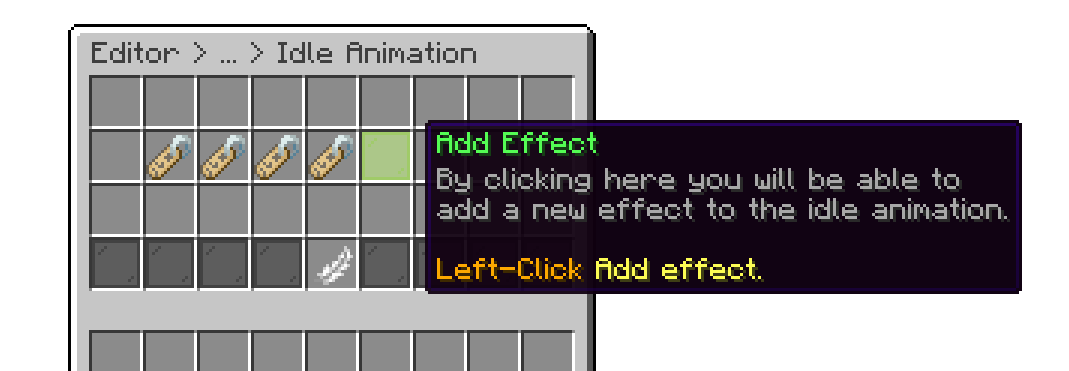
Crates Editor > Crates > Crate > Animations > Idle Animation
In the drop down below, you’ll find all the available effect types we currently offer.
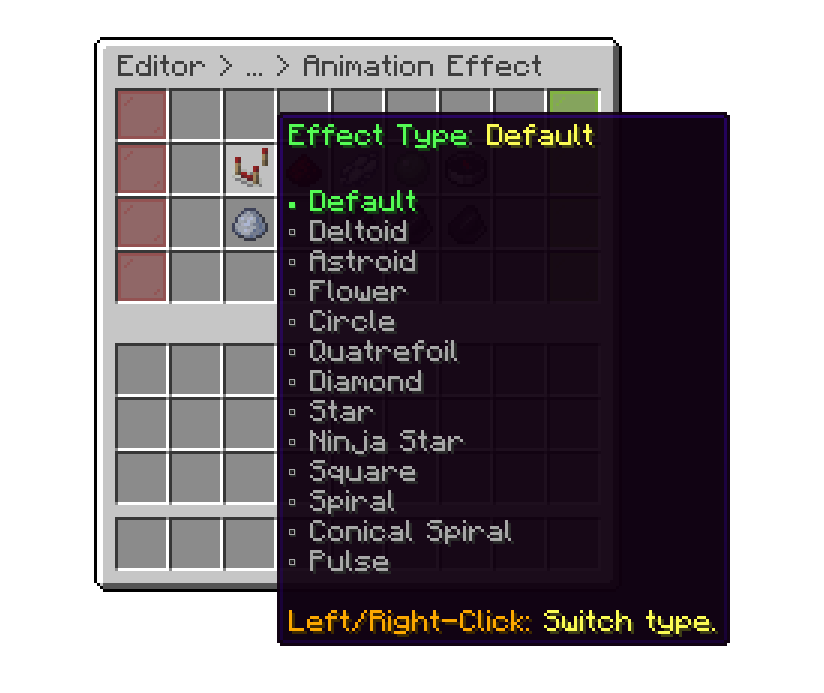
Idle Animation > Animation Effect
There are 100 different particle options available for you to choose from for your crate.
Once an effect is created, it will appear in the main effects list, where you can Left-Click to edit it. The maximum number of effects you can add is 12.
.png)
Crates Editor > Crates > Crate > Animations > Idle Animation
Example of the Idle Animation In-Game
.gif)
Example of the Default Idle Animation
Your cart is empty
Looks like the spiders padded through here. Pick a plugin and it will show up here. Continue shopping