





 Spigot
 Paper
 Folia
 1.20.4+
Your cart is empty
Upgrade your server with

Lobby Items
€ 6,99
Instant delivery · Lifetime updates

Hand players the right buttons at the right moment. This PhoenixDuels add-on adds lobby hotbars that change for parties and queues, plus a duel menu.

Players get queue, kit editor, party and stats buttons in the lobby, and the hotbar swaps by itself when they join a party or a queue. Each stage has its own items, slots, actions and held slot.

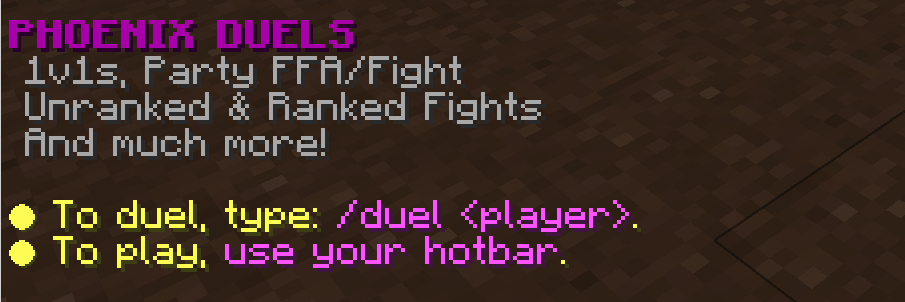

Run actions every time a player joins, such as the default how-to-duel message, and send them to the lobby spawn as they log in. Players who respawn outside a match go back to the lobby too.

Show an animated lobby scoreboard with online, playing and queueing counts plus the player's own kills and deaths. It steps aside during a match and comes back when the player returns to the lobby.


Players right-click each other in the lobby to open a small menu that sends a duel request or a party invite. It never opens on NPCs or while either player is in a match.

Lobby items cannot be dropped, moved, swapped to the off hand or dropped on death. A player's own item sitting in a lobby slot is moved aside, or to Lost Items when the inventory is full.
Send players into the ranked queue from one hotbar item.
[COMMAND] player;queue rankedShow on the scoreboard how many players are waiting for a match.
%queueing%Hand yourself the party hotbar to check it without forming a party.
/pduels lobbyitems partyUse this material to show each player their own head on the hotbar.
PLAYER_HEADYes. Everything follows the PhoenixDuels world list, and the hotbar has its own enabled or disabled worlds list on top, so it can stay out of a survival world on the same server.
Only when a player joins, respawns, or moves into or out of a lobby world, and only while inventory clearing is on. Switching between the default, party and queue hotbars swaps the lobby items alone.
Yes. The hotbar, the scoreboard, teleport on join and the right-click menu each have their own switch in lobby.yml, and every item, line and message can be edited there.
Yes, with the Rematch & Requeue add-on installed. A rematch clock appears on the hotbar for as long as the rematch window lasts, then disappears again.

This is an Add-On that requires PhoenixDuels Premium to function properly.
Optional: PlaceholderAPI (for extra scoreboard placeholders), Rematch & Requeue add-on (for the rematch hotbar item).
Download PhoenixDuels with Lobby Items ticked in the add-on list. It comes packed inside the plugin jar.
Put the new PhoenixDuels jar in your plugins/ folder in place of the old one.
PhoenixDuels installs the add-on into PhoenixDuels/addons/ by itself and updates older copies.
Prefer separate files? Download the add-on alone and drop it into PhoenixDuels/addons/.
One-time payment. Download from your dashboard. Support on Discord.
Explore products that pair well with this item


Duels Add-on
Stage-Based Hotbars
Right-Click Duel Menu
Protected Lobby Items
 Requires Phoenix Duels
Upgrade your server with
Instant delivery · Lifetime updates