








Your cart is empty
Looks like the spiders padded through here. Pick a plugin and it will show up here. Continue shoppingPayment Labels are set in Editor > Settings > Payment Labels or in labels.yml. Changes apply at once, no reload needed.
When a plugin such as Jobs pays a player through Vault, the balance history and the transaction log show the reason Vault and the plugin's name under By. Players don't know what that payment was.
Payment Labels let you rename that money in plain words. Jobs payments can show as Job Payment, and money from your crate command as Reward. You can also add a short description, which shows on the Detail line.
A labelled entry shows the player whose balance changed under By. PhoenixShop, PhoenixCrates and PhoenixDuels already name their own payments, and those names always win over a label you set here.
There are two kinds of labels:
| Kind | Renames |
|---|---|
| Plugin labels | The money a plugin gives (deposit) or takes (withdraw) through Vault, VaultUnlocked or ServiceIO. Each side has its own name, and either one can be left out. |
| Command labels | The money moved while a command runs, such as eco give or money give. The label applies when the command starts with the words you entered, so eco give covers /eco give Steve 100. When two labels fit, the longer one wins. |
Open Editor > Settings and click the name tag, Payment Labels. The screen lists every plugin that has paid or charged players without a name, with how many payments it made, plus every plugin you have already named. Each entry shows its deposit and withdraw names and descriptions, or Not named.
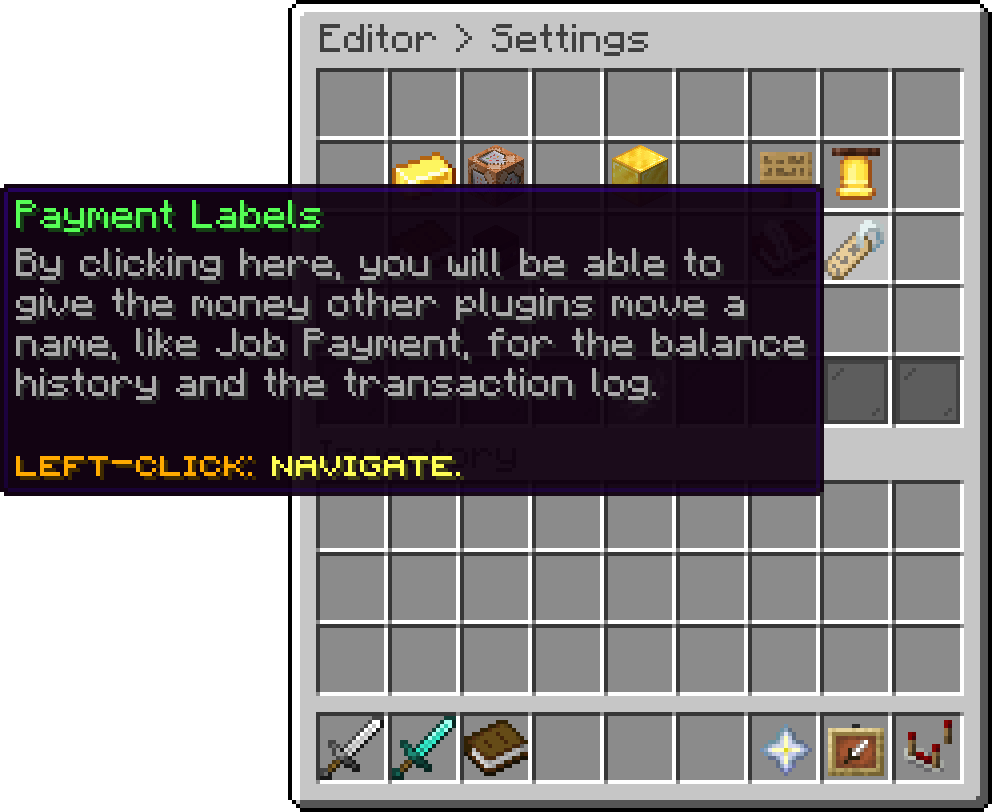
Settings (Payment Labels)
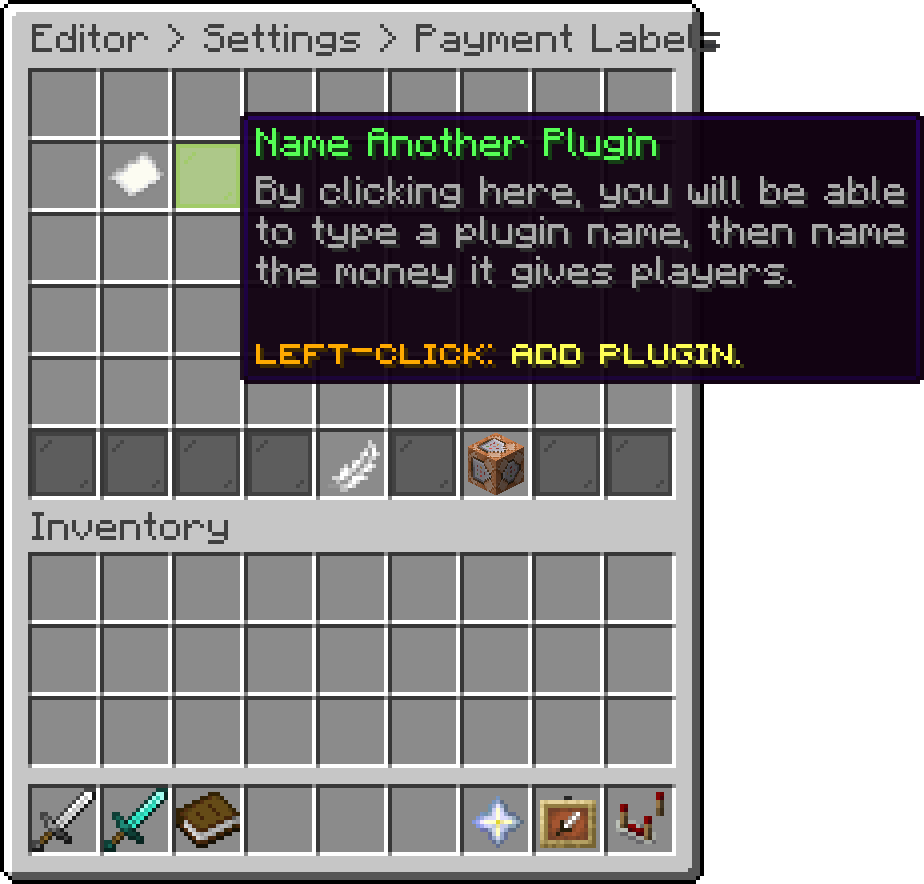
Payment Labels (Name Another Plugin)
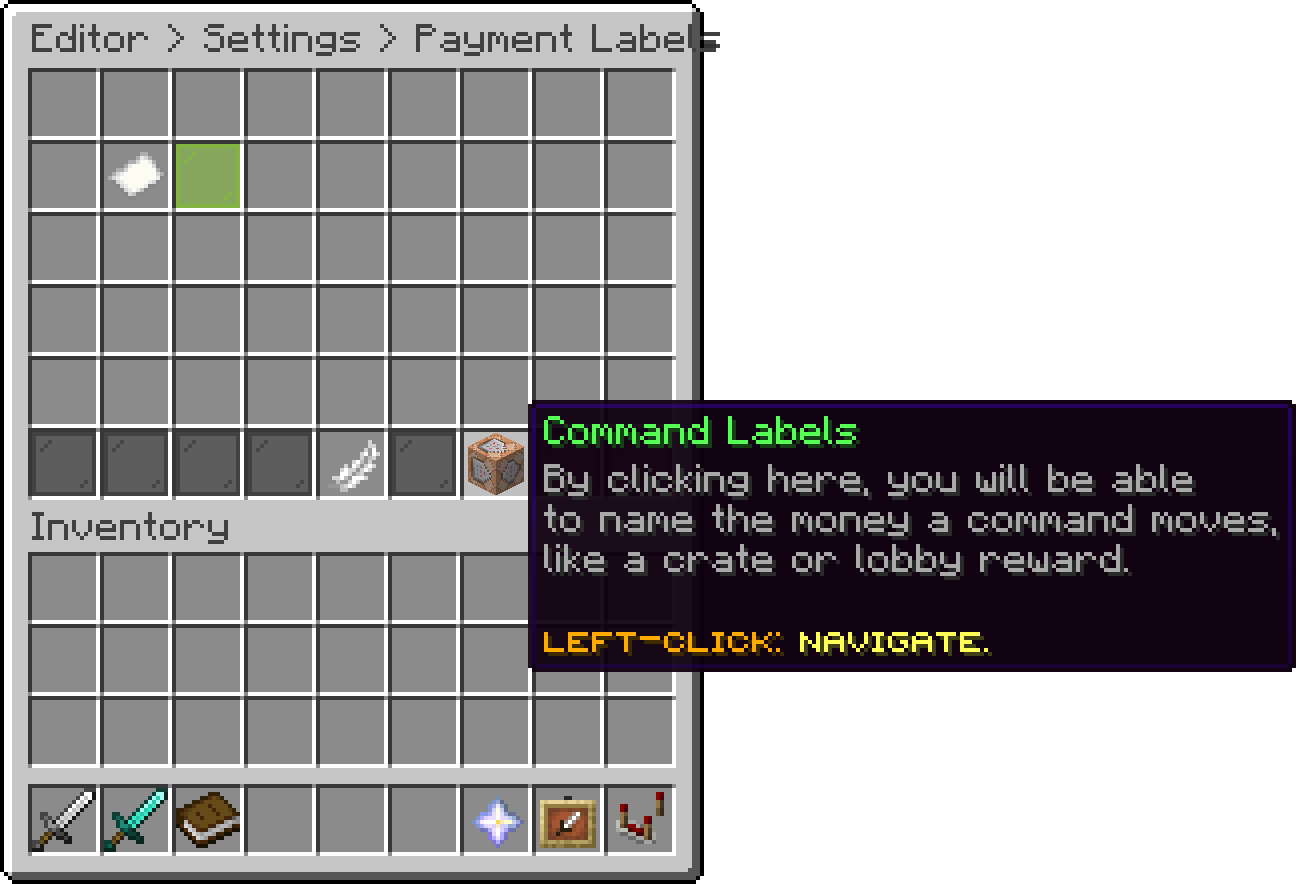
Payment Labels (Command Labels)
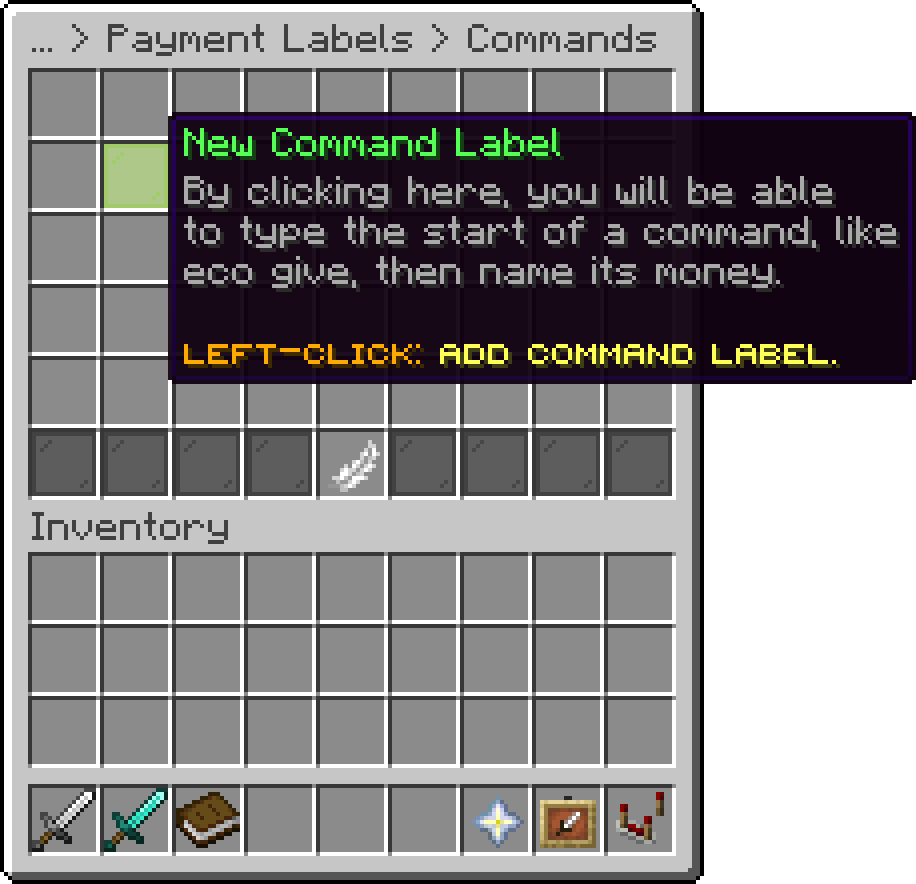
Commands (New Command Label)
| Click | Does |
|---|---|
| Left-Click | Sets the deposit name, then asks for its description. |
| Shift + Left-Click | Sets only the deposit description. |
| Right-Click | Sets the withdraw name, then asks for its description. |
| Shift + Right-Click | Sets only the withdraw description. |
| Press Q | Removes both names of that plugin, after a confirmation. |
Type - when asked for a description to leave it empty. Typing - as a name removes that side's name.
The green pane, Name Another Plugin, lets you type a plugin's name yourself before it has moved any money.
The command block on the bottom bar opens Command Labels. The green pane there asks for the start of a command, then its name and description. On an entry, Left-Click renames it, Shift + Left-Click changes the description, and Press Q removes it after a confirmation.
Names can be up to 32 characters and descriptions up to 128.
The editor saves every label to the file. You can also edit it by hand and run /pcur reload.
plugins:
  Jobs:
    deposit:
      name: Job Payment
      description: Paid for your job
    withdraw:
      name: Job Fee
commands:
  eco give:
    name: Reward
    description: Crate reward
/.deposit: Job Payment or eco give: Reward.%plugin% for the plugin's name and %command% for the command as it was typed.Jobs pays players for their work. Name the Jobs deposit Job Payment with the description "Paid for your job". Players now see "Job Payment" in their history instead of "Vault".
plugins:
  Jobs:
    deposit:
      name: Job Payment
      description: Paid for your job
A crate gives money with eco give. Add a command label for eco give named Crate Reward.
commands:
  eco give:
    name: Crate Reward
    description: Won from a crate
A quest plugin runs money give %player% 50. Add a command label for money give named Quest Payout. The description Command: %command% shows the exact command that paid the player.
commands:
  money give:
    name: Quest Payout
    description: "Command: %command%"
A command label sees the commands a player or the console types, and every command of PhoenixCurrencies however it is run. When another plugin runs a command of a different plugin for a player, such as eco give from Essentials, name that plugin's money with a plugin label instead.
A label's name is stored as the entry's reason, so it shows in the reason filter of the transaction log like any other reason. Entries logged before you set a label keep their old reason.
Your guide to the docs
Ask me anything about our plugins. I know these docs inside out, check the latest versions and changelogs, and can read your server logs.
Try asking
Your cart is empty
Looks like the spiders padded through here. Pick a plugin and it will show up here. Continue shopping