





Your cart is empty
Looks like the spiders padded through here. Pick a plugin and it will show up here. Continue shoppingWhat shops, categories and items are priced in, every currency type and how prices are written.
A currency is saved on the shop, category or item that uses it, in the shop's own files in the shops folder.
Every price in the plugin is paid in a currency. A shop always has one, and a category or an item can set its own on Premium. Whatever does not set one uses the one above it: an item falls back to its category, and a category to its shop.
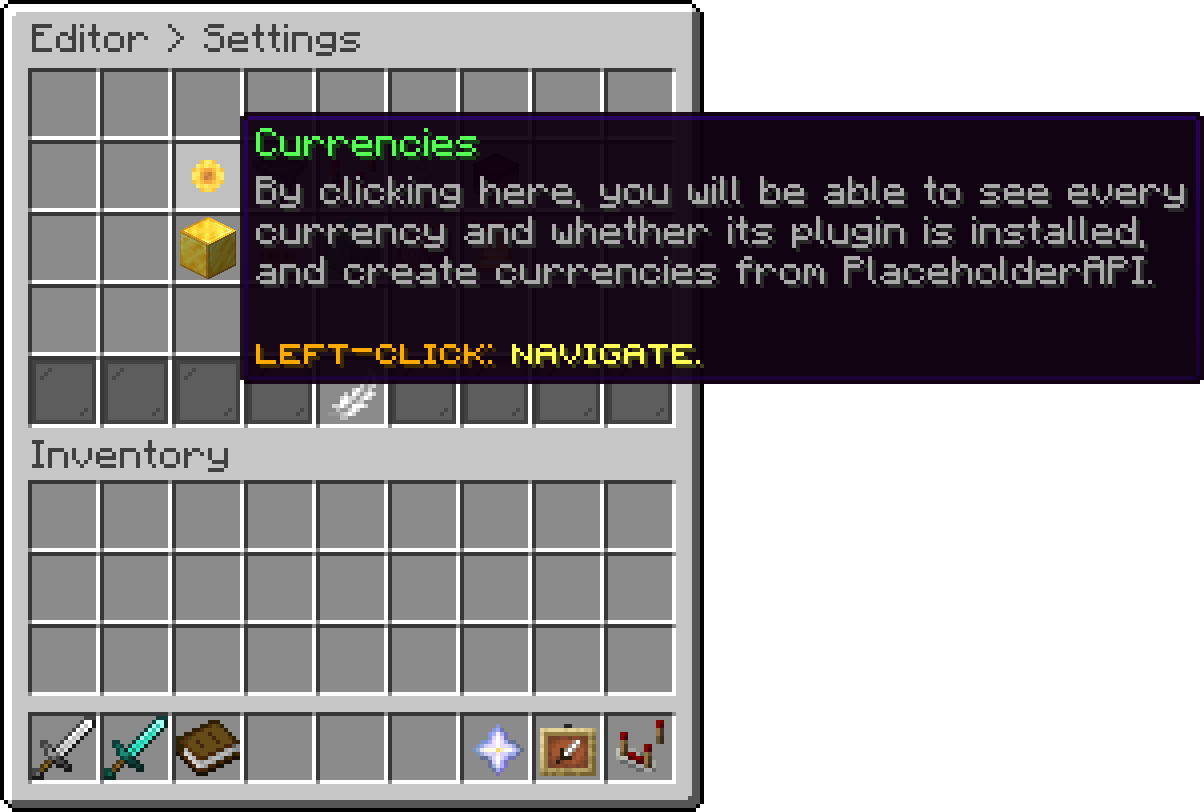
Settings (Currencies)
| Type | Needs | Edition | Section |
|---|---|---|---|
| Vault | Vault and an economy plugin such as EssentialsX | Lite | Economy Plugins |
| PlayerPoints | PlayerPoints | Lite | Economy Plugins |
| VotingPlugin | VotingPlugin | Lite | Economy Plugins |
| ExcellentEconomy | ExcellentEconomy | Lite | Economy Plugins |
| PhoenixCurrencies | PhoenixCurrencies | Lite | Economy Plugins |
| Experience | Nothing | Lite | Experience |
| PlaceholderAPI | PlaceholderAPI | Premium | Placeholder Currencies |
| Item | Nothing | Premium | Item Currencies |
A type whose plugin is not installed, or that needs Premium on Lite, is skipped when you swap through the types in the editor.
The currency is a block with its type on the shop, the category or the item. A category or item without a block uses the one above it.
currency:
  type: EXCELLENTECONOMY
  identifier: gems
The type is one of VAULT, PLAYERPOINTS, VOTINGPLUGIN, EXCELLENTECONOMY, PHOENIXCURRENCIES, EXPERIENCE, PLACEHOLDER or ITEM. ExcellentEconomy, PhoenixCurrencies, Placeholder and Item also take an identifier naming which currency of that type to use, and Placeholder and Item currencies are written out in full in the same block, shown on Placeholder Currencies and under Item Currency in the Shop File.
A shop priced in a currency the server cannot pay in does not open, and tells the player which plugin is missing. An item priced in such a currency is hidden from its shop until the plugin is installed, and /sell skips it.
Vault, Placeholder and decimal ExcellentEconomy currencies accept decimal prices. Vault rounds them to the cent, up when the player pays and down when the player is paid, so a total of 2.005 costs 2.01 and pays 2.00. PlayerPoints, VotingPlugin, Experience, Item and whole-number ExcellentEconomy currencies are whole numbers only: a decimal price is rounded up when the player pays and rounded down when the player is paid, so 2.5 costs 3 and pays 2. A PhoenixCurrencies currency is rounded the same way to the number of decimals it is set to. The rounded amount is the one named in the transaction message, stored in the history and moved back by undo.
Editor > Settings > Currencies lists every currency the server knows, with the plugin behind it and whether that plugin is installed. Placeholder currencies can be created, edited and deleted from here. The other types are built in and only listed.
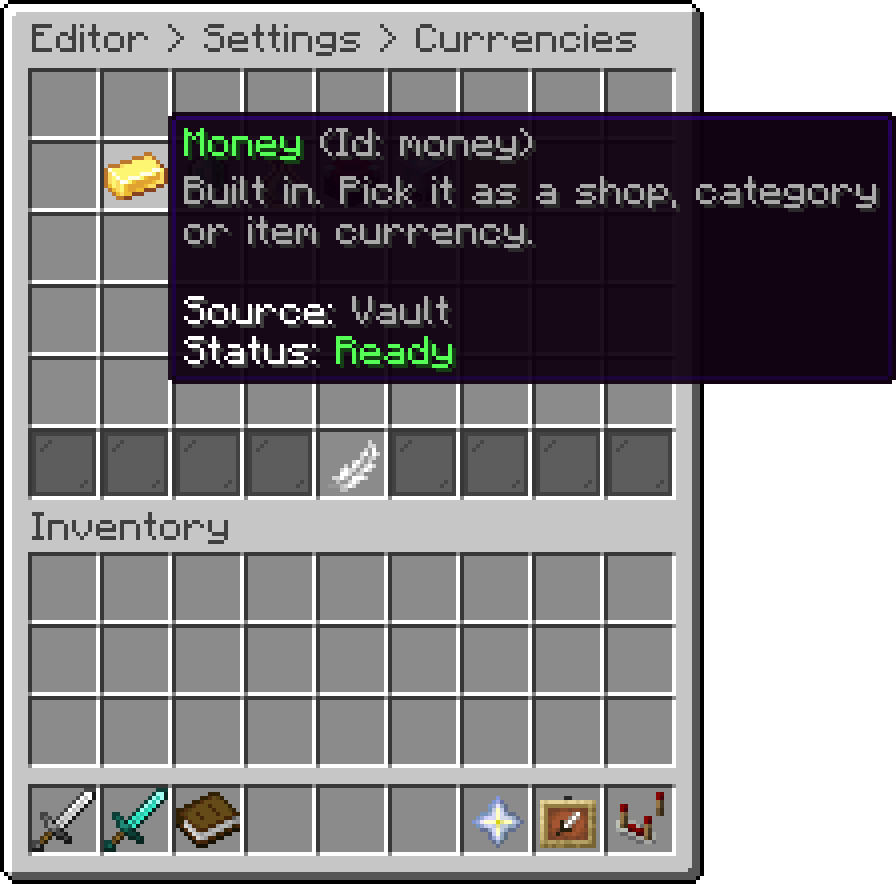
Currencies (Money)
These currencies hand the balance over to another plugin. The plugin has to be installed and enabled before its type can be picked, and a shop priced in one that goes missing stops opening until it is back.
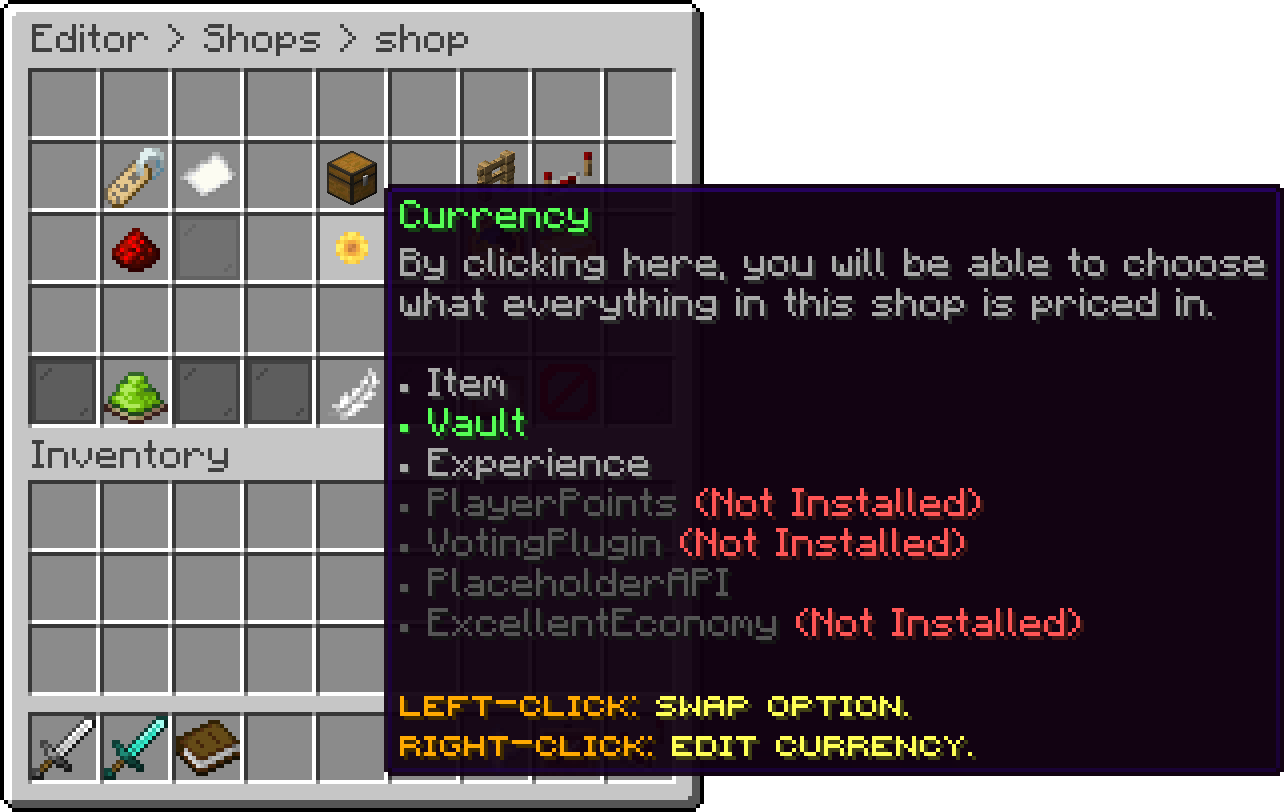
Edit Shop (Currency)
The server's main money, through Vault. Vault holds no money by itself, so an economy plugin such as EssentialsX has to be installed alongside it. New shops are priced in Vault.
Vault does not run on Folia. Install VaultUnlocked in its place, with an economy plugin that supports Folia.
Prices are written in the economy plugin's own format. Decimal prices are rounded to the cent, up when a player pays and down when a player is paid.
Points from PlayerPoints. Points are whole numbers, so a decimal price is rounded up when a player pays and down when a player is paid.
Vote points from VotingPlugin. Like PlayerPoints, they are whole numbers only.
Any currency set up in ExcellentEconomy. Right-click the currency option in the editor and click Currency to pick one from a searchable list of every ExcellentEconomy currency. In the shop file, the currency's ExcellentEconomy id is its identifier.
Whether decimals are allowed is decided by ExcellentEconomy per currency, and prices are written in that currency's own format. A currency without decimals is rounded like PlayerPoints.
ExcellentEconomy balances are only read and changed for players who are online.
Any currency set up in PhoenixCurrencies. Right-click the currency option in the editor and click Currency to pick one from a searchable list of every PhoenixCurrencies currency. In the shop file, the currency's PhoenixCurrencies id is its identifier.
Prices are rounded to the number of decimals the currency is set to, up when a player pays and down when a player is paid, and written in that currency's own format. Balances are read and changed for offline players too.
An id already taken by a built-in or ExcellentEconomy currency, such as money, keeps pointing at that currency.
A built-in currency that needs no other plugin. It is paid in experience points by default, or in levels when levels are turned on. Paying never takes a player below 0. Prices are written as 10 XP or 10 Levels.
Right-click the currency button in the editor and turn on Count In Levels to charge and pay levels instead of experience points. In the shop file, levels: true on an EXPERIENCE block turns levels on.
currency:
  type: EXPERIENCE
  levels: true
Each shop, category and item has its own block, so one shop can price in points and another in levels. Both are whole numbers: a decimal price is rounded up when a player pays and down when a player is paid.
A level costs more experience the higher it is, so 5 levels are worth far more to a level 50 player than to a level 5 one. Points cost every player the same.
An Item currency makes players pay with an item they carry, such as emeralds, a custom coin or a named token, instead of money. This is a Premium feature and needs no other plugin.
Each shop, category or item gets its own Item currency, so a shop can be priced in diamonds while one of its categories is priced in emeralds.
Pick the Item type on the shop, category or item, right-click it, and drop the item players should pay with into the slot. Only one of it is stored, whatever the stack size. Right-click the slot to get a copy of the stored item.
Name, lore, enchantments and custom data are kept, so a renamed paper can be a voucher that plain paper does not count as.
The same screen changes the stored item's name and lore without dropping it in again. MiniMessage, & codes and hex colours all work.
Items are whole numbers, so a decimal price is rounded up when a player pays and down when a player is paid. Paying takes matching items from anywhere in the inventory. Being paid puts the items into the inventory, and anything that does not fit is dropped at the player's feet.
Prices are written as the amount followed by the item's name, such as 12 Emerald. The item's own name is used with its colours. Set Currency Display on the same screen to write a different name instead, such as &fDiamond Sword for an item named &c&lDIAMOND SWORD. Item prices are whole numbers, so this type has no Currency Format.
currency:
  type: ITEM
  identifier: item_shop
  item:
    display-name: Emerald
    material: EMERALD
    item-data: ''
    match: EXACT
| Option | Description |
|---|---|
| display-name | The Currency Display: the name written after prices. Empty uses the item's own name, colours included. |
| material | The item, when it has nothing special on it. |
| item-data | The full item, written by the editor when the item has a name, lore or other data. It wins over the material. |
| match | How closely a carried item has to match. See below. |
| Match | What counts |
|---|---|
| EXACT | Only an identical item: same name, lore, enchantments and data. The default. |
| MATERIAL_AND_NAME | The same material with the same display name. |
| MATERIAL | Any item of the same material. |
Loosen the match only for plain items. With MATERIAL, a renamed voucher and an ordinary copy of the same material pay the same.
Every currency writes prices its own way. Vault, ExcellentEconomy and PhoenixCurrencies use the economy plugin's format, PlayerPoints writes 20 PlayerPoints, VotingPlugin 20 Vote Tokens, Experience 10 XP or 5 Levels, and Placeholder and Item currencies add their display name. A shop can replace this with a format of its own.
How prices in one shop are written, set by right-clicking the shop's Currency option. Write %amount% where the number goes, and anything around it is shown as typed, so %amount% PlayerPoints writes 20 PlayerPoints and $%amount% writes $20. Leave it empty to keep the currency's own format.
Write %amount_short% instead for a shortened number with a k, m, b or t suffix, so $%amount_short% writes $1.5k for 1500 and $2.3m for 2300000. Amounts under 1000 are written in full.
The format replaces the currency's own format completely, so put any symbol or name you want shown into it.
| Format | 1234.56 is written as |
|---|---|
%amount% PlayerPoints |
1,234.56 PlayerPoints |
$%amount% |
$1,234.56 |
$%amount_short% |
$1.2k |
#,##0.00 |
1,234.56 |
$#,##0.00 |
$1,234.56 |
#,##0 |
1,235 |
#,##0.## 'Gems' |
1,234.56 Gems |
For control over decimals, a number pattern works instead: 0 always shows a digit, # shows one only when needed, , groups thousands and . is the decimal point. Text is wrapped in single quotes. A pattern that cannot be read is refused by the editor.
Currency symbols are set in config.yml and have no editor option.
The short symbol shown next to buy and sell prices in the editor's item lists, one per currency. The key is the currency's id, and a currency with no entry shows its display name instead.
currency-symbols:
  money: "$"
  points: "Points"
  experience: "XP"
  levels: "Levels"
  votepoints: "Vote Points"
An ExcellentEconomy or PhoenixCurrencies currency is keyed by its id in that plugin, and a Placeholder or Item currency by its identifier. PlaceholderAPI placeholders in a symbol are filled in for the admin viewing the list.
Your guide to the docs
Ask me anything about Phoenix Shop. I know these docs inside out, check the latest versions and changelogs, and can read your server logs.
Try asking
Your cart is empty
Looks like the spiders padded through here. Pick a plugin and it will show up here. Continue shopping