







Your cart is empty
Looks like the spiders padded through here. Pick a plugin and it will show up here. Continue shoppingOpen crates straight from a held item, with the add-on's own animations.
The Lootbox add-on lets a crate be opened straight from a held item, without placing a crate block in the world, and comes with its own set of animations.

Lootbox - Add-On
You can purchase this add-on on Phoenix Plugins
To install this add-on, you can either:
The add-on requires the Premium edition.
Formerly known as Pouches, a lootbox is a crate carried as an item and opened where the player stands. It is turned on per crate, so a server can mix lootbox crates and placed crates freely.
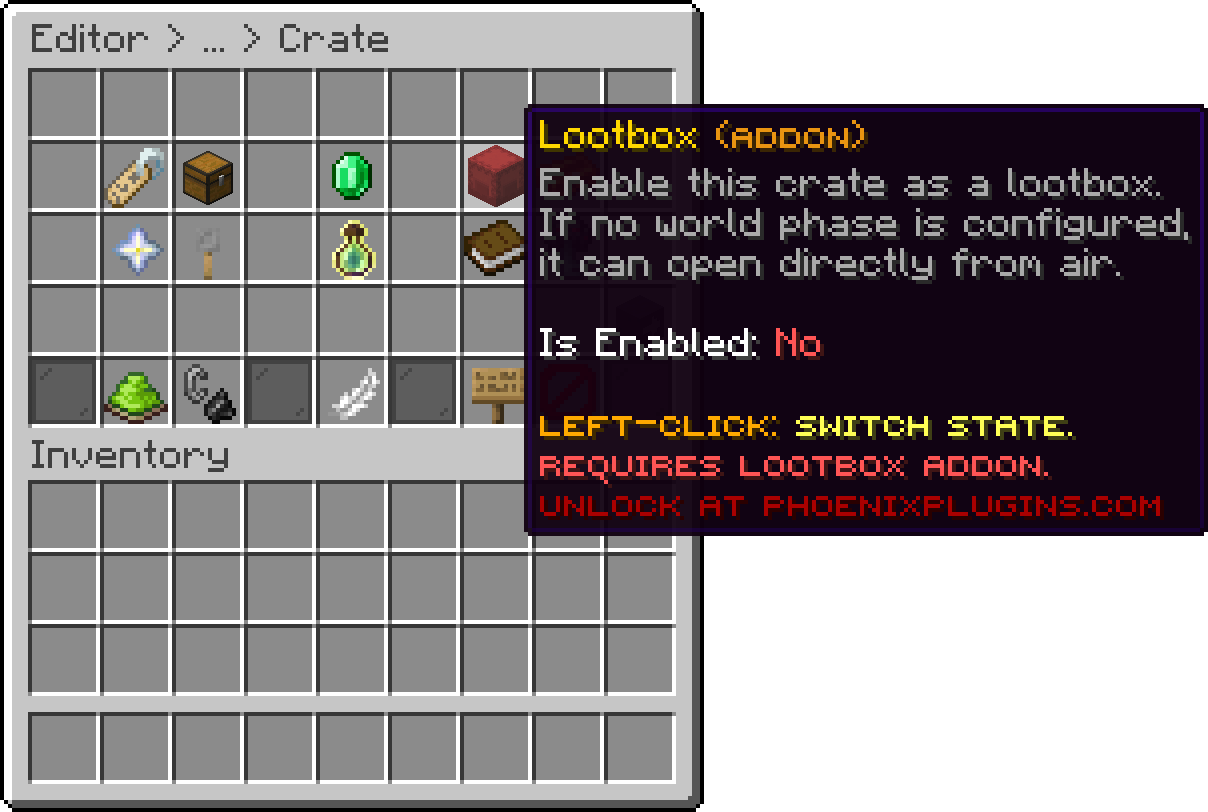
Editor > Crates > Crate
Turning Lootbox on for a crate also turns off that crate's Key Required setting, since a lootbox is paid for with the item itself rather than a key.
What a right-click does depends on the crate's rewards mode.
A configured confirmation menu is shown before any of this, exactly as it would be for a placed crate.
A crate with a world animation phase needs a block for that animation to play on, so it cannot open in mid-air. The player right-clicks the ground to set the crate down, and it opens there on its own before disappearing again, which is what makes the world animation possible on a crate carried as an item.
Right-clicking the air with one of these instead tells the player to place it on the ground.
Without a world animation phase, none of this applies. The crate opens directly from the hand wherever the player is standing.
Holders of phoenixcrates.admin can sneak while placing a lootbox item to place it as an ordinary crate instead of opening it, which is how a lootbox crate is set up in the world without spending items.
With MythicItems installed, pcrates:crate gives a lootbox item as a mob drop, taking the crate identifier as its argument. pcrates:pouch is kept as an alias so older configurations keep working.
The drop resolves to nothing at all if the crate does not exist, is disabled, or is not a lootbox, so a mistyped identifier is silently skipped rather than dropping a broken item.
Installing the add-on adds six animations to the lists every crate picks from. They are listed with a Lootbox Addon suffix so they are easy to spot, and they work on any crate, not only lootbox ones.
| Animation | Phase |
|---|---|
| Eruption | Pre Open |
| Pulse | Pre Open |
| Arcane | Pre Open |
| Vortex | Post Open |
| Tornado | Post Open |
| Treasure Cascade | Reward Display |
Where each phase sits in an opening is covered on the Opening Animations page.
Your cart is empty
Looks like the spiders padded through here. Pick a plugin and it will show up here. Continue shopping