







Your cart is empty
Looks like the spiders padded through here. Pick a plugin and it will show up here. Continue shoppingAdd rewards to a crate, choose how they are won and set a fallback for rewards already won.
Each reward's own settings are on Edit Reward, Win Items & Win Commands and Cooldowns.
The rewards mode decides how players get a reward: Random draws one by chance, Selective lets the player pick it.
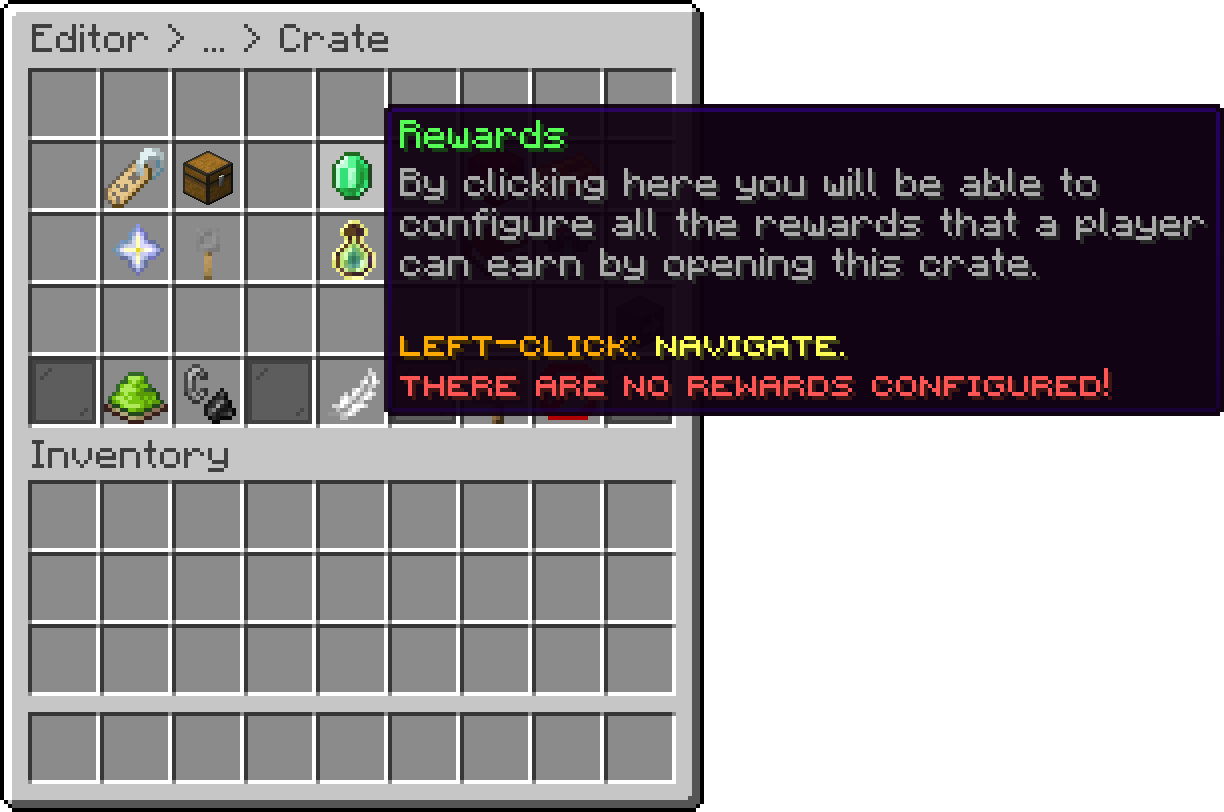
Editor > Crates > Crate
Click the stained glass to add a reward to the crate.
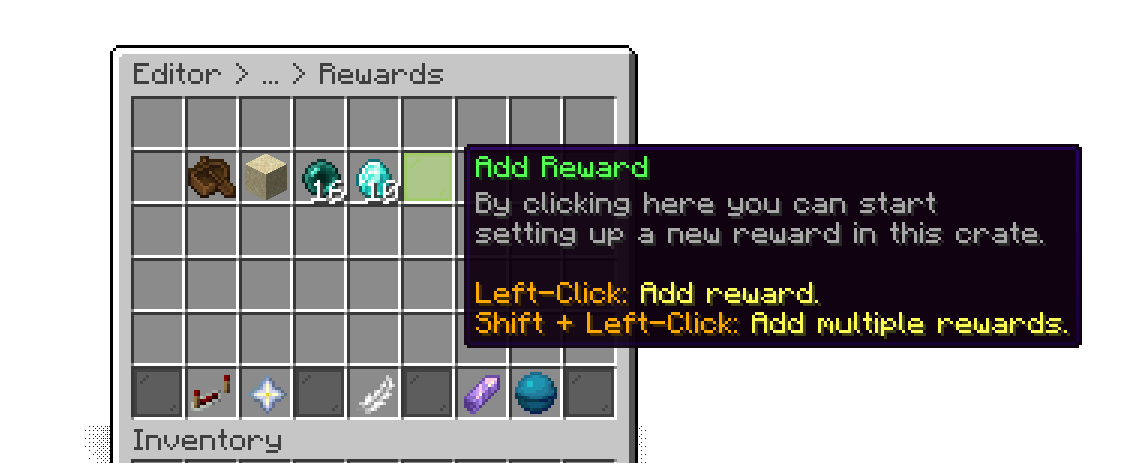
Editor > Crates > Crate > Rewards
Example of adding a reward.
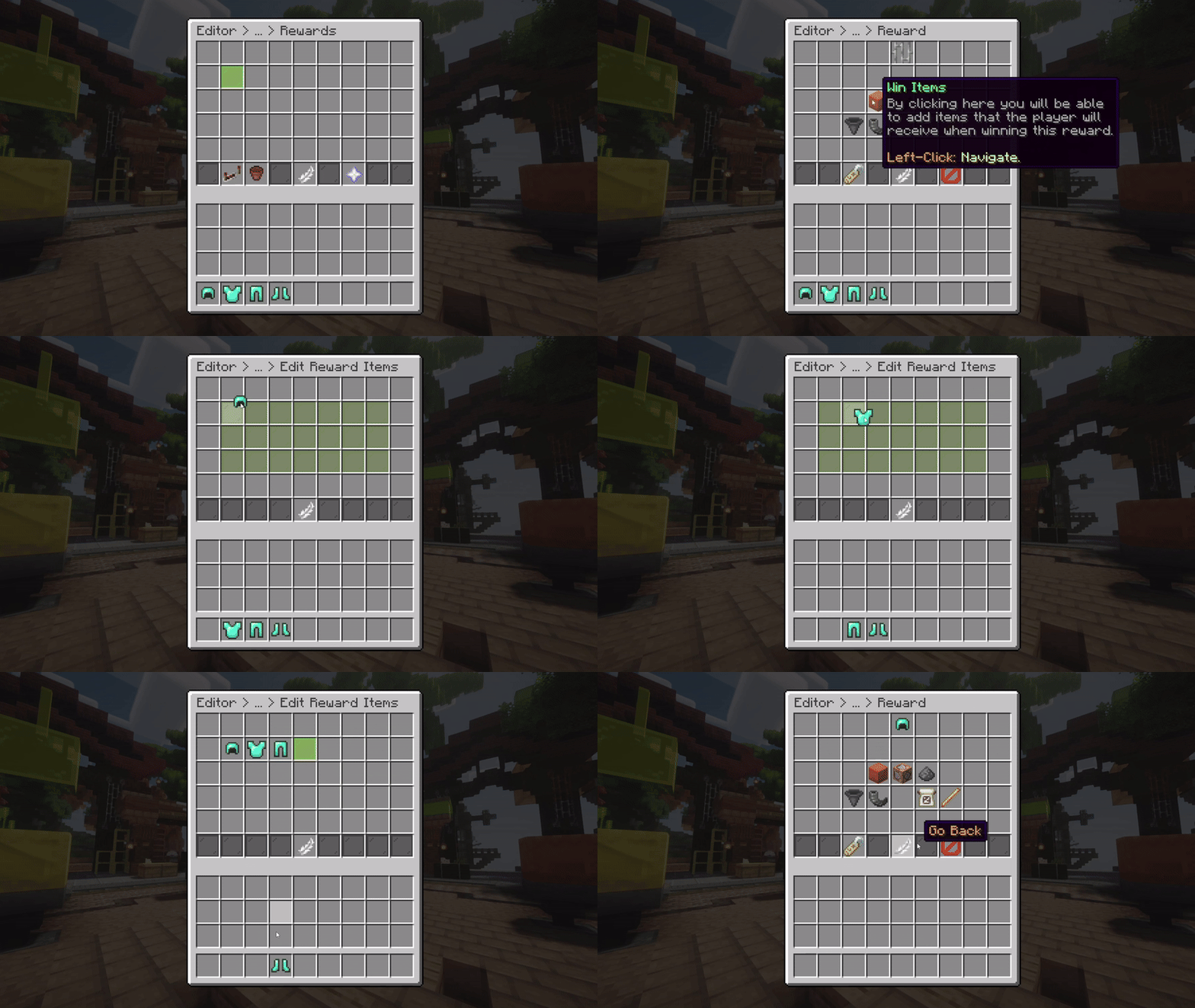
Diamond Set Example as a Reward
If you don’t want the hassle of adding multiple rewards to your crate one by one, you can shift left click on the glass to quickly add multiple rewards with just a few clicks.
Example of adding multiple rewards:
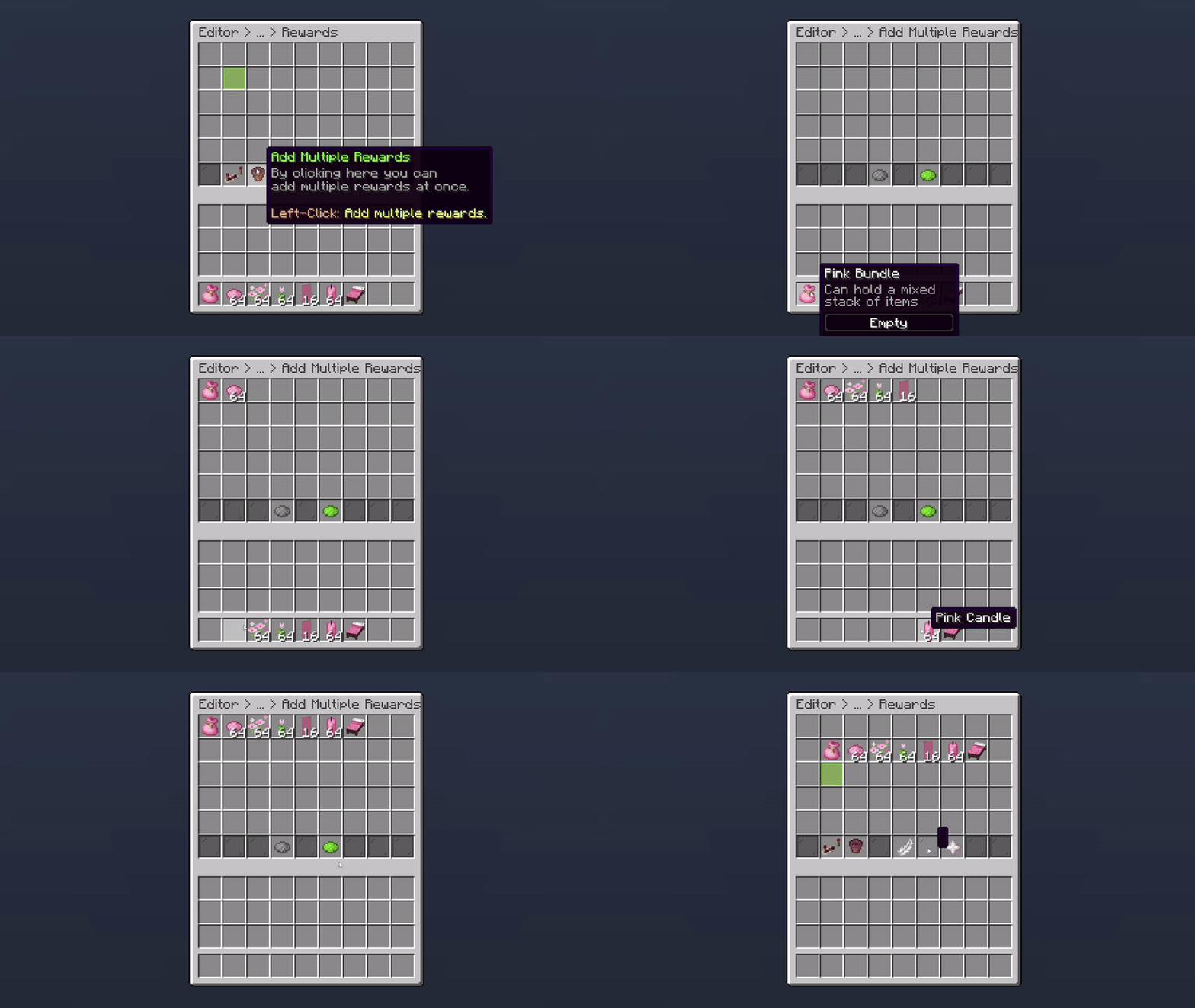
Multiple Rewards Example as Rewards
This feature is only available with the Premium Plan.
You can use the reordering option to sort the rewards in your desired order for the crate's preview menu.
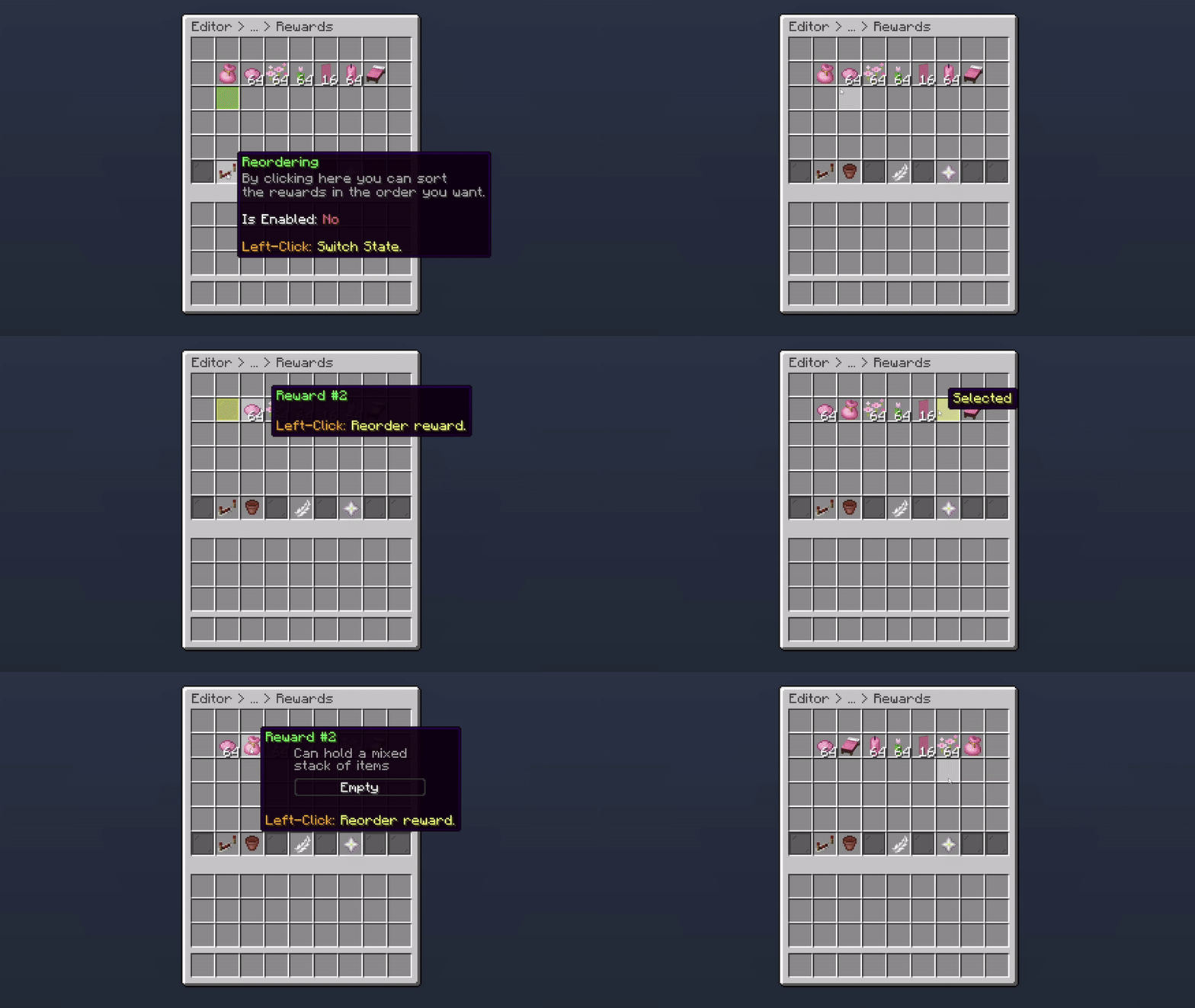
Reordering Rewards
This features is only available to the Random Rewards Mode.
With Max Win Rewards, you can specify how many rewards a user can win by opening a single crate. The minimum number of rewards a user can receive is 1, and the maximum is 5.
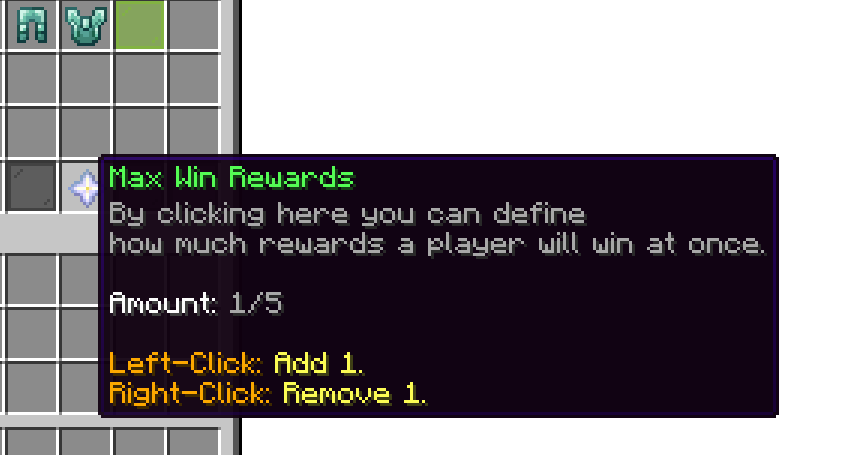
Max Win Rewards
With the Plan, you are allowed to use up to 30 Max Win Rewards.
You can't use this feature with the selective reward mode.
If a user has previously won a reward with a limit, you can provide an alternative reward instead. This is a great option to ensure users receive a different item if they have already won the original one.
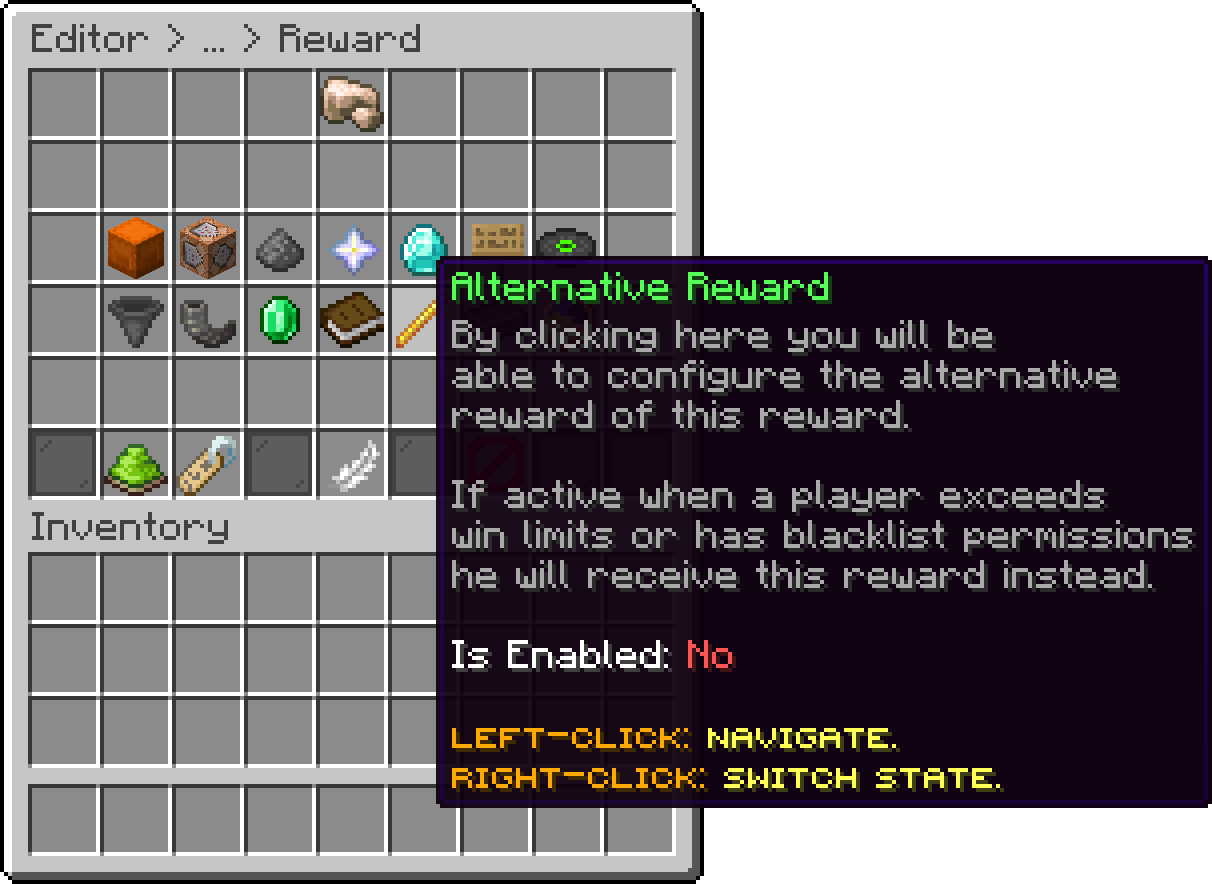
Editor > Crates > Crate > Rewards > Reward
This option will only work if it is enabled, so make sure to enable it.
An alternative reward works similarly to a normal reward but is only given when the main reward has already been won.
By default, the alternative reward is a diamond pickaxe, which will be displayed as the alternative reward if the main item is won. If you don’t want to award the diamond pickaxe, set "Virtual Item" to true. This will make it function only as a display item in the crate while still running the associated commands.
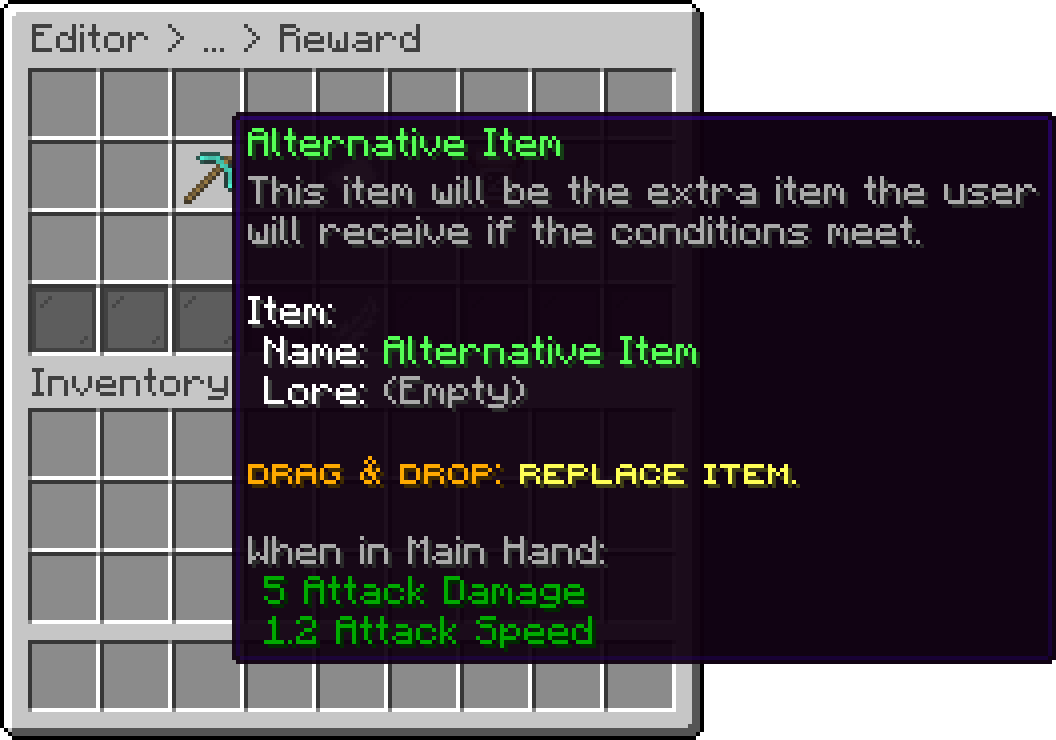
Editor > Crates > Crate > Rewards > Reward
In the editor, you can drag and drop the item you want to assign as a reward. Alternatively, you can edit its display name and lore by left-clicking on the item.
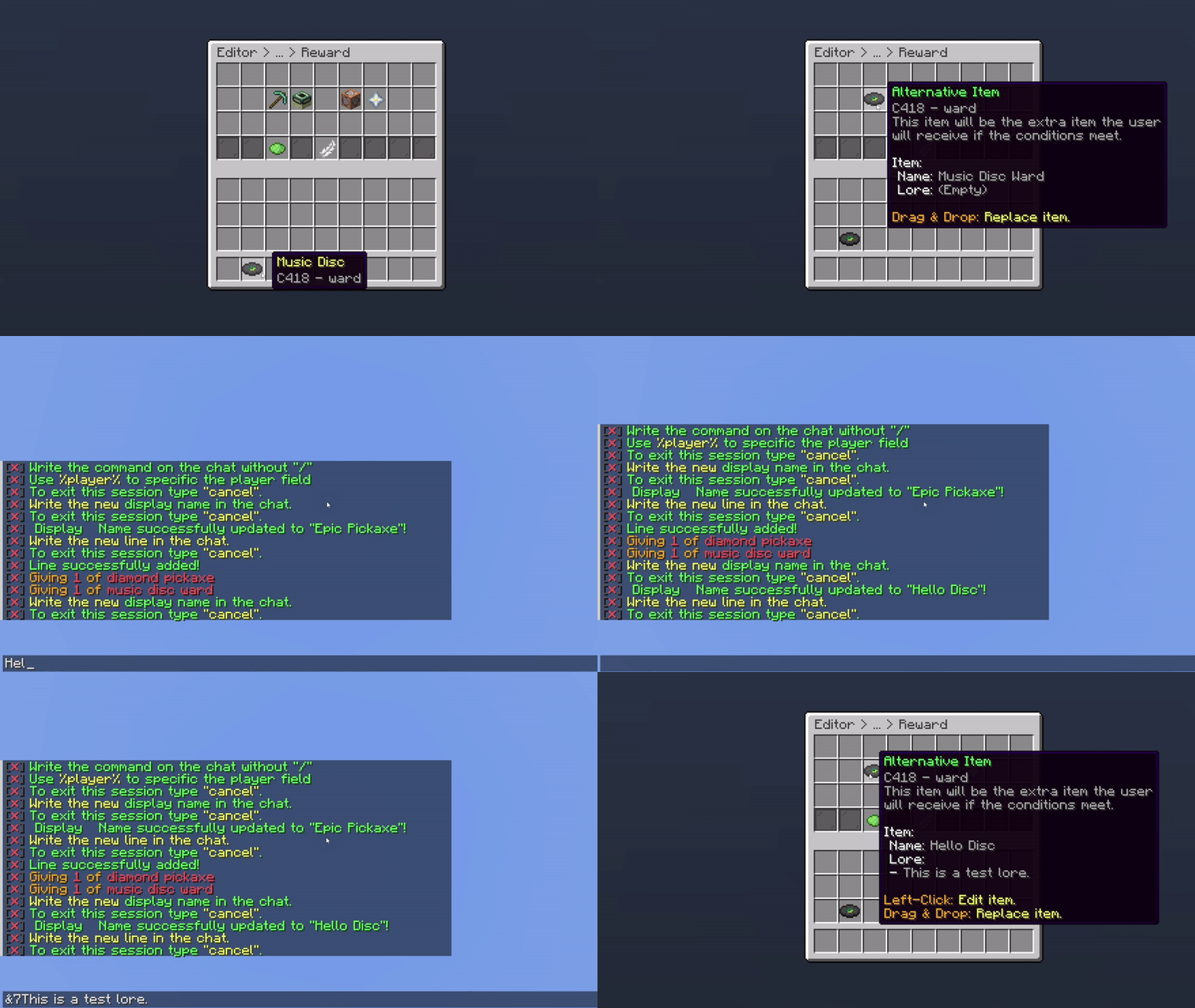
Example of Customizing an Item
Just like a normal reward, an alternative reward has its own Win Commands menu to run commands when it's given, and its own Broadcast toggle to announce it to the server when a player receives it.
Every reward is checked when the server starts, on /crates reload and each time a crate is saved in the editor. A reward is broken when it can't be given: no display item, an item from a plugin that is not installed (ItemsAdder, Nexo, MMOItems and the others), an item ID that plugin doesn't know, a material that doesn't exist on the server, a saved item that is missing, or nothing to give at all. Broken rewards are left out of the roll, so players still get one of the working rewards. A crate whose rewards are all broken can't be opened and no key is taken.
Commands that don't exist on the server and empty command lines are listed as warnings; those rewards are still rolled.
The console lists the problems on startup and reload, and admins with phoenixcrates.admin are told on join which crates have broken rewards. Click a crate in that message to open its editor. In the editor, a broken reward shows the reason in its tooltip. /crates brokenRewards checks everything again and lists each problem.
If a reward still fails while it is being given, the player gets back what that opening cost them, the keys or the money, and the console logs what happened.
/crates simulate <crate> [count] rolls a crate 10,000 times, or up to 1,000,000, without giving anything, using no keys and changing no stats, limits or cooldowns. It lists every reward with how often it was won, its share of the wins and the chance it has in the editor, and which guaranteed rewards a new player gets and when. It only works for crates in the Random rewards mode. Permissions, cooldowns and add-on rules such as rarities are not part of the test.
This feature is only available with the Premium Plan.
Your guide to the docs
Ask me anything about Phoenix Crates. I know these docs inside out, check the latest versions and changelogs, and can read your server logs.
Try asking
Your cart is empty
Looks like the spiders padded through here. Pick a plugin and it will show up here. Continue shopping