

Oops... looks like the spiders padded through here
Add products to your cart and remove them from here Lets buy




On this page, you will find everything you need to know about what a reward actually gives, its items and its commands.
A physical reward is one that hands the player real items. Those items are the Win Items, and a reward can hold as many of them as you want. By default every item in the list is given.
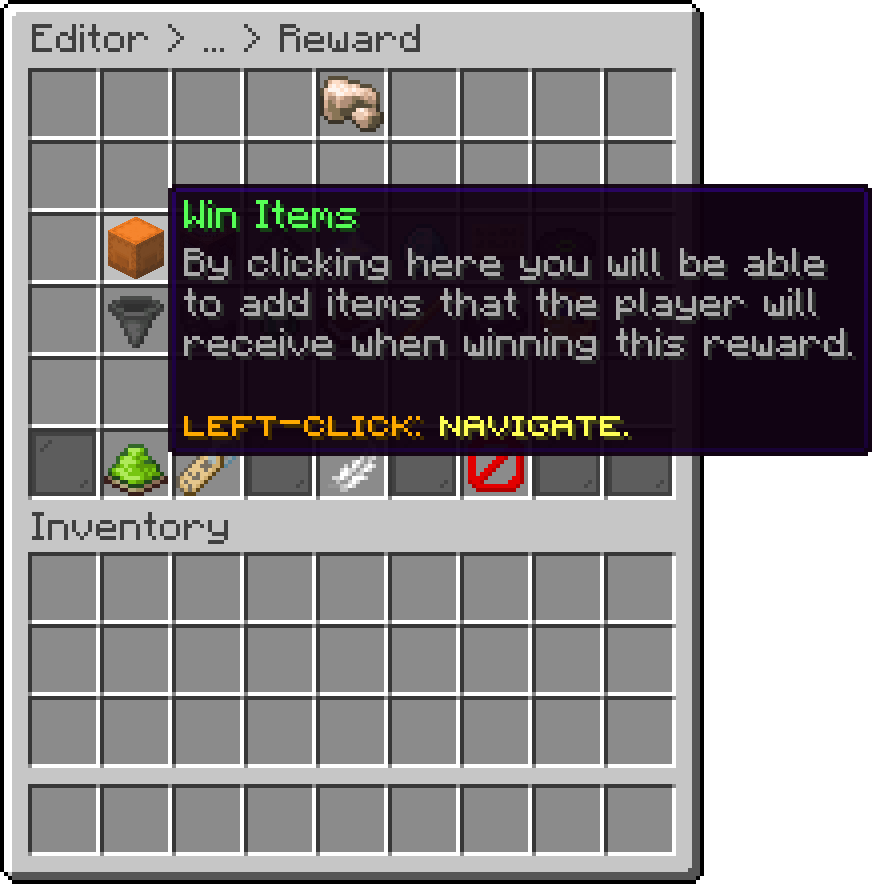
Editor > Crates > Crate > Rewards > Reward
Items are added by dropping them into the menu, exactly as they should reach the player, enchantments and custom names included.
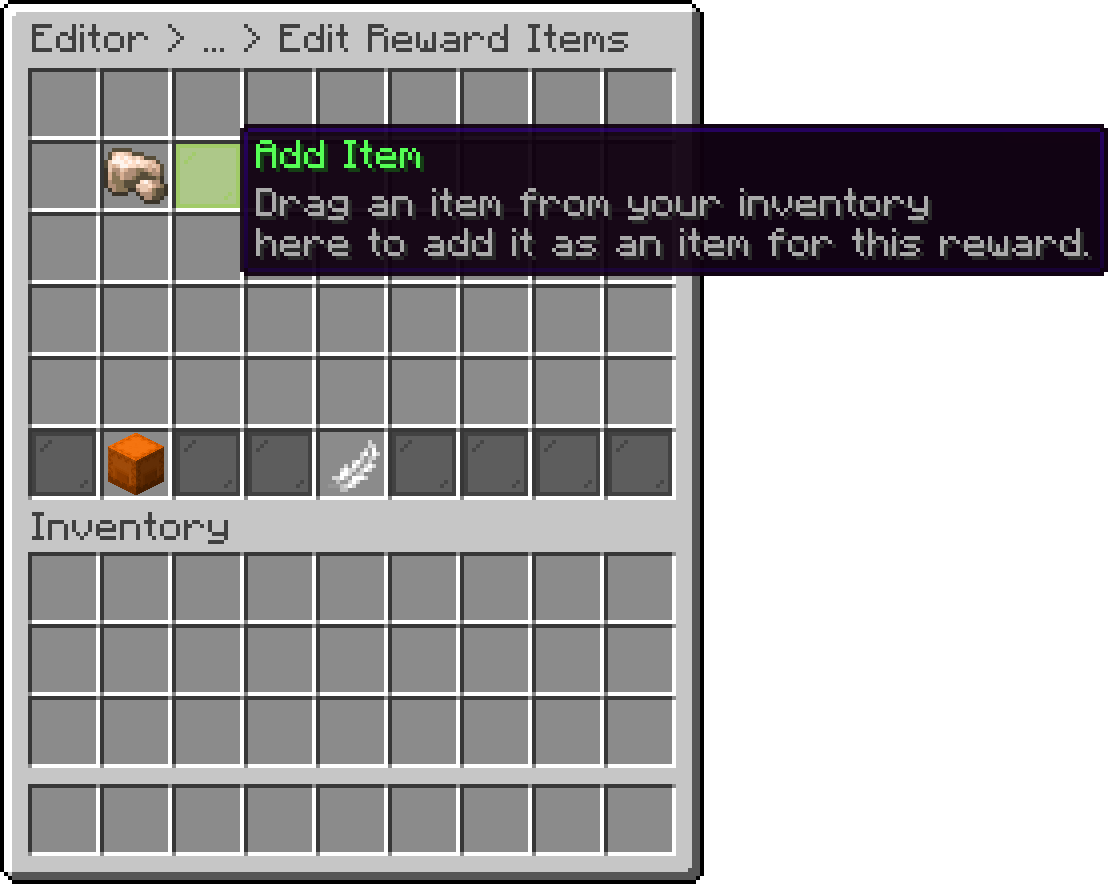
Editor > Crates > Crate > Rewards > Reward > Win Items
Each item already in the list can be edited or removed from the same menu, and right-clicking it hands you a copy of it.
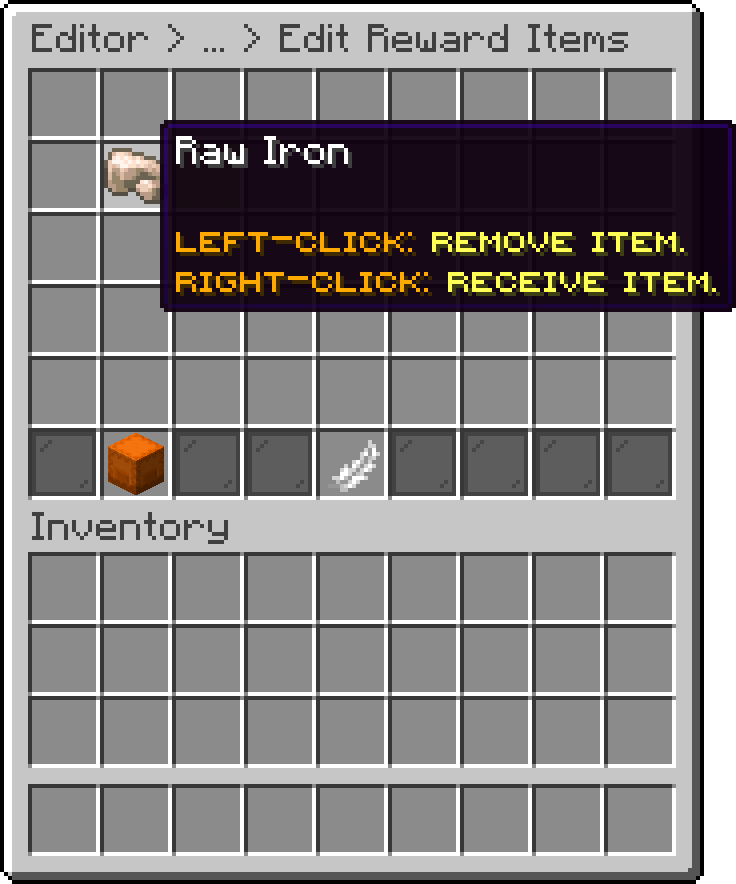
Editor > Crates > Crate > Rewards > Reward > Win Items
When a reward is created from an item, that same item is also added as a win item. If you only want it as the display item, remove it from this list.
This limits how many of the items are handed out per win, and the ones given are picked at random from the list. That turns a single reward into a small loot pool, for example five items configured with only two of them given each time. Set it to infinite to always give the whole list.
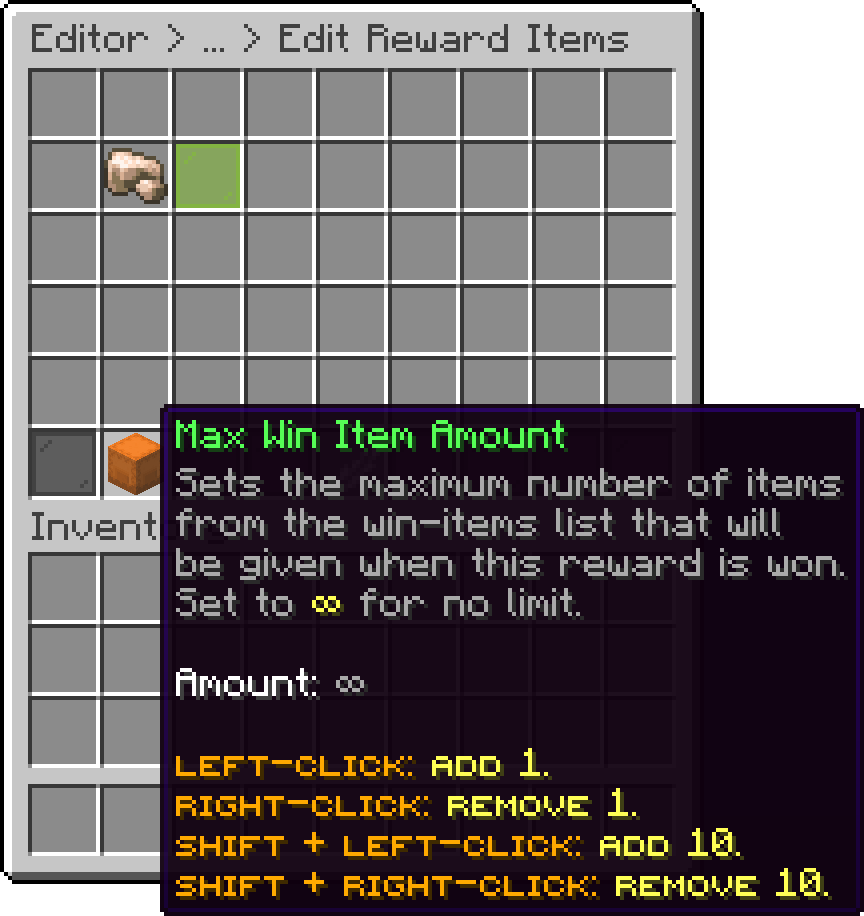
Editor > Crates > Crate > Rewards > Reward > Win Items
A virtual reward gives nothing physical. It has no win items at all, only Win Commands, so the reward is whatever those commands do: a balance, a rank, a permission, a kit from another plugin.
Set one up by removing every win item and adding the commands instead. The display item stays, so the reward still shows up in the preview like any other.
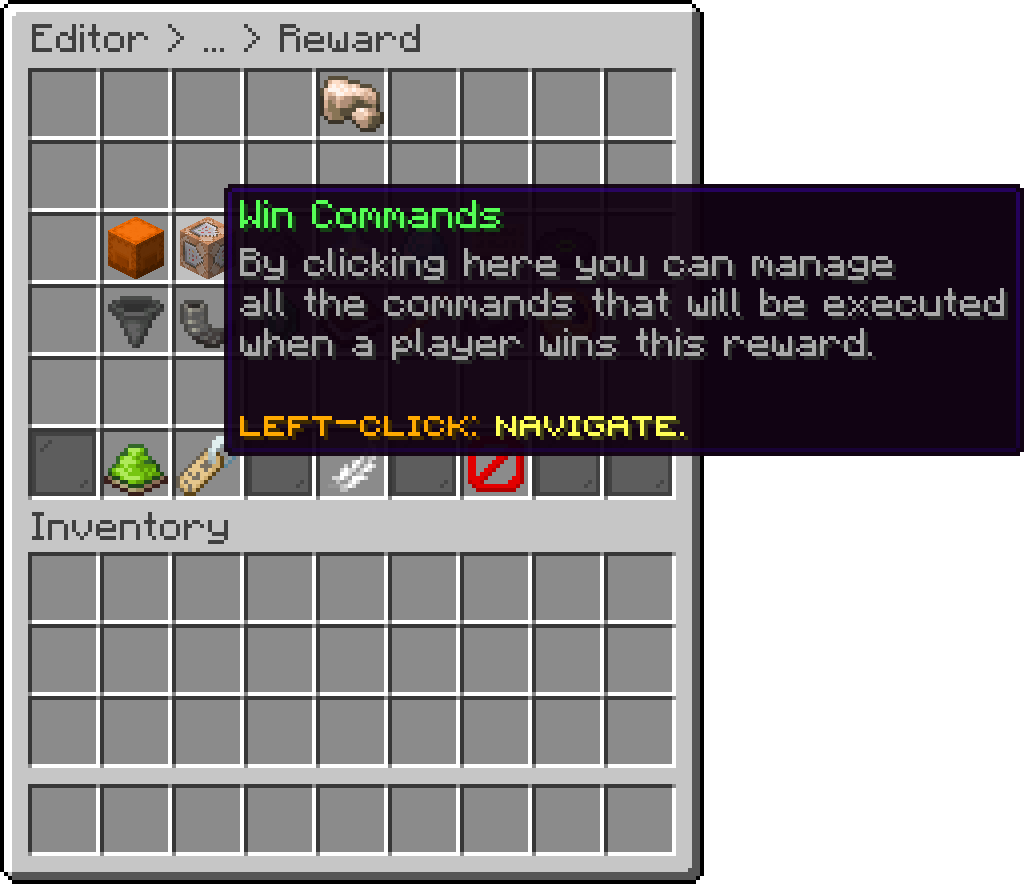
Editor > Crates > Crate > Rewards > Reward
When adding or editing a win-command, a dialog box will pop up asking you to type the command. On older server versions that don't support dialogs, it will fall back to the usual chat input.
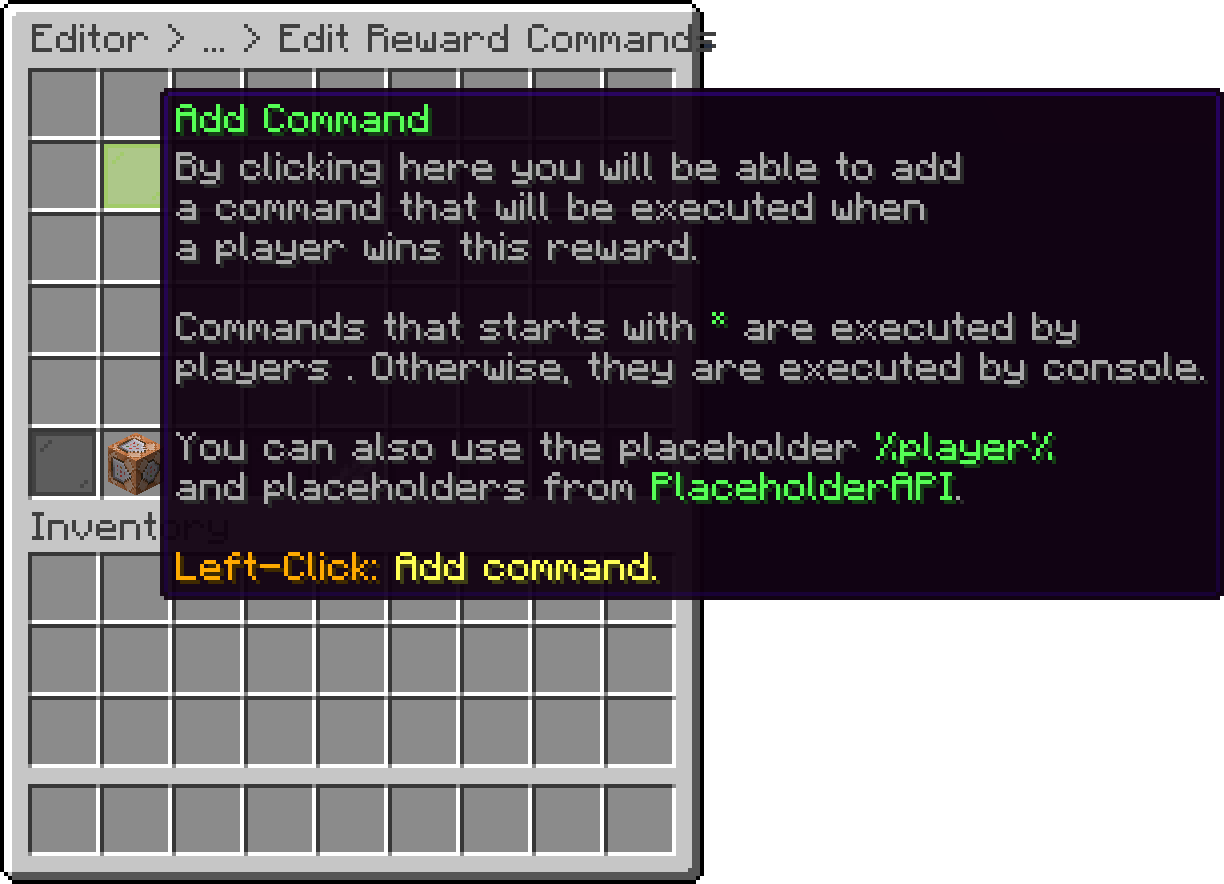
Editor > Crates > Crate > Rewards > Reward > Win Commands
Example of adding a reward that gives balance to the user.
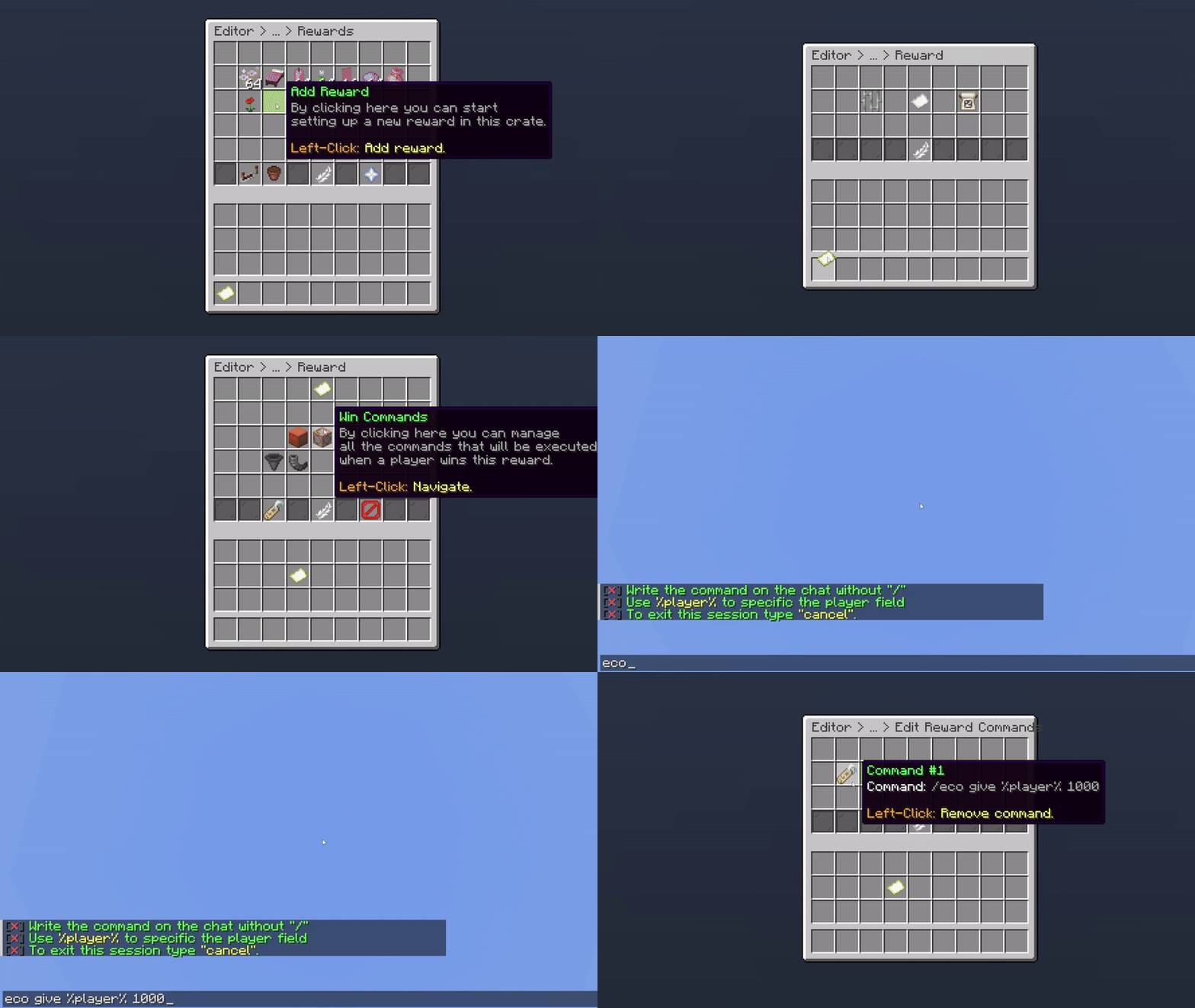
Giving Balance as a Reward
This works the same way as the item one: it caps how many commands of the list are executed per win, chosen at random, and infinite runs all of them.
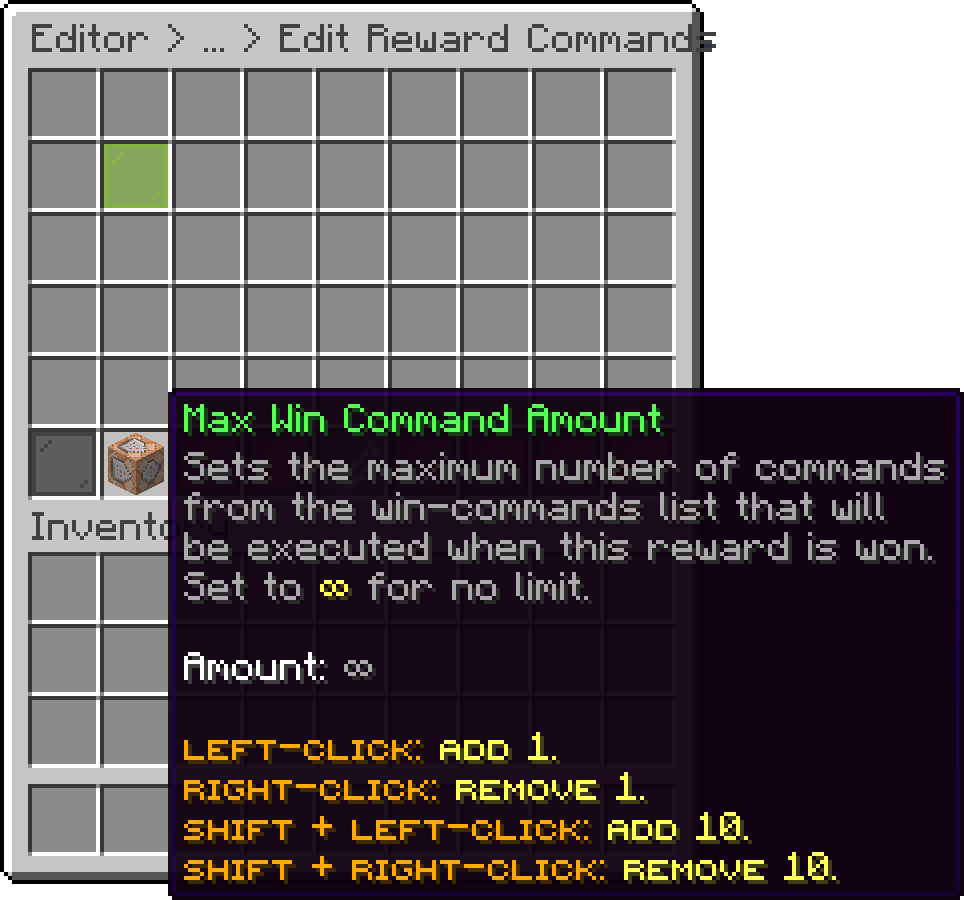
Editor > Crates > Crate > Rewards > Reward > Win Commands
Nothing stops a reward from being both. A reward with win items and win commands gives the items and runs the commands on the same win, which is how a reward like a rank plus its physical kit is built.
Oops... looks like the spiders padded through here
Add products to your cart and remove them from here Lets buy