🚢 Migration

On this page, you will find everything you need to know about the migration system.

#Migration

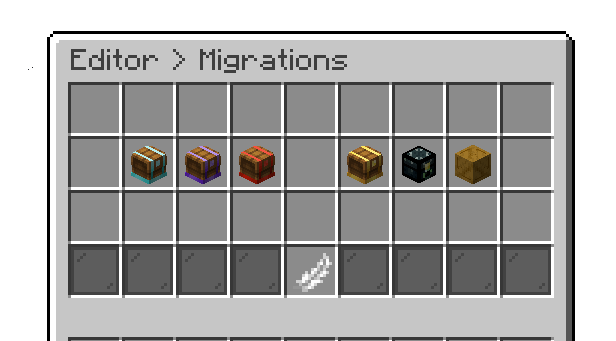
Our plugin offers migration support from other crate plugins to our own. Below are the available migration options.

  • Excellent Crates
  • Crazy Crates
  • Custom Crate
  • Specialized Crate
  • AdvancedCrates
  • AquaticCrates

Editor > Migrations

#Note

  • That we can only support the latest version of the plugins above. Migration cannot be done from an outdated versions.
  • We cannot guarantee that all the data from other crate plugins will migrate to ours, but reward items will certainly be migrated.
  • For AquaticCrates, only reward items are migrated due to the plugin’s very different structure.

#Phoenix Crates Migration

Moving from the Lite version to the Premium version is automatic. The first time the Premium jar starts, it looks for a plugins/PhoenixCratesLite folder next to it and copies everything across into plugins/PhoenixCrates — your crates, keys, translations, templates and the player database, with nothing converted or dropped.

#Note

  • The copy only runs while plugins/PhoenixCrates does not exist yet. If the Premium jar has already been started once, the folder is there and the migration is skipped. Stop the server, delete or rename that folder, and start again.
  • Your old PhoenixCratesLite folder is left untouched. Remove the Lite jar afterwards so both versions are not running side by side.
  • The Lite version has no license, so after migrating you may need to fill in product-license in config.yml. See 🪪 Licensing.

circle-exclamation

If a PhoenixCratesPro folder is also present, it takes priority and the Lite folder is ignored.

Last updated about 9 hours ago
My Cart (0 items)

Oops... looks like the spiders padded through here

Add products to your cart and remove them from here Lets buy