









Your cart is empty
Looks like the spiders padded through here. Pick a plugin and it will show up here. Continue shoppingCreating an NPC only takes a few clicks, and you’ll be able to spawn one in no time.
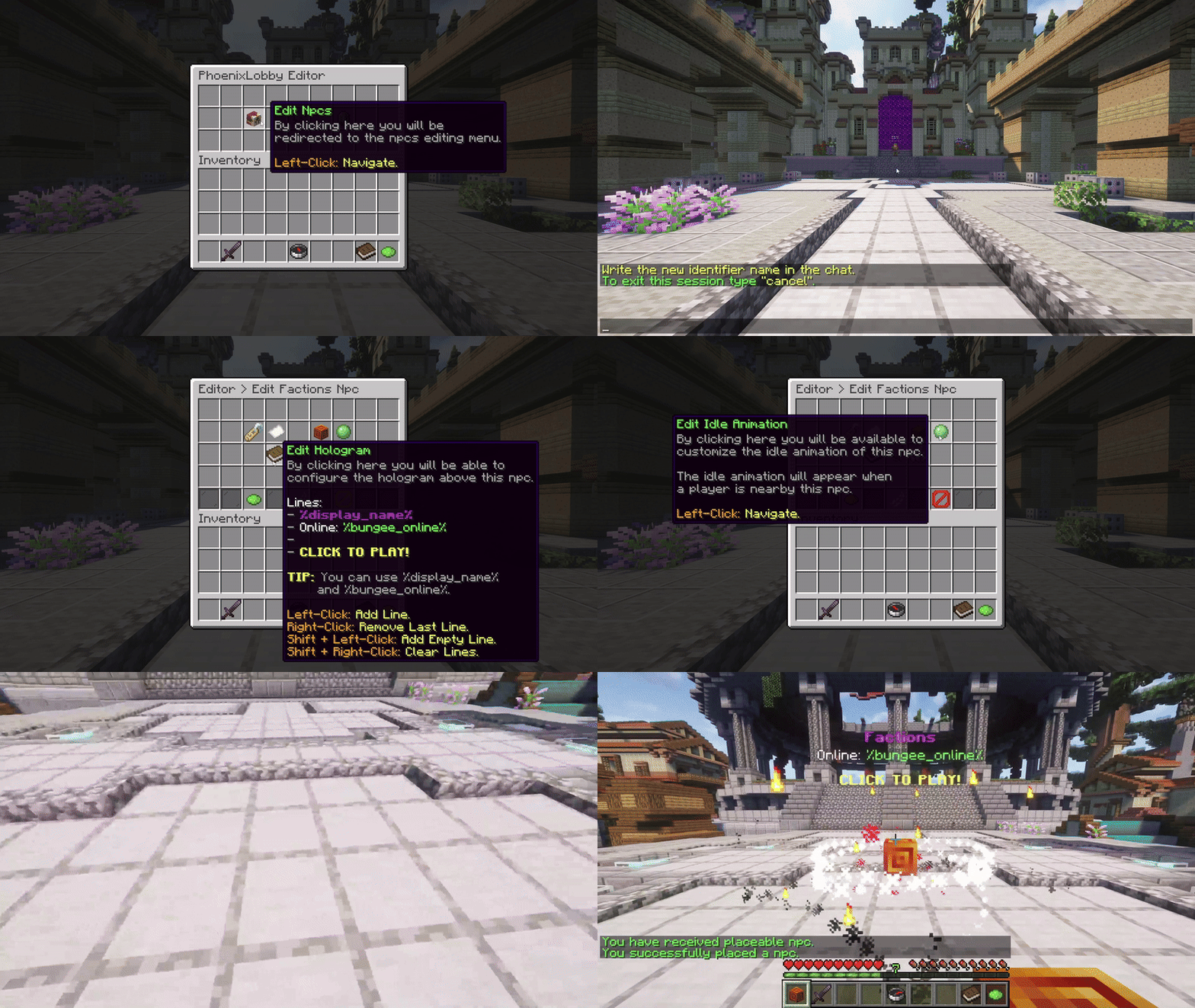
In-Game Editor - Create an NPC
With this option, you can set an identifier for the NPC. Note that the NPC identifier is unique and used internally by the plugin, and its different from the display name.
If the identifier is changed, your NPC might no longer work.
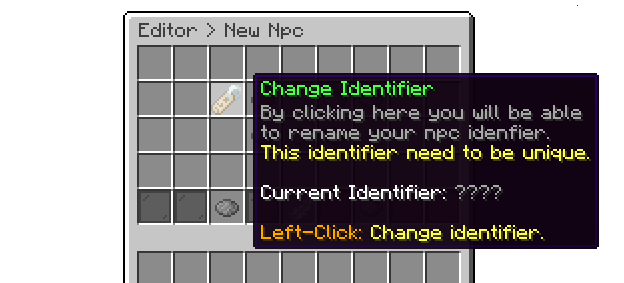
Editor > NPC > Identifier
With this option, you can adjust the display name of the NPC. The display name is typically shown in the hologram above the NPC.
For the display name, you can use the default Minecraft color codes. For hex colors, use the &#D6D045 format.
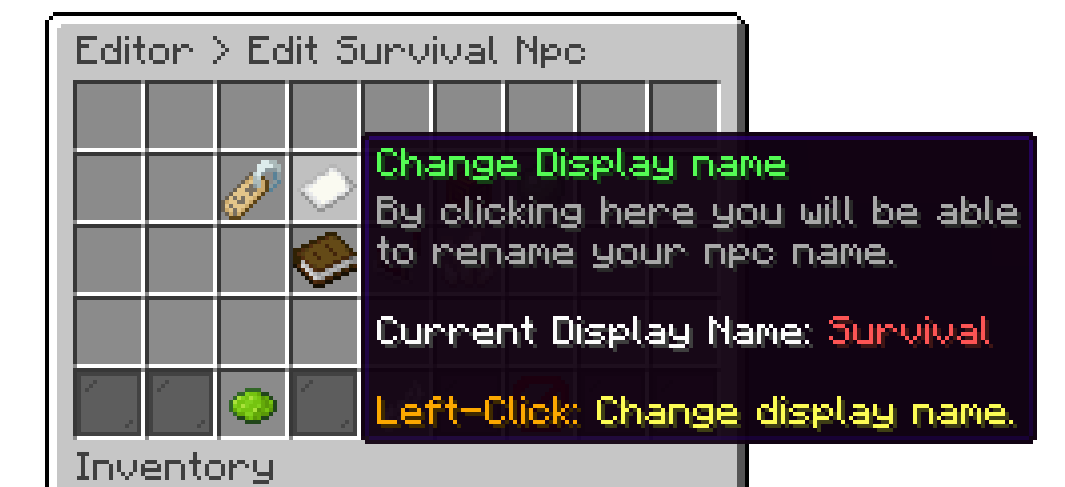
Editor > NPC > Display Name
Your guide to the docs
Ask me anything about Phoenix Lobby. I know these docs inside out, check the latest versions and changelogs, and can read your server logs.
Try asking
Your cart is empty
Looks like the spiders padded through here. Pick a plugin and it will show up here. Continue shopping