

Oops... looks like the spiders padded through here
Add products to your cart and remove them from here Lets buy



On this page, you will find information on how to set up and use the parkour feature.
This module is configured in modules/parkour.yml inside the PhoenixLobby folder.
The parkour builds itself while the player runs, so there is nothing to build by hand. A player starts a run with /parkour, jumps as far as they can, and the run ends when they fall or when they use /parkour stop. The score is the amount of jumps they made.
Parkours are created from Editor > Parkour. Stand where you want the parkour to be and click Add Parkour.
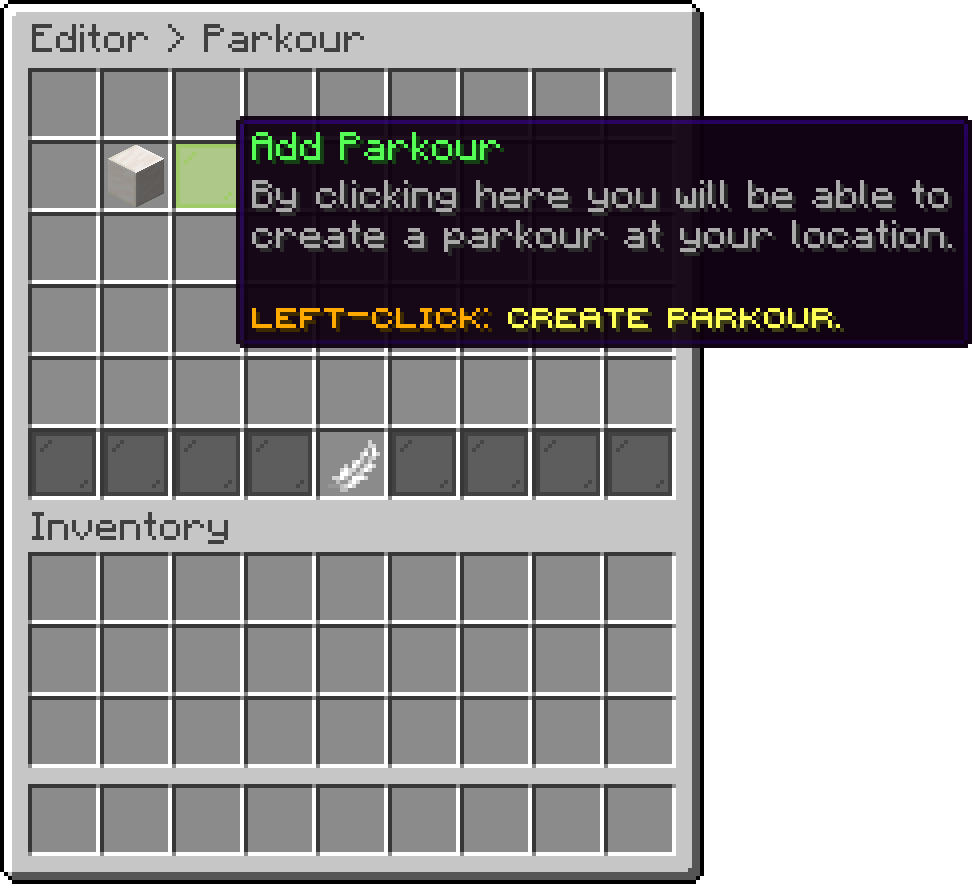
Parkour (Add Parkour)
A parkour needs two things before anyone can play it, the Parkour Region and the Start Location. Everything else is optional. Left-click the parkour in the list to open its editor, where the options are split into three pages:
Settings shared by every parkour on the server live on their own page: Parkour Settings.
From here, you can quickly navigate to a specific option of a parkour.
| Options | Description |
|---|---|
| Change Identifier | Renames the parkour, each identifier has to be unique |
| Display | The item and name shown in the editor |
| Parkour Region | The box the generated jumps are allowed to spawn inside of |
| Start Location | The first block of the run, it has to be inside the region |
| Return Location | Where players are sent after a run, defaults to where they started |
| Difficulty | How far apart the jumps are |
| Height Variation | How many blocks up or down a jump may move |
| Block Palette | The blocks the jumps are made of |
| Random Block Per Jump | Picks a new block from the palette on every jump |
| Rewards | Actions given at a certain score |
| Permission Required | Whether a permission is needed to play the parkour |
| Permission | The permission that is checked |
| Parkour State | Disables the parkour without deleting it |
| Clone Parkour | Duplicates the parkour under a new identifier |
| Delete Parkour | Removes the parkour from the server |
| Command | Description |
|---|---|
/parkour |
Starts a random parkour the player has access to |
/parkour <identifier> |
Starts a specific parkour |
/parkour stop |
Leaves the run |
/parkour top [identifier] |
Shows the leaderboard |
The parkour comes with placeholders for runs, statistics and leaderboards.
The parkours themselves live under the parkours section at the end of the file.
Oops... looks like the spiders padded through here
Add products to your cart and remove them from here Lets buy