









Your cart is empty
Looks like the spiders padded through here. Pick a plugin and it will show up here. Continue shoppingWith the Kit Editor, players can modify the layout of existing kits or create their own custom kits.
On new installs /kiteditor opens the kit list straight away, with Player Kits on its bottom bar when the add-on is installed. Servers that kept the older two-button menu still get it; hiding one of its two buttons makes the command skip it and open the other one directly.
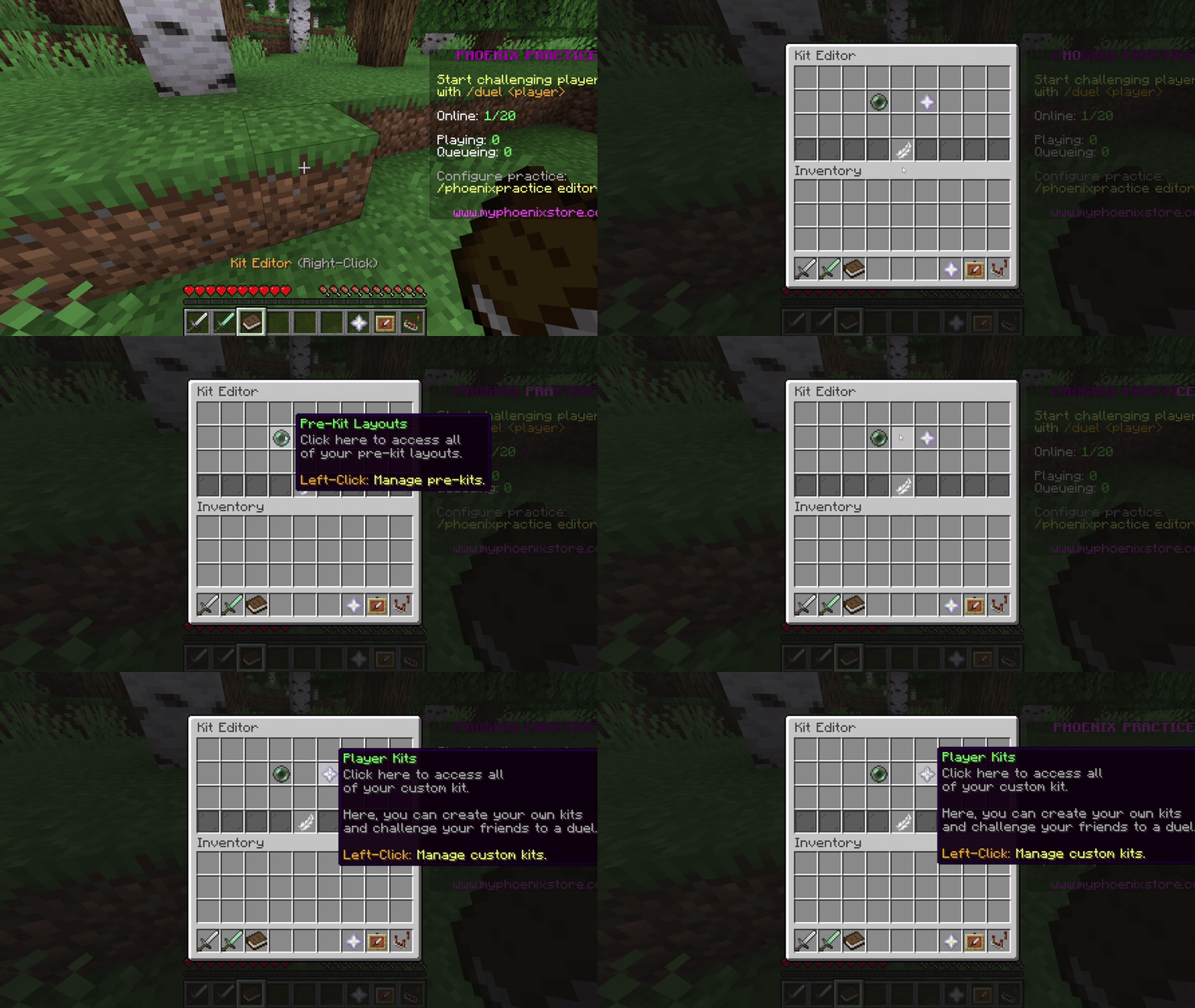
Kit Editor
On pre-kit layouts, users can access all their available pre-kit layouts. These layouts represent the kits used in different game modes.
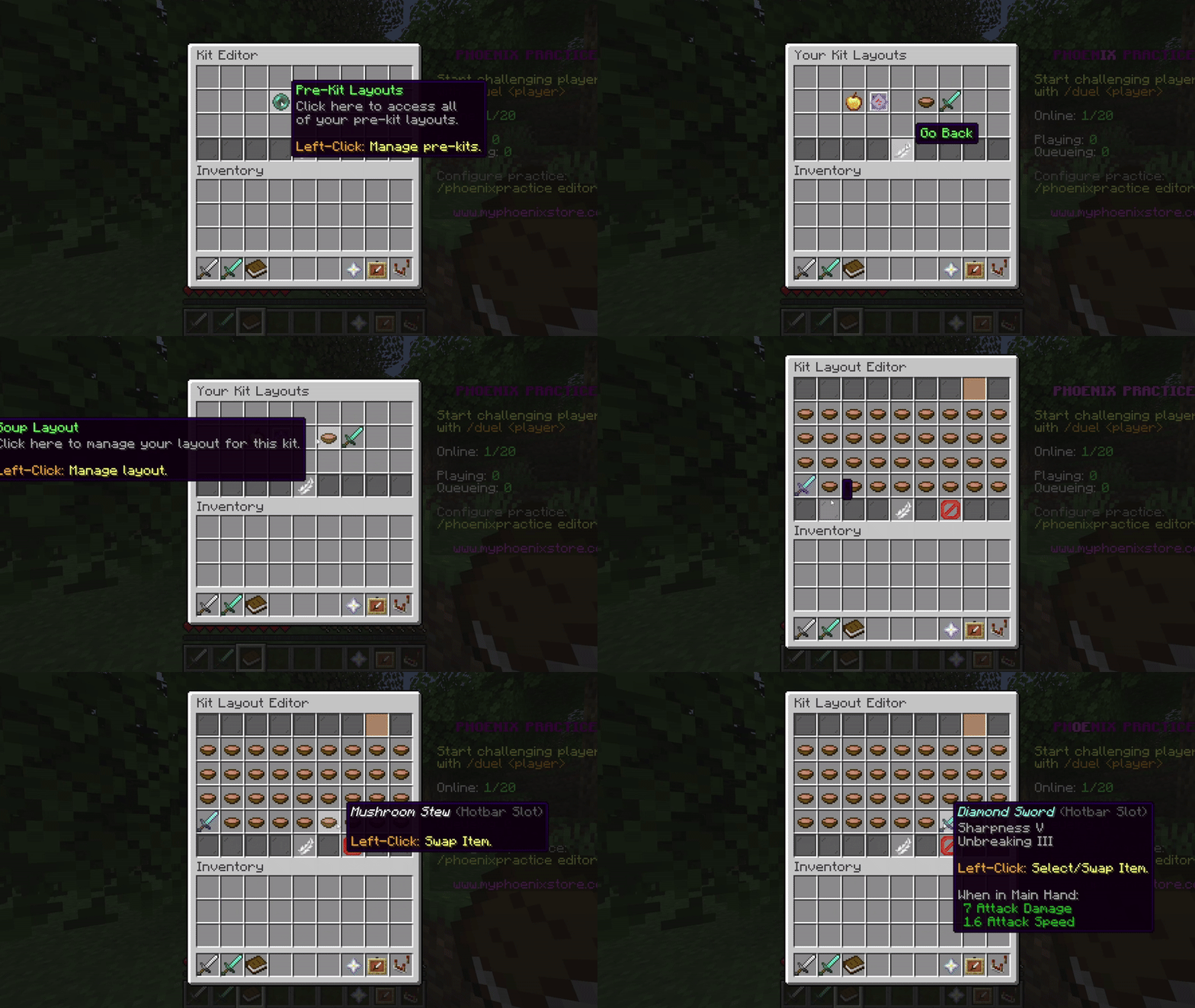
Pre Kit Layouts
Players can also set up a layout during a match. While the pre-fight countdown runs, they move the kit's items around in their own inventory. When the countdown ends, the new arrangement is saved as their layout for that kit, the same as saving it in Pre Kit Layouts, and the next match with that kit uses it. This happens at the start of every round.
The layout is only saved when the inventory holds exactly the items the kit gave, extra items included, with nothing dropped, used up or added. Armor has to stay in the armor slots, as in the Pre Kit Layouts menu. Players get a chat message when a layout was saved and nothing when it is unchanged.
The feature only works for kits with Custom Kit Layouts enabled. Admins can turn it off for the whole server with Save Countdown Kit Layout in /pd editor → Settings → Match, or match.save-countdown-kit-layout in config.yml.
When an admin turns on Extended Kit for a kit, its layout screen gets an Extra Items button. It saves the current layout and opens the Player Kits editor with the kit's own items locked in place, so players can add items from the allowed categories around them, with the usual enchanter, stack size, durability and trim tools. The kit's own items cannot be removed there, only moved in the layout screen.
Extra items are saved with the layout and given in every mode that uses the kit. They can be swapped with kit items in the layout screen like any other item, and Reset Layout removes them together with the arrangement. Rearranging them during the countdown is saved as well. A player can add as many as the kit allows; items from a category the admin later blocks are left out of the match.
Needs the Player Kits add-on and Custom Kit Layouts on the kit.
From player kits, users can create their own custom kits using a selection of items pre-configured by admins. The Player Kits button sits on the bottom bar of the kit list.
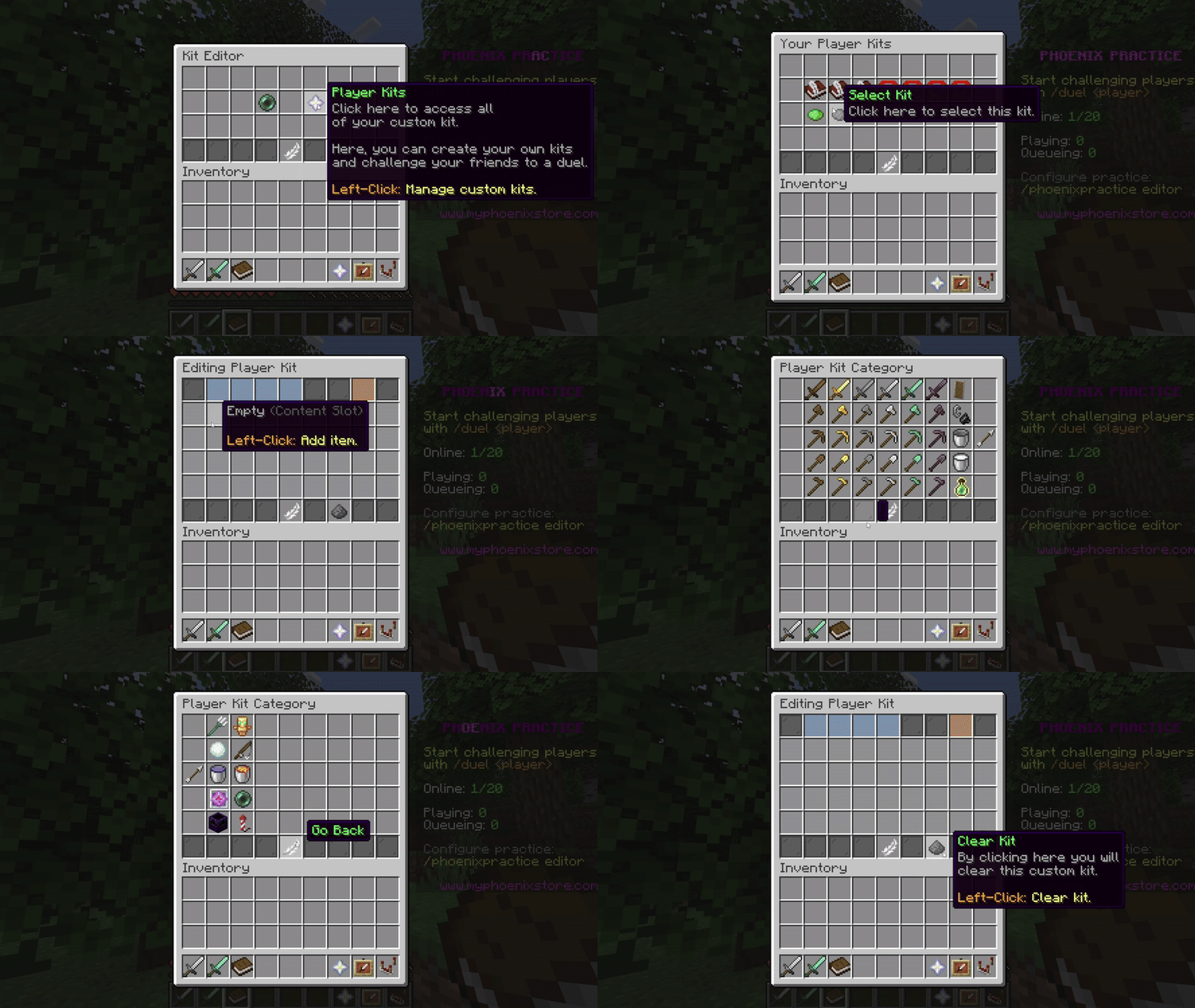
Player Kits
Your guide to the docs
Ask me anything about Phoenix Duels. I know these docs inside out, check the latest versions and changelogs, and can read your server logs.
Try asking
Your cart is empty
Looks like the spiders padded through here. Pick a plugin and it will show up here. Continue shopping