

Oops... looks like the spiders padded through here
Add products to your cart and remove them from here Lets buy




On this page you will find everything you need to know about the party features on the plugin.
To create a party and play with your friends, simply execute the /party create command. This will create a party with you as the leader, allowing you to invite other users to join.
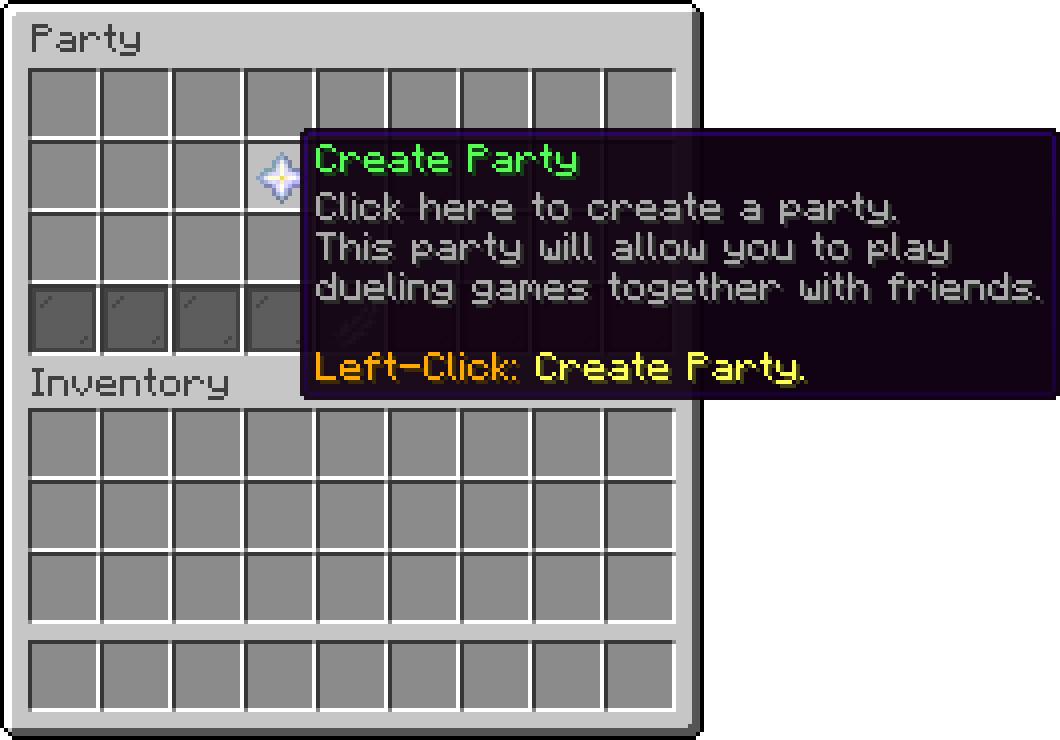
Party
Now, the party management menu will come up. From that menu you can: Invite other users, split the party, disband the party, challenge another party, or play private party ffa.
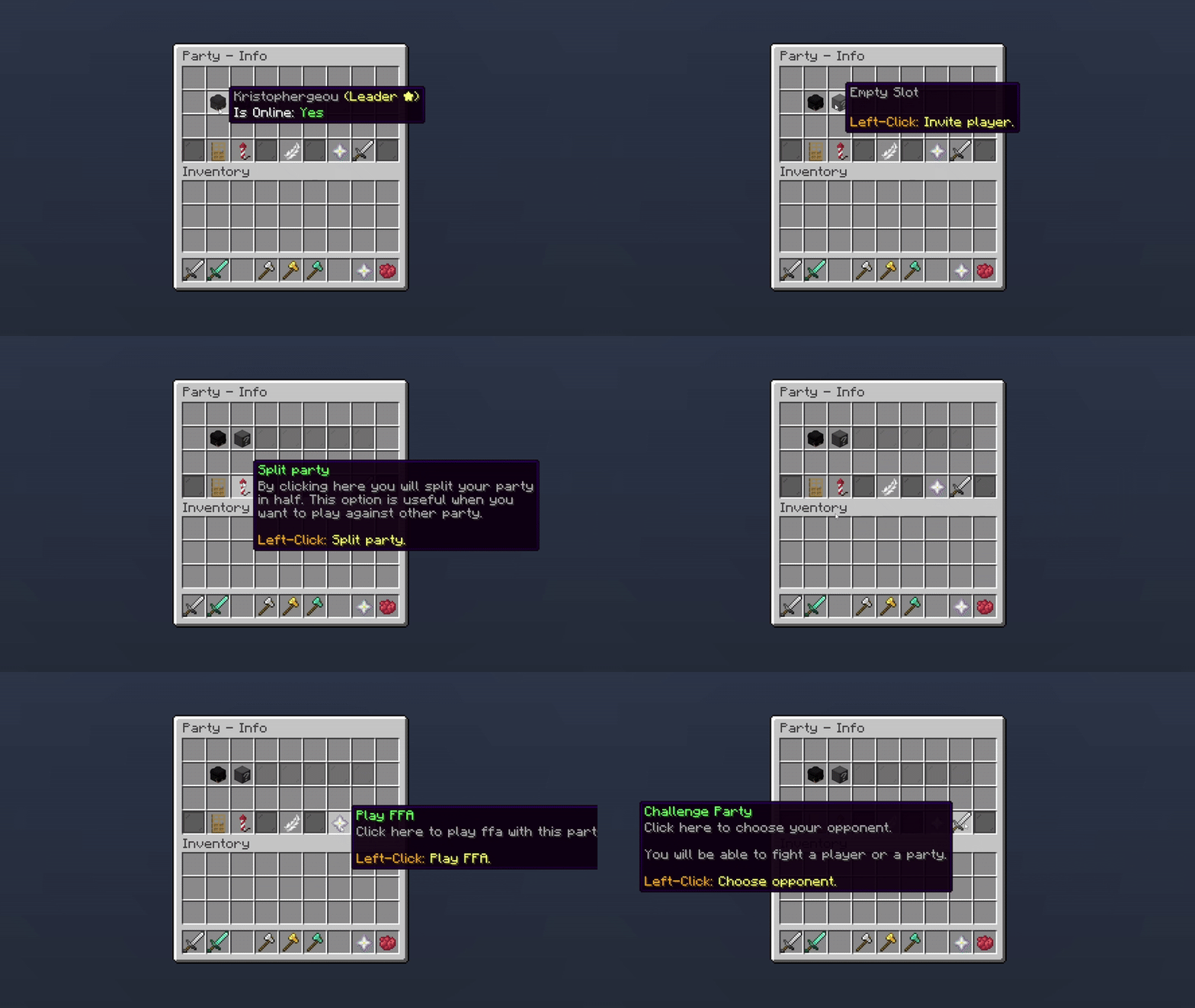
Party Management
Disbanding now asks for confirmation first, since it kicks every member and can't be undone.
| Command | Description |
|---|---|
/party create |
Creates a party with you as the leader. |
/party invite <user> |
Invites a player to your party. |
/party accept <user> |
Accepts an invitation. |
/party decline <user> |
Declines an invitation. |
/party leave |
Leaves the party you are in. |
/party kick <user> |
Removes a member. Leader only. |
/party kickoffline |
Removes every member who is currently offline. Leader only. |
/party disband |
Disbands the party. Leader only. |
/party chat <message> |
Sends a message to the party only. |
/party challenge |
Challenges another party. Leader only. |
/party fight |
Opens the team fight picker, splitting the party into two teams. |
/party multifight |
Splits the party into up to four teams. (Premium) |
/party ffa |
Starts a private free-for-all with your party. |
/party help |
Lists the commands available to you right now. |
/party play is an alias of /party fight and needs Premium. /party help only lists what you can actually use, so it shows a shorter list when you are not in a party.
There are two ways to split your own party into fighting teams:
/party fight) - splits the party into two teams./party multifight) - splits the party into up to four teams instead of just two, for free-for-all-style team battles within your own party.Both are covered in full on team-fights.md.
/party chat <message> sends a message that only party members see. The format is set once for the server in the party settings, and understands %player% and %message%.
Invitations do not sit around forever; how long a player has to accept one before it lapses is set in the party settings.
Party creation is open to everyone by default. Turning on the permission requirement in the party settings limits it to players with phoenixduels.party.create, which is the usual way to make parties a donor feature.
To set a party limit, you can change the default value in the plugin’s settings or modify it directly in the configuration file.
party:
  default-slots: 5
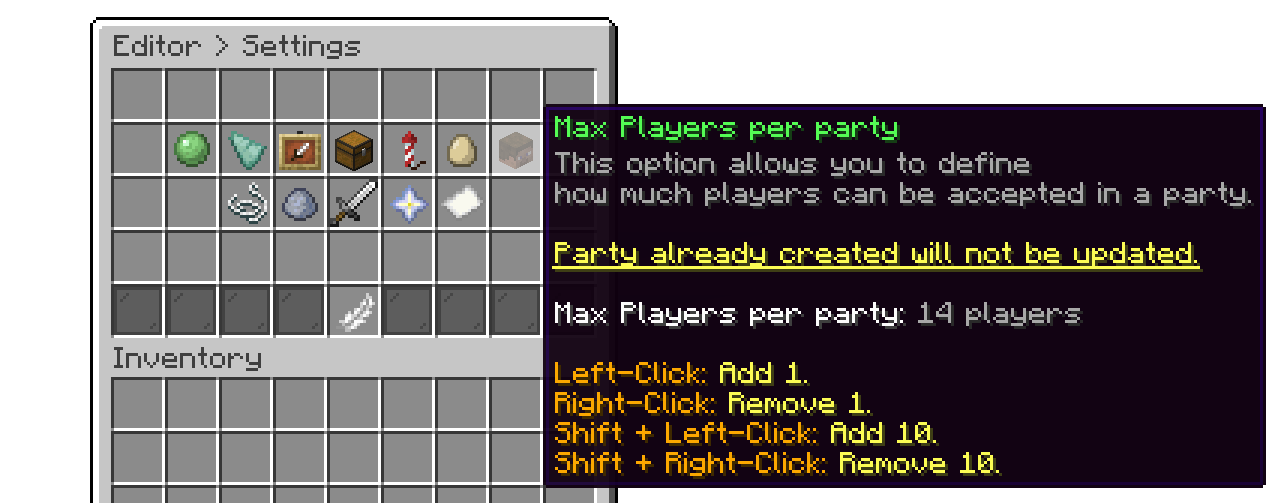
Editor > Settings
To increase the party size for an individual player, you can assign them a specific permission. You can create multiple options in the configuration for the maximum number of players allowed.
party:
  default-slots: 5
  permission-slots:
    '0':
      amount: 10
      permission: phoenixduels.partymembers.10
    '1':
      amount: 15
      permission: phoenixduels.partymembers.15
Oops... looks like the spiders padded through here
Add products to your cart and remove them from here Lets buy