

Oops... looks like the spiders padded through here
Add products to your cart and remove them from here Lets buy




On this page, you will learn how players decorate their armor with Armor Trims.
Armor Trims let a player decorate the armor they fight in without changing anything about how it performs. A trim is purely cosmetic, it is remembered per player, and it is reapplied automatically every time that player is handed the matching piece of armor in a match.
Armor Trims are a Premium feature.
/dueltrims opens a grid with one row per armor slot and one column per armor material, so a player chooses a trim for, say, Netherite Boots independently of their Iron Boots. Each tile previews the trim currently applied to that exact piece.
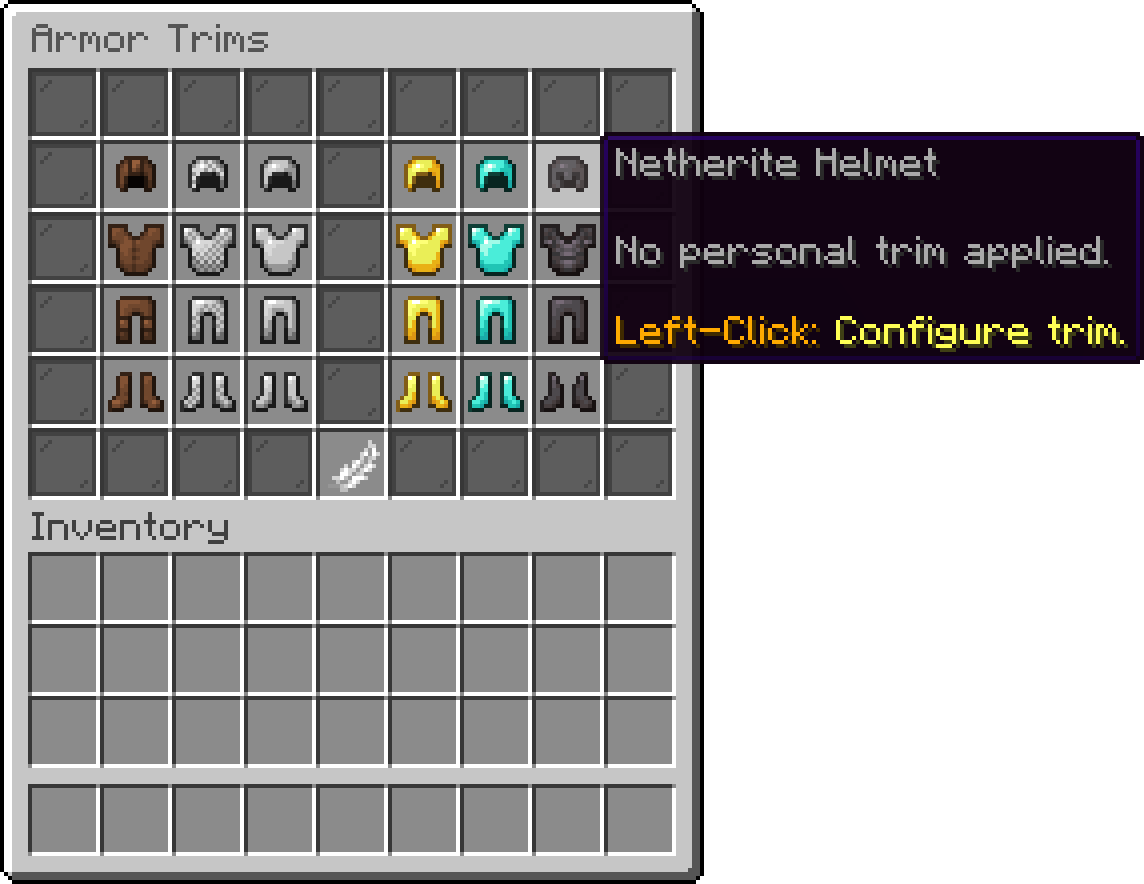
Armor Trims
Picking a tile asks for a pattern and then a material; the two together make the trim. Right-clicking a tile that already has one clears it, after a confirmation.
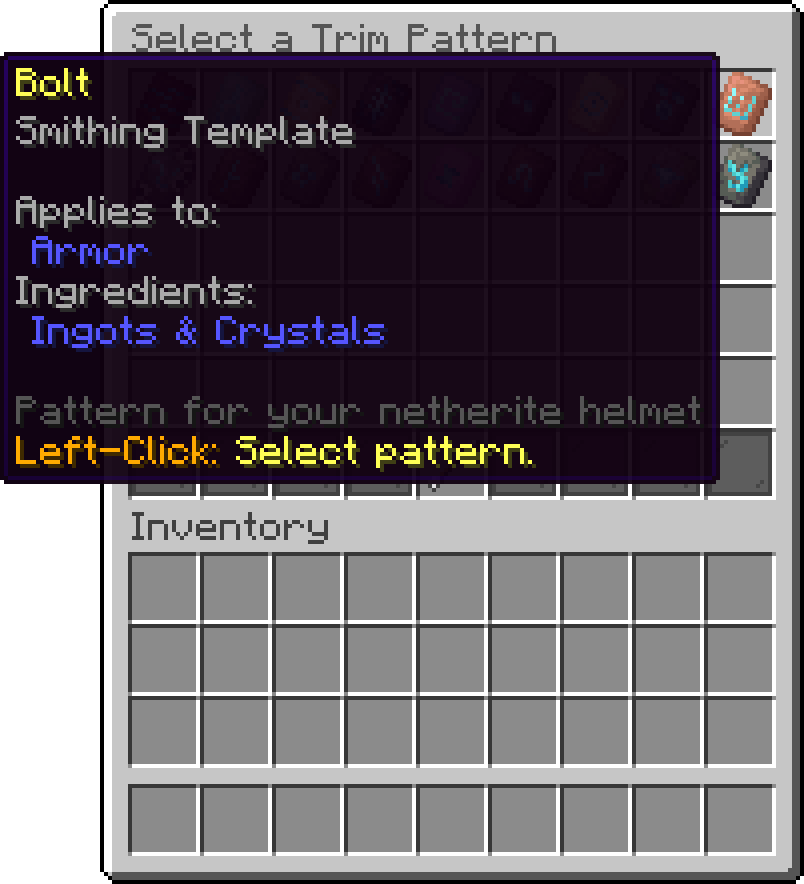
Armor Trims > Select a Trim Pattern
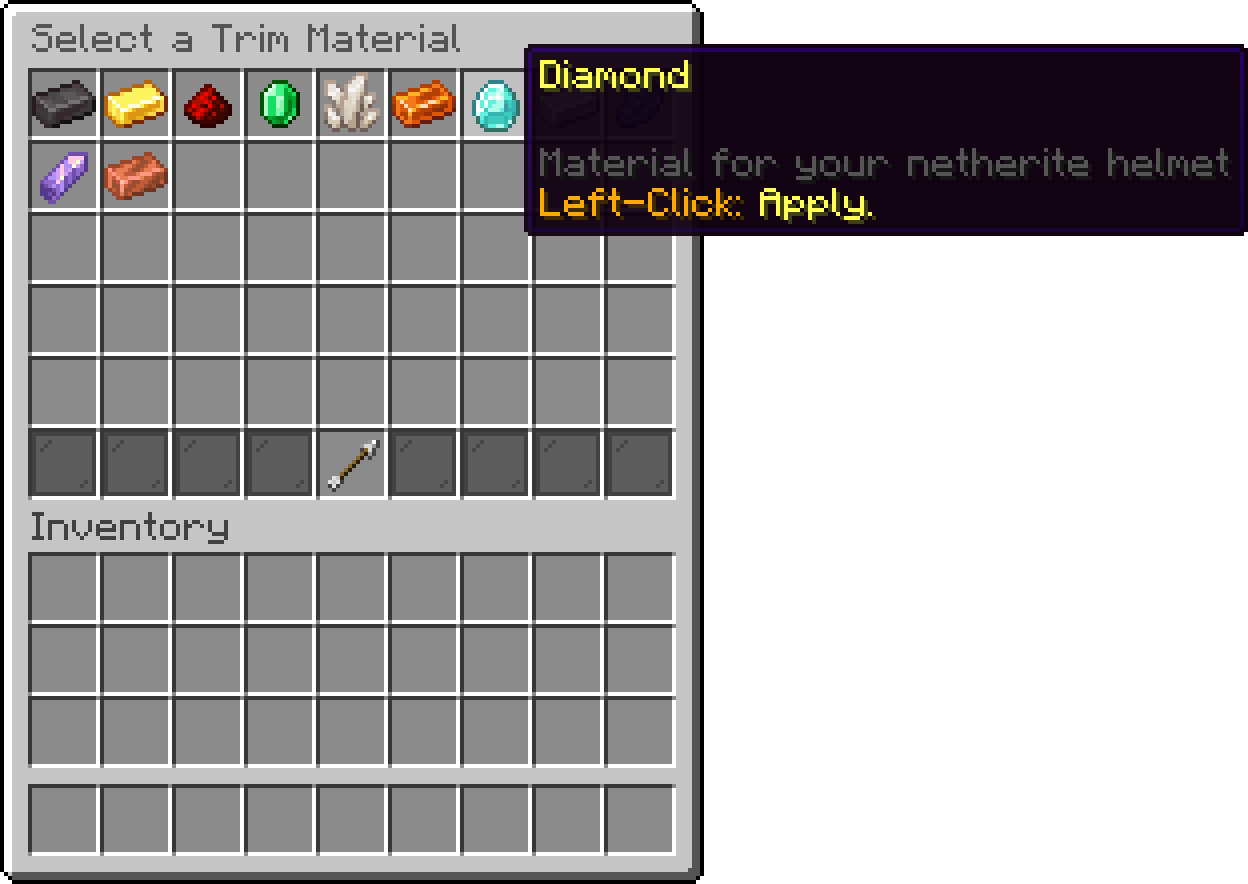
Armor Trims > Select a Trim Material
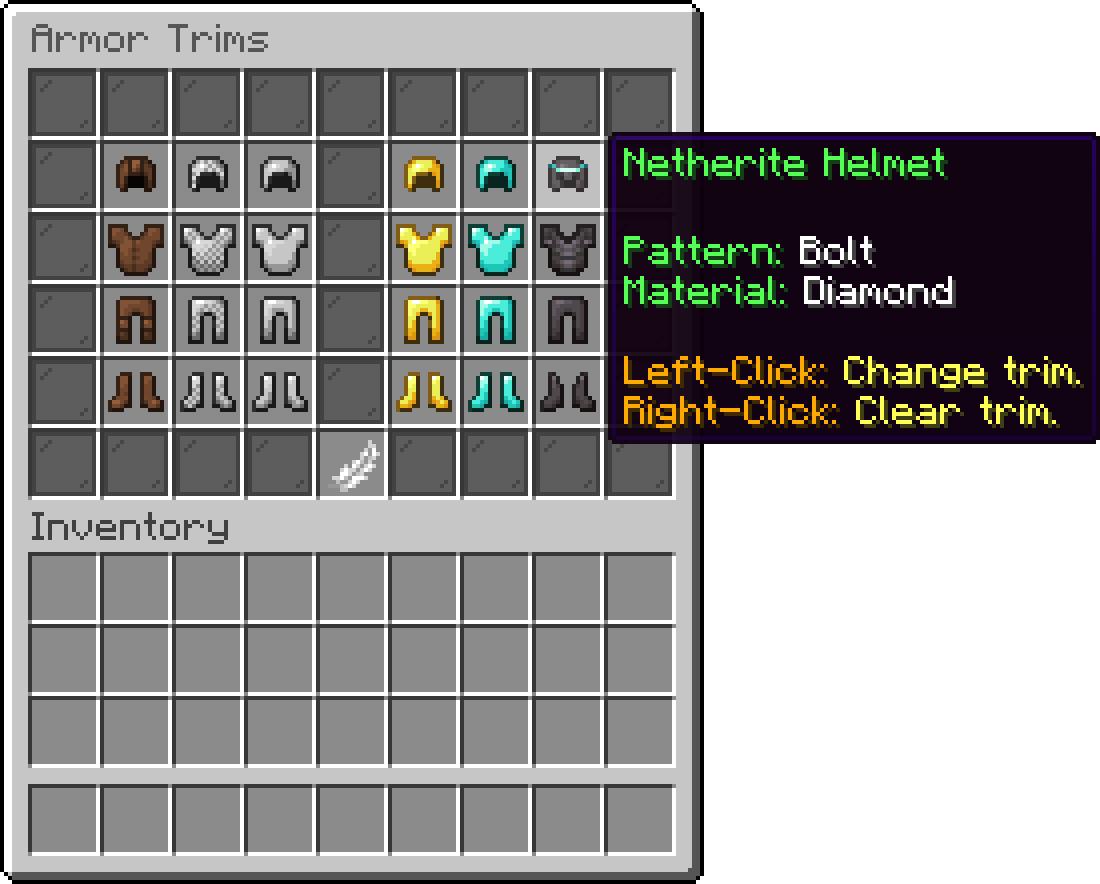
Armor Trims
Because trims are stored per slot and per material, a player only ever sees their own choice on the pieces they actually get handed. A mode whose kit gives out Diamond Chestplates ignores whatever they picked for Leather.
Players who arrange their own premade kit layouts can also apply a trim from the armor slots of the layout editor, so the trim travels with that layout rather than being a global choice. This entry point is gated separately from the menu.
Trims are locked down at three levels: getting into the menu at all, and then each individual pattern and material. A pattern or material the player has no permission for still appears in the picker, shown as locked and naming the permission it needs, so players can see what is available to unlock.
| Permission | Description |
|---|---|
| phoenixduels.trims.use | Allows opening the trims menu. |
| phoenixduels.kitlayouts.trims | Allows applying trims from a premade kit layout. |
| phoenixplugins.trim.pattern.<pattern> | Allows using the trim pattern matching <pattern>. |
| phoenixplugins.trim.material.<material> | Allows using the trim material matching <material>. |
The pattern and material nodes use the vanilla registry key, so the Sentry pattern is phoenixplugins.trim.pattern.sentry and the Redstone material is phoenixplugins.trim.material.redstone. These two are shared with the other Phoenix plugins rather than being specific to Duels, so a player granted them once has them everywhere.
Trims are also available inside the Player Kits add-on's kit editor, using the same permission nodes.
Oops... looks like the spiders padded through here
Add products to your cart and remove them from here Lets buy