








Your cart is empty
Looks like the spiders padded through here. Pick a plugin and it will show up here. Continue shoppingYou can queue for Unranked or Ranked matches, either solo or with your party. After selecting the game type, you can choose the player mode: 1v1, 2v2, 3v3, or 4v4 and then a specific mode.
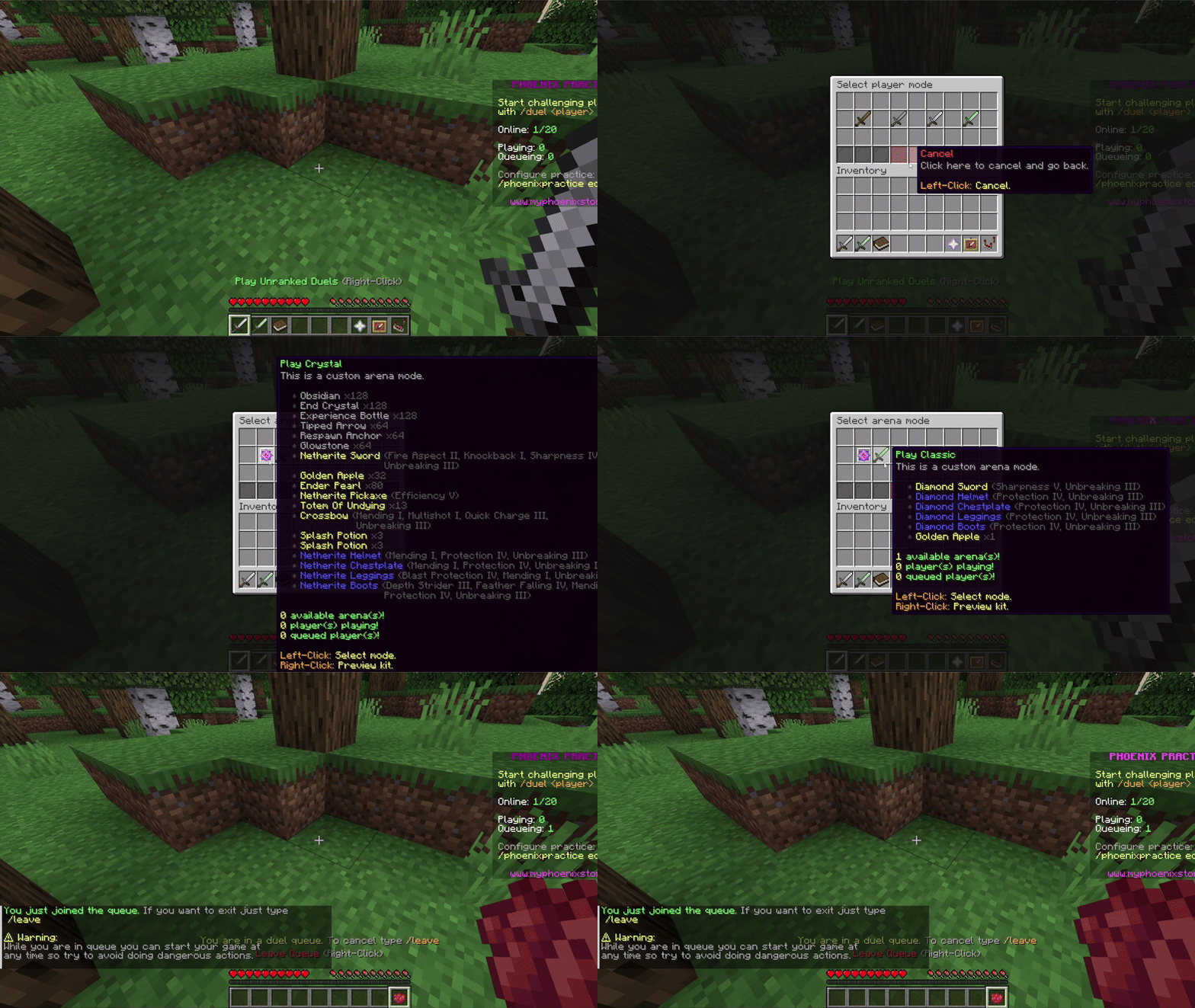
Queue for 1v1 in Classic Mode
When the queue finds a match, every player in it can get a MATCH FOUND! title with a sound, then a short wait before being teleported to the arena. It is off by default; turn it on with Match Found Notice in /pd editor → Settings → Match. It only applies to queue matches, never to duel invites or party fights.
If a player goes offline, joins another match or queues again during the wait, the match is cancelled. The other players get a chat message and can join the queue again.
/queue ffa [mode|random], or Play FFA Queue in /queue, puts you in a free-for-all queue for one mode. Without a mode it opens the mode list. When the queue reaches the mode's minimum players, a fill countdown starts and more players can still join. When it ends, or the maximum is reached, everyone queued fights in one match and the last player standing wins.
If players leave and the queue drops below the minimum, the countdown stops until enough players are back. Leave the queue with /leave like any other queue.
FFA queue matches are unranked: no elo changes, and wins, losses and kills count towards the unranked statistics. The queue is solo only; a party with more than one member can't join it, and when party queueing is turned off, party members can't join at all.
Only modes with FFA Queue turned on in their Player Types show up, and only maps with FFA spawn points are used.
You can use /duel <username> to directly challenge a specific user. After running the command, you will be able to:
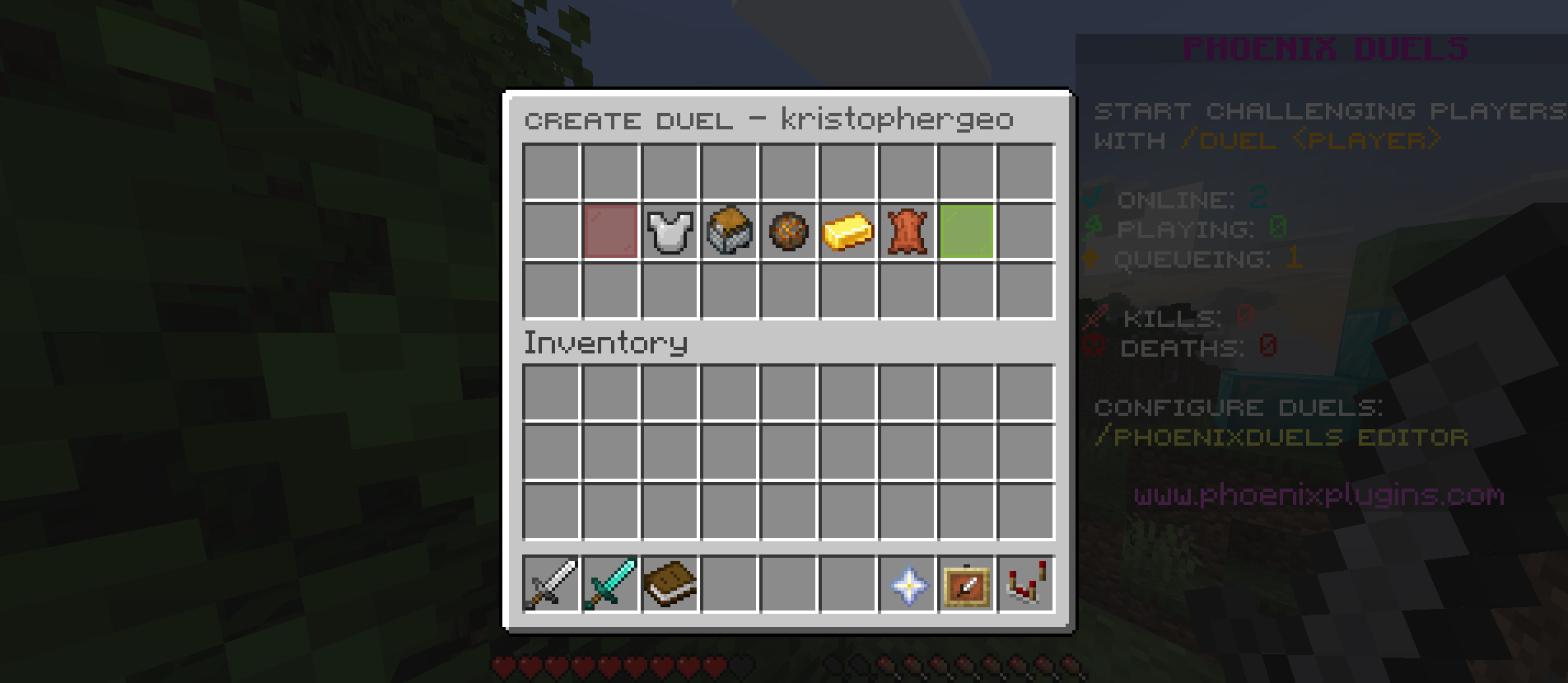
/duel menu
When an invitation is sent to the opponent, they will need to accept it in order for the game to start.
If the opponent has already invited you with the same mode and rounds, and neither invitation has a bet, sending yours back accepts theirs and the duel starts straight away.

Duel Invitation
Instead of clicking the invitation, the opponent can also answer it with /duel accept <player> or /duel decline <player>. This is worth telling Bedrock players about, since they cannot always click chat messages.
The External Spectator option decides whether anyone outside the match may watch it. Turn it off for a private grudge match and only the participants can see the fight; anyone trying to /spectate into it is refused. See Spectator Mode.
If you already know what you want, you can pass it straight to the command and the invitation is sent immediately:
/duel <player> [mode] [rounds]
So /duel Notch crystal 3 challenges Notch on the Crystal mode with a rounds value of 3, without opening anything. What that 3 means depends on the server's match.rounds-format setting: with the default First To it is three round wins, and with Best Of it is three rounds played.
With your party, you can also easily create a match and play a private FFA in a specific mode.
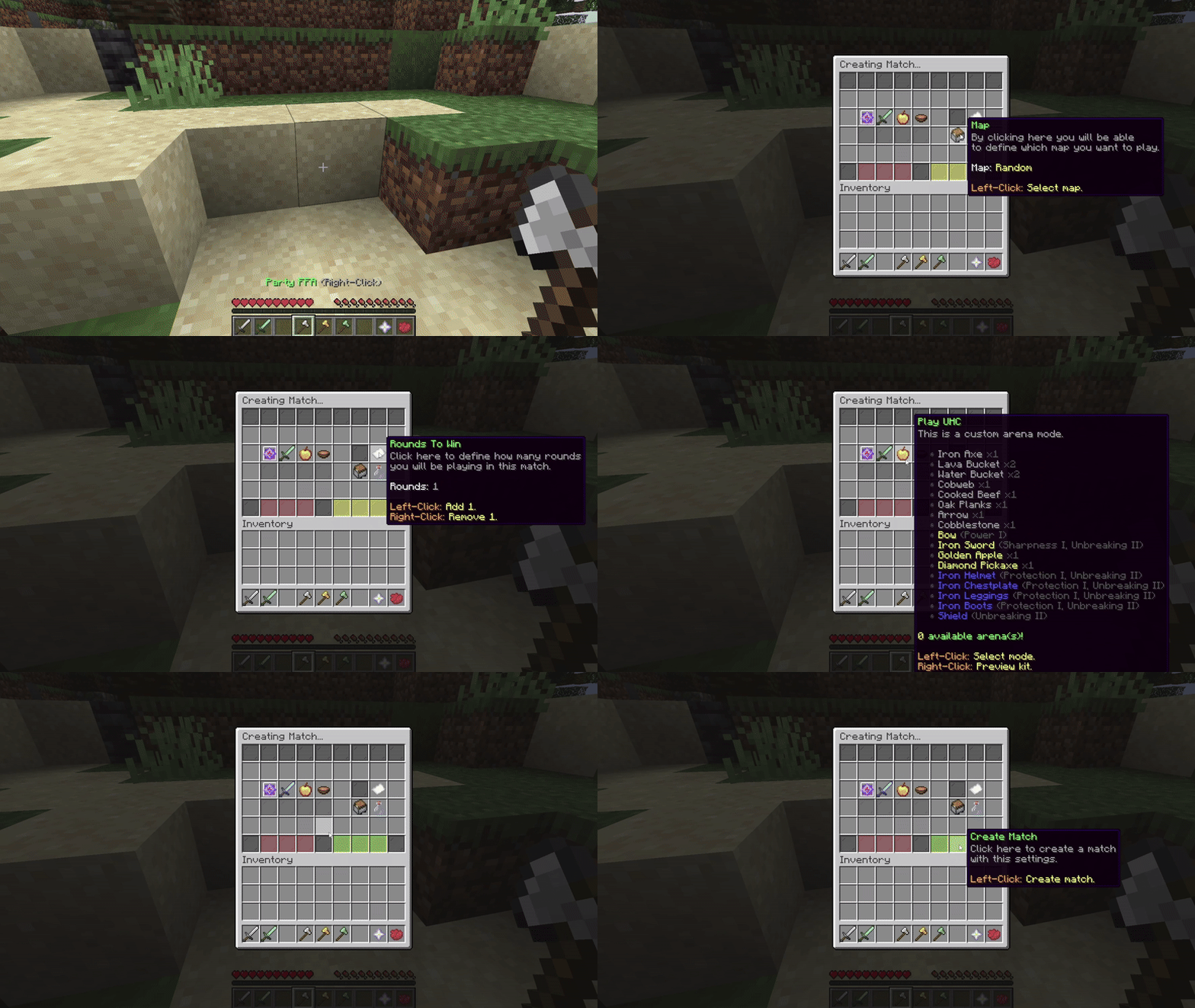
Start a Private FFA
With this option, you can select another party and fight them directly.
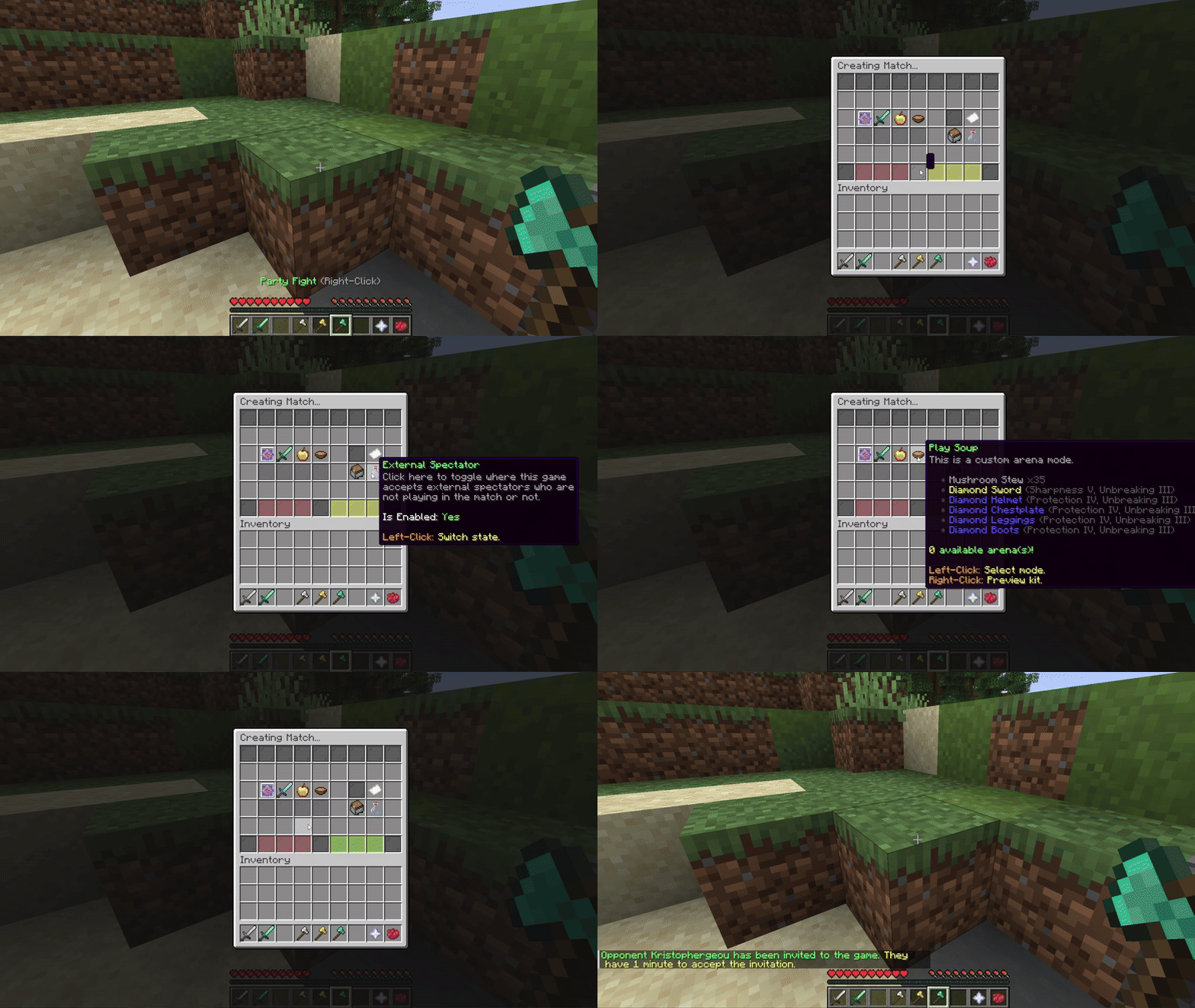
Start a Challenge
Your guide to the docs
Ask me anything about Phoenix Duels. I know these docs inside out, check the latest versions and changelogs, and can read your server logs.
Try asking
Your cart is empty
Looks like the spiders padded through here. Pick a plugin and it will show up here. Continue shopping