






Your cart is empty
Looks like the spiders padded through here. Pick a plugin and it will show up here. Continue shoppingHow players get into and out of an FFA arena, kit signs, the combat log, spectating and the player menus.
| Way in | What it does |
|---|---|
| Walking in | Crossing into the universal region joins the arena. |
| /ffa arenas | Lists every enabled arena. Left-click sends the player in, right-click opens that arena's kit selector. |
| /ffa kits <arena> | Opens the kit selector of an arena. Picking a kit sends the player in with it. |
| Kit sign | Sends the player in with the kit the sign names, see Kit Signs. |
| /ffa randomtp <arena> | Sends the player in. |
Everything but walking in sends the player to the arena's lobby location, or to a random spawn location when it has none. A picked kit is handed out once they reach the battle region, and only on the Premade Kit loadout.
Every way in, walking in included, is refused in these cases. A player who walks up to such an arena is pushed back to its lobby location.
| Reason | When |
|---|---|
| Locked | A Mob Killing or Hunger Games game is running in the arena. Its own players can still move in and out. |
| Disabled world | The arena's world is filtered out by the worlds setting in config.yml. |
| No permission | A Restricted arena requires a permission the player lacks. |
| Full | A Restricted arena has reached its Max Players. Spectators do not count, and phoenixffa.arena.bypassfull skips the check. |
The kit selector and kit signs also refuse a kit whose permission the player lacks.
By default, players inside an arena can only run /leave and the commands on the whitelist in Settings > Arena Commands, which can be switched to a blacklist instead. Players with phoenixffa.admin are exempt.
A player leaves by running /leave, by walking or teleporting out of the universal region, or by disconnecting. The command name is set by leave-alternative in config.yml, and it only acts for players inside an arena or spectating one.
/leave sends the player to the arena's lobby location, or to the PhoenixDuels lobby when the arena has none. It is refused while the player is combat-tagged.
With Restore Last Inventory on, in Settings in the editor, players get back the inventory they had before entering, on every way out. It applies to the Premade Kit and None loadouts, the two that clear the inventory on entry. Health, hunger, levels, game mode and potion effects are put back either way.
While a player is inside, a copy of that inventory is also kept in inventory_backups/. If the server stops before they leave, the copy is handed back the next time they join and then deleted.
When a player hits another inside an arena, both are combat-tagged for 15 seconds, renewed on every hit. A tagged player cannot use /leave, and one who disconnects while tagged is killed on the spot, with a combat log death message. The combat log can be turned off in Settings in the editor.
A kit sign sends a player into an FFA arena with the kit it names. Write the following on a sign:
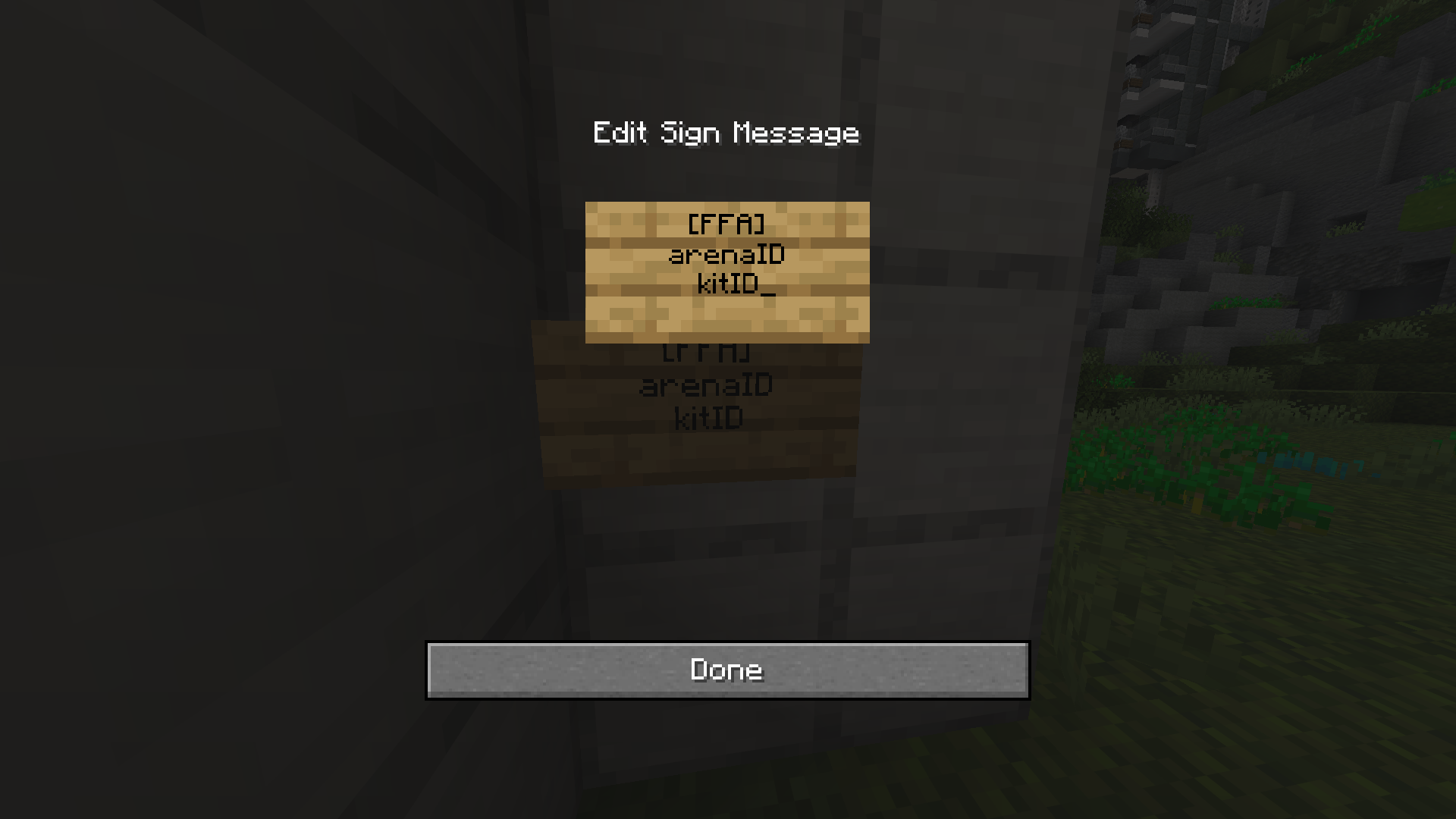
Kit Sign Format
| [FFA] |
|---|
| The ID of the FFA Arena |
| The ID of the Linked Kit |
The kit has to be one of the kits linked to that arena, otherwise the sign is not registered. Creating, editing and breaking kit signs requires phoenixffa.admin. Writing the format without it leaves an ordinary sign.
To change a sign later, Shift + Right-click it to reopen the text, or edit it in ffa_signs.yml. Breaking it removes it.
Every kit sign is drawn from one template, with %arena% and %kit% filled in. A sign whose arena no longer exists, or whose kit is no longer linked to it, switches to its own template, so a broken sign is obvious in-game.
sign-lines:
- '&8[&4&lFFA&r&8]'
- '&7%arena%'
- '&a%kit%'
- '&eRight-Click'
/ffaspectate <arena> teleports a player to the arena's spectator location in PhoenixDuels spectator mode, so it only works on arenas that have one, and not while the player is in an arena themselves. Spectators get no kit, do not count as players, and can only use /leave, which puts them back where they were with the inventory they had.
Spectators show the spectator tablist prefix in front of their name, set in Settings in the editor.
The player menus are files in the menus folder, and each one can be rearranged in-game with /ffa editlayout <menu> or from Menu Layouts in the editor, which works like the In-Game Menu Editor. Bedrock players get them as forms, see GeyserMC (Bedrock).
| Menu | Opened by | Placeholders |
|---|---|---|
| arenas | /ffa arenas, /ffaarenas | %arena% |
| kits | /ffa kits, right-click in the arena selector | %kit%, %arena% |
| gamemodes | /ffa gamemodes | %gamemode%, %type%, %status% |
| bounties | /ffa bounties | %arena% in the title, %target%, %id%, %amount%, and %player% and %amount% on each contributor line |
confirmation.yml is the "Are you sure?" screen used in the editor. It has no layout editor entry and is changed in the file only. /ffa reload reloads every menu.
Your cart is empty
Looks like the spiders padded through here. Pick a plugin and it will show up here. Continue shopping