

Oops... looks like the spiders padded through here
Add products to your cart and remove them from here Lets buy




On this page, you will learn about the in-game ranks menu of the Elo Ranks add-on.
/ranks shows players every rank on the server, ordered by the elo needed to reach it, from lowest to highest. Each entry uses that rank's own display item, name and lore, so the menu reflects whatever you set up in the editor without any extra configuration.
The entries are informational; clicking one does nothing. The menu is there so players can see what the ladder looks like and what the next rank costs.
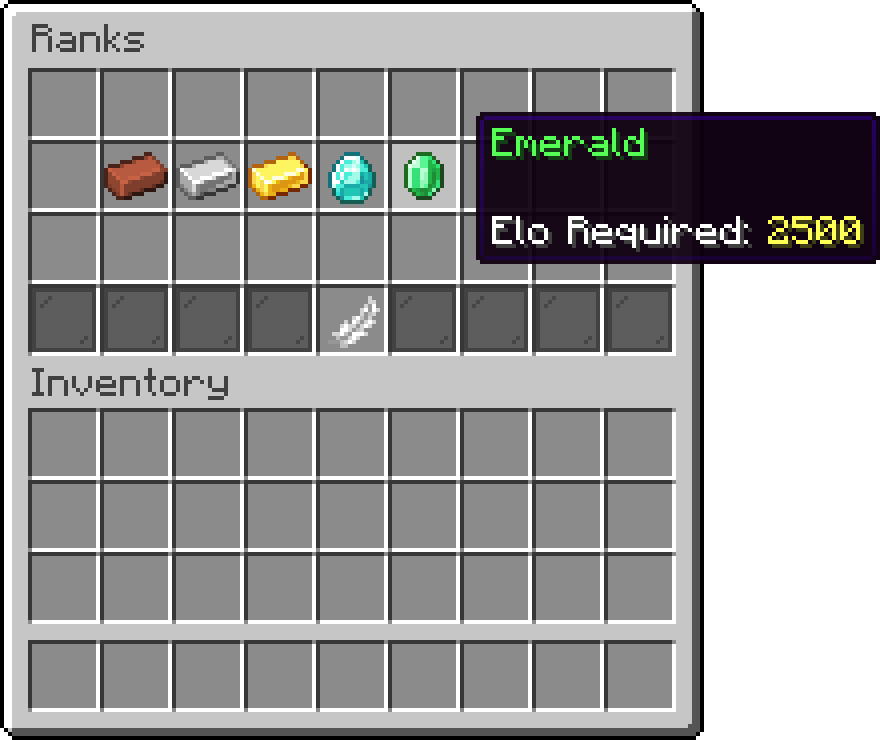
Ranks
The command is registered by the add-on into the plugin's own config.yml, so it is renamed or switched off there like any other PhoenixDuels command:
commands:
  ranks:
    enabled: true
    alternative: ranks
The menu itself lives in menus/elo/ranks.yml under the ranks key, and holds the layout, the close button, the filler row and the pagination arrows, which appear once there are more ranks than fit on a page.
The rank section is what each rank entry looks like. It takes three placeholders, filled in per rank:
| Placeholder | Value |
|---|---|
%rank_name% |
The rank's display name. |
%rank_lore% |
The rank's display lore. |
%rank_elo% |
The elo required to reach the rank. |
rank:
  name: '&a%rank_name%'
  lore:
    - '&a%rank_lore%'
    - ''
    - '&fElo Required: &e%rank_elo%'
The display item, name and lore of a rank are edited on the rank itself, not here. See edit-a-rank.md.
Oops... looks like the spiders padded through here
Add products to your cart and remove them from here Lets buy