

Oops... looks like the spiders padded through here
Add products to your cart and remove them from here Lets buy




On this page, you will find everything you need to know about the mass opening.
With mass opening, players are able to open many keys simultaneously and obtain rewards. By default, mass opening is disabled. You can enable it through its menu.

Editor > Crates > Crate
By default, there are six different opening options, all of which can be configured except for the single-key opening. The default values are x1, x6, x12, x32, x64, and x100. The x100 key option can also be set to consume all of the player's keys.
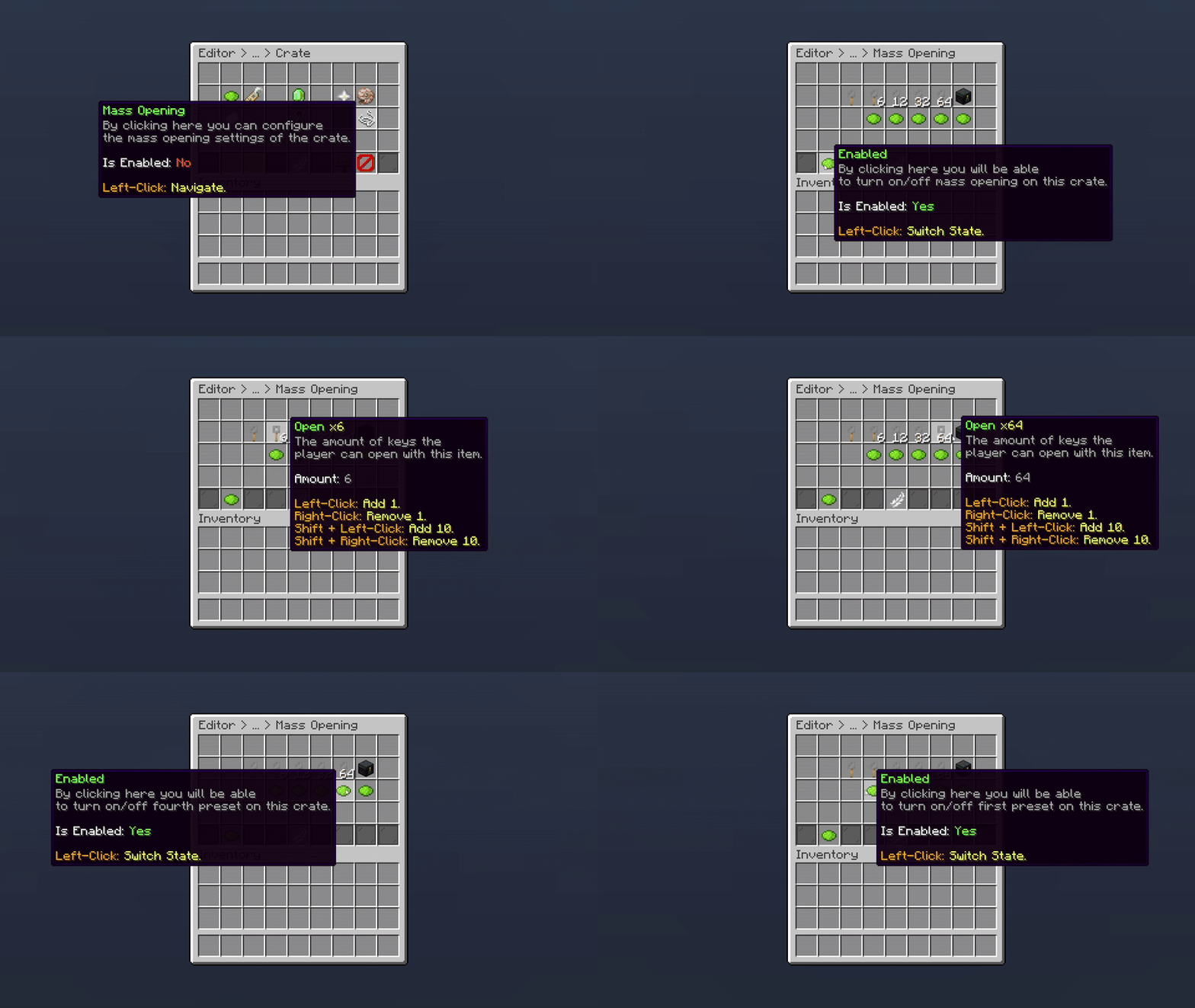
Editor > Crates > Crate > Mass Opening
The addon's global settings menu has the following options:
All permissions related to the mass opening feature.
| Permission | Description |
|---|---|
| phoenixcrates.massopen.1 | Gives access to the 2nd opening of a crate |
| phoenixcrates.massopen.2 | Gives access to the 3rd opening of a crate |
| phoenixcrates.massopen.3 | Gives access to the 4th opening of a crate |
| phoenixcrates.massopen.4 | Gives access to the 5th opening of a crate |
| phoenixcrates.massopen.all | Gives access to the Open All opening of a crate |
| phoenixcrates.massopen.* | Gives access to all the openings |
Oops... looks like the spiders padded through here
Add products to your cart and remove them from here Lets buy