

Oops... looks like the spiders padded through here
Add products to your cart and remove them from here Lets buy



The lobby hands every player a set of items to reach its features without typing a command. By default those are:
Open them from Editor > Edit Lobby Items, or edit the lobby-items file in the PhoenixLobby folder. Both write to the same place.
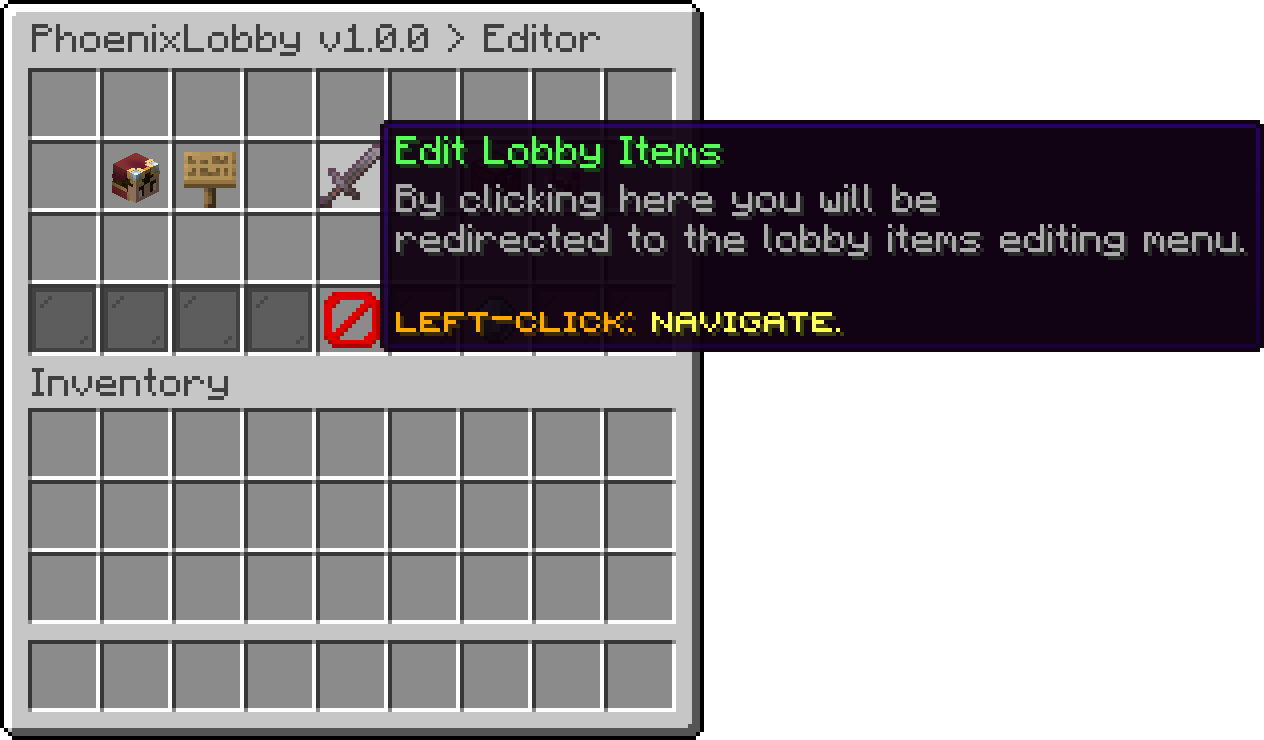
Editor (Edit Lobby Items)
Each item is one entry with its own slot, name, lore and actions, so a plain item can be made to do anything the plugin can do. The three at the top of the menu are ordinary items, the rest carry behaviour the plugin provides.
Every item here also takes the appearance options shared across the plugin — custom-model-data, item-model, enchantments, glow and the rest — which are listed on Item Options.
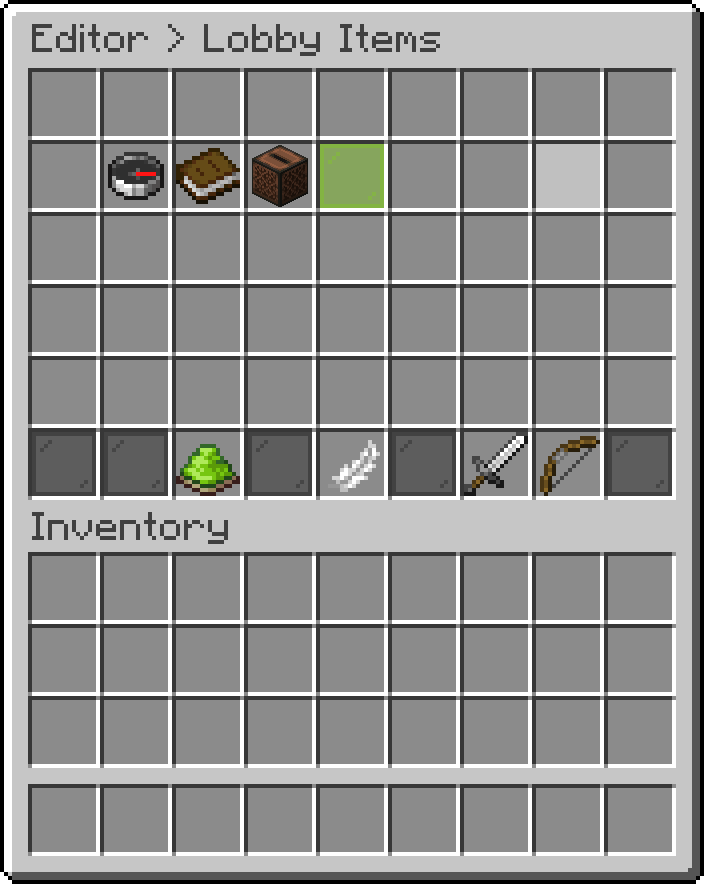
Editor (Lobby Items)
Runs the /music command, which opens the music menu of discs. Turning the command off leaves the item running it into nothing, so switch off both or neither.
Swaps between two states rather than running an action, so the item itself shows whether the other players are visible. Its cooldown is what stops a player from hiding and showing everyone repeatedly.
Puts the player into PvP mode and hands them the kit set up there, then gives their own items back when they leave. Like the visibility item it has two states, so the sword becomes a red dye while the mode is on.
The two states also sit in different slots. slot is where the sword waits while PvP is off, and states.on-slot is where the red dye goes once a fight starts — kept apart so the leave item does not land in the middle of the kit.
  pvp-mode:
    slot: '2'
    states:
      on-slot: '9'
join-actions and leave-actions run as a player enters and leaves the mode, and take every action type.
Shoots an arrow and teleports the player to wherever it lands, with a sound and a particle effect on arrival. Its cooldown is in seconds, and the ammo slot holds the arrows it fires, so leaving that slot empty is what stops it being used at all.
To modify the lobby items, add new ones or remove existing ones, you can edit the lobby-items file located in the PhoenixLobby folder.
items:
  game-menu:
    slot: '5'
    material: COMPASS
    amount: 1
    display-name: '&aGame Menu &7(Right Click)'
    lore:
    - '&7Click here to open the quick compass.'
    actions:
    - '[MENU] servers'
    required-permission: ''
  lobby-selector:
    slot: '8'
    material: BOOK
    amount: 1
    display-name: '&aLobby Selector &7(Right Click)'
    lore:
    - '&7Click here to open the lobby selector.'
    actions:
    - '[MENU] lobbies'
    required-permission: ''
  music:
    slot: '7'
    material: JUKEBOX
    amount: 1
    display-name: '&aMusic &7(Right Click)'
    lore:
    - '&7Click here to open the music menu.'
    actions:
    - '[COMMAND] player;music'
    required-permission: ''
custom-items:
  player-visibility:
    enabled: true
    slot: '9'
    cooldown: 3
    states:
      'on':
        material: LIME_DYE
        display-name: '&fPlayers: &aVisible &7(Right Click)'
        lore:
        - '&7Right click to toggle player visibility.'
      'off':
        material: GRAY_DYE
        display-name: '&fPlayers: &cHidden &7(Right Click)'
        lore:
        - '&7Right click to toggle player visibility.'
  pvp-mode:
    enabled: true
    slot: '2'
    states:
      on-slot: '9'
      'off':
        material: NETHERITE_SWORD
        display-name: '&cPvP Mode: &cDisabled &7(Right Click)'
        lore:
        - '&7Right click to enter PvP mode.'
        - '&7Your items will be given back when you leave.'
      'on':
        material: RED_DYE
        display-name: '&cPvP Mode: &aEnabled &7(Right Click)'
        lore:
        - '&7Right click to leave PvP mode.'
    kit:
      items: {}
    join-actions: []
    leave-actions: []
  teleport-bow:
    enabled: true
    slot: '1'
    material: BOW
    glow: true
    display-name: '&bTeleport Bow &7(Shoot to teleport)'
    lore:
    - '&7Shoot an arrow, teleport to where it lands.'
    cooldown-seconds: 3
    sound:
      name: entity.enderman.teleport
      volume: 1.0
      pitch: 1.0
    land-effect:
      particle: PORTAL
      color: '#ffffff'
      offset-x: 0.5
      offset-y: 0.5
      offset-z: 0.5
      spread: 0.0
      velocity: 1.0
      amount: 30
    ammo-slot: '17'
worlds:
  should-use: DISABLED_WORLDS
  enabled: []
  disabled: []
The kit of the PvP item is written by the editor rather than by hand, see PvP Kit.
To display the player's head in the hotbar, use the following method.
material: PLAYER_HEAD
To display a custom head as an item, use the basehead option.
material: PLAYER_HEAD:BASEHEAD_VALUE
To keep a slot free for another plugin (friends, hide players, cosmetics), add an item with placeholder set to true. The lobby never places its own item in that slot and never clears it, even when Clear Inventory is enabled.
items:
  friends-slot:
    slot: '4'
    placeholder: true
Use a list or a range to reserve more than one slot at once.
    slot: '4, 6'
    slot: '4-6'
If you don't want your users to get the lobby items when they join the server, make sure to set the following option in the plugin's configuration to false.
  items:
    enabled: true
The items are given in every world except the ones listed under disabled. Switch to ENABLED_WORLDS if you would rather list the only worlds that should get them. This is separate from the option above, which turns the items off everywhere.
worlds:
  should-use: DISABLED_WORLDS
  enabled: []
  disabled: []
Oops... looks like the spiders padded through here
Add products to your cart and remove them from here Lets buy