

Oops... looks like the spiders padded through here
Add products to your cart and remove them from here Lets buy



On this page, you will find how to control where in your lobby players are allowed to fight.
By default PvP mode can be entered anywhere the plugin is active. This list narrows it to the worlds you pick, so a hub world can stay peaceful while a separate arena world allows fighting. Open it from Editor > Modules > PvP Mode > Enabled Worlds.
Clicking it opens a list of the worlds currently loaded on the server, so there is nothing to type and no way to misspell a name.
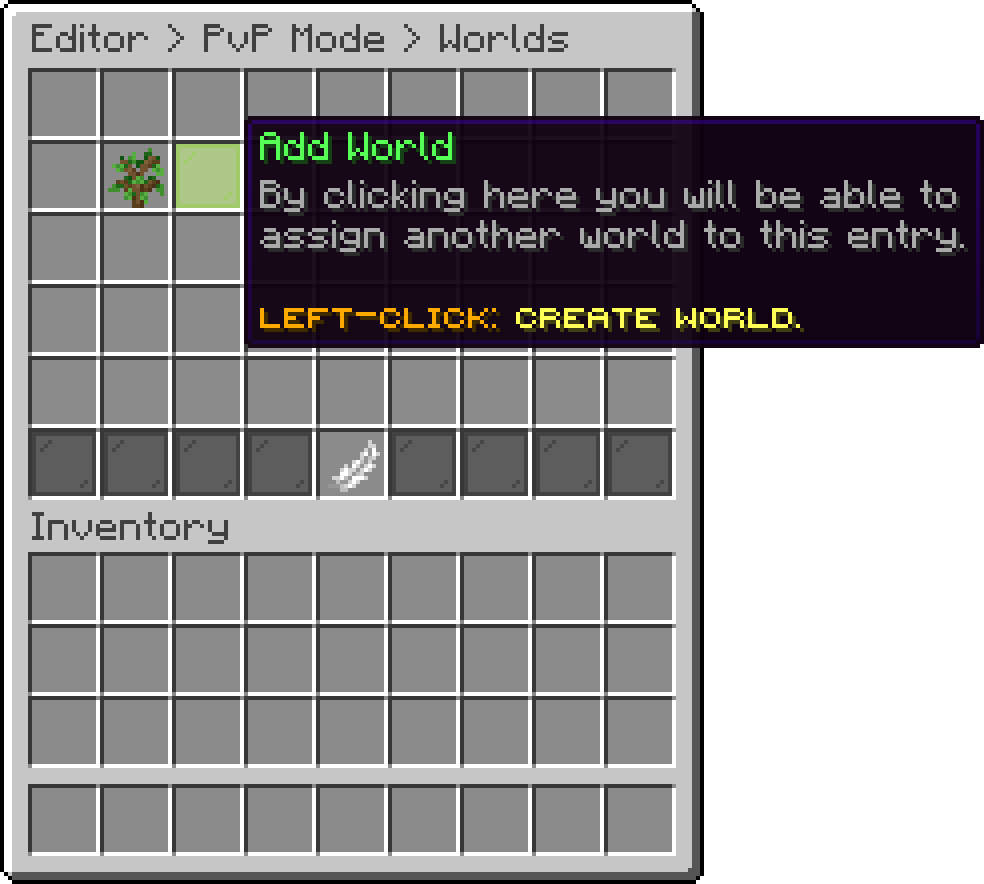
Enabled Worlds (Add World)
An empty list allows every world. It is not a list of worlds where PvP is blocked.
With WorldGuard installed, PhoenixLobby registers a phoenixlobby-restrictpvp region flag. Set it to allow on a region and players standing inside it cannot enter PvP mode, whatever the world list says.
/rg flag <region> phoenixlobby-restrictpvp allow
The flag is checked when somebody tries to enter, not while they fight, so a player who is already fighting keeps their kit when they walk in. See World Protection for the fly flag that ships alongside it.
Oops... looks like the spiders padded through here
Add products to your cart and remove them from here Lets buy